In the rapidly evolving digital landscape of 2026, choosing the right cloud storage solution is more critical than ever. With an ever-increasing reliance on digital data for both personal and professional endeavors, understanding the nuances of available platforms is paramount. This comprehensive cloud storage comparison delves deep into the offerings of three industry titans: Google Drive, Dropbox, and OneDrive. We will meticulously examine their security frameworks, collaboration capabilities, pricing structures, and overall suitability for a diverse range of users, from individual consumers to large enterprises. The goal is to equip you with the knowledge needed to make an informed decision, ensuring your data is not only accessible but also secure and efficiently managed.
The concept of cloud storage has moved beyond mere file backup; it’s now an integral part of our digital workflow, enabling seamless access to documents, photos, videos, and more, from any device, anywhere in the world. However, with this convenience comes the responsibility of selecting a provider that aligns with your specific needs, particularly concerning data security and collaborative efficiency. As we navigate through 2026, the stakes are higher, and the features offered by these platforms have become increasingly sophisticated. Let’s embark on this detailed cloud storage comparison to uncover which service truly stands out.
The Evolving Landscape of Cloud Storage in 2026
The year 2026 marks a significant point in the evolution of cloud storage. We’ve moved past the initial novelty of storing files online to an expectation of robust, integrated, and intelligent services. Artificial intelligence (AI) and machine learning (ML) are increasingly being woven into the fabric of these platforms, offering advanced search capabilities, automated organization, and predictive insights. The demand for seamless integration with other productivity tools, enhanced privacy controls, and uncompromising security measures has never been higher. This cloud storage comparison will highlight how Google Drive, Dropbox, and OneDrive are adapting to these demands.
Furthermore, regulatory compliance, such as GDPR, HIPAA, and CCPA, continues to shape how these services handle user data. Businesses, in particular, must ensure their chosen cloud storage provider meets stringent industry-specific and regional data governance requirements. Personal users, too, are becoming more aware of their digital rights and the importance of data sovereignty. Our analysis will consider how each platform addresses these critical concerns, providing a holistic view of their current standing in the market.
The shift towards hybrid work models and remote collaboration has also amplified the need for effective file sharing and real-time co-editing features. A cloud storage solution is no longer just a digital locker; it’s a collaborative workspace. Therefore, our cloud storage comparison will place a strong emphasis on how well these services facilitate teamwork and streamline workflows, which is crucial for modern productivity.
Google Drive: A Deep Dive into Integration and AI Prowess
Google Drive, an integral part of the Google Workspace ecosystem, continues to be a formidable contender in the cloud storage arena. Its primary strength lies in its deep integration with Google’s suite of productivity applications – Docs, Sheets, Slides, and Meet – making it an almost indispensable tool for users already embedded in the Google ecosystem. For many, the choice of cloud storage is often dictated by the applications they use daily, and for millions, that means Google.
Security Features of Google Drive in 2026
Security remains a cornerstone of Google Drive’s offering. In 2026, Google has further fortified its security protocols, building on its already robust infrastructure. Key security features include:
- Encryption in Transit and at Rest: All files uploaded to Google Drive are encrypted during transit (using TLS) and at rest (using 256-bit AES encryption). This ensures that data is protected from unauthorized access at every stage.
- Two-Factor Authentication (2FA): Google’s advanced 2FA options, including Google Authenticator, security keys, and push notifications, add an extra layer of protection against unauthorized account access.
- Advanced Threat Protection: Leveraging Google’s extensive security infrastructure, Drive benefits from real-time malware, ransomware, and spam detection. Files are continuously scanned for threats, and suspicious activities are flagged.
- Granular Sharing Controls: Users have precise control over who can view, comment on, or edit their files. Link sharing can be restricted to specific individuals or made public with various access levels, including expiration dates for shared links.
- Data Loss Prevention (DLP) for Enterprise: Google Workspace Business and Enterprise plans offer advanced DLP capabilities, allowing administrators to define rules to prevent sensitive information from being shared outside the organization.
- Compliance Certifications: Google Drive adheres to numerous global compliance standards, including ISO 27001, SOC 1, SOC 2, SOC 3, HIPAA, and GDPR, making it suitable for businesses with strict regulatory requirements.
- Automated Backups and Version History: Files are automatically backed up, and extensive version history is maintained, allowing users to revert to previous versions of documents, providing a safety net against accidental deletions or malicious attacks.
Collaboration Capabilities of Google Drive
Collaboration is where Google Drive truly shines. Its real-time co-editing features are arguably best-in-class, allowing multiple users to work on the same document simultaneously, with changes reflected instantly. This functionality is seamlessly integrated across Docs, Sheets, and Slides, fostering a highly productive environment.
- Real-time Co-editing: Multiple users can edit documents, spreadsheets, and presentations concurrently, seeing each other’s cursors and changes in real-time.
- Comments and Suggestions: Robust commenting features allow for contextual feedback and discussions within documents, while the ‘suggesting’ mode enables edits that can be accepted or rejected by the document owner.
- Shared Drives (formerly Team Drives): For organizations, Shared Drives provide a centralized, secure space for teams to store, access, and collaborate on files. Ownership of files within Shared Drives belongs to the team, not individual users, ensuring continuity.
- Integration with Google Meet and Chat: Users can easily initiate video calls or chat discussions directly from a shared document, streamlining communication during collaborative tasks.
- Offline Access: Google Drive allows users to designate files and folders for offline access, ensuring productivity even without an internet connection.
Dropbox: The Sync and Share Powerhouse
Dropbox has long been synonymous with simple, efficient file synchronization and sharing. While it may not boast the same deep productivity suite integration as Google Drive or OneDrive, its strength lies in its user-friendly interface, cross-platform compatibility, and robust file management capabilities. For many professionals and creatives, Dropbox remains the go-to for its reliability and straightforward approach to file handling.
Security Features of Dropbox in 2026
Dropbox has consistently invested in strengthening its security infrastructure to protect user data. In 2026, its security offerings are comprehensive and designed to meet the demands of both individual and business users.
- Encryption Standards: Files are encrypted using 256-bit AES encryption at rest and SSL/TLS during transit. This dual-layer encryption ensures data protection throughout its lifecycle.
- Two-Step Verification: Dropbox offers two-step verification using authenticator apps or SMS, adding an essential layer of security to user accounts.
- Advanced Admin Controls: Business accounts benefit from sophisticated admin controls, including audit logs, remote wipe capabilities for lost devices, and granular sharing permissions.
- Selective Sync: Users can choose which folders to sync to their devices, preventing unnecessary data storage on local machines and reducing potential exposure.
- Version History and File Recovery: Dropbox provides extensive file version history (up to 180 days for business plans) and deleted file recovery, offering resilience against data loss and ransomware attacks.
- Zero-Knowledge Encryption (Optional Add-on): For users requiring the highest level of privacy, Dropbox offers an optional add-on for zero-knowledge encryption, where the encryption keys are held by the user, not Dropbox.
- Compliance: Dropbox maintains compliance with various global standards, including ISO 27001, SOC 1, SOC 2, HIPAA, and GDPR, demonstrating its commitment to data governance.
Collaboration Capabilities of Dropbox
While Dropbox doesn’t offer a native suite of productivity apps like Google or Microsoft, it excels in facilitating collaboration through its sharing features and integrations with popular third-party tools.
- Smart Sync: Allows users to access all their files and folders from their desktop without taking up hard drive space, enabling efficient collaboration on large projects.
- File Requests: A unique feature that allows users to request files from anyone, even those without a Dropbox account, and have them uploaded directly to a specified folder.
- Dropbox Paper: A collaborative workspace for documents, brainstorming, and project management. It supports rich media, task assignment, and real-time co-editing.
- Integrations with Microsoft Office and Google Workspace: Dropbox integrates seamlessly with both Microsoft Office Online and Google Workspace, allowing users to open and edit files directly from Dropbox in their preferred productivity applications.
- Comments and Annotations: Users can add comments to specific parts of documents, images, and videos, streamlining feedback loops.
OneDrive: Microsoft’s Integrated Cloud Solution
OneDrive is Microsoft’s answer to cloud storage, deeply integrated with the Windows operating system and the ubiquitous Microsoft 365 suite. For individuals and businesses heavily invested in the Microsoft ecosystem, OneDrive offers unparalleled convenience and powerful features. Its strength lies in its seamless integration with Word, Excel, PowerPoint, and Outlook, making it a natural choice for productivity.
Security Features of OneDrive in 2026
Microsoft has made significant strides in bolstering OneDrive’s security, leveraging its vast experience in enterprise-grade security solutions. In 2026, OneDrive offers a robust security posture:
- Encryption at Rest and in Transit: Files are encrypted using 256-bit AES encryption at rest and TLS encryption during transit, protecting data from unauthorized interception and access.
- Personal Vault: A highly secure area within OneDrive for storing sensitive files and photos. It requires a strong authentication method (like fingerprint, face, or PIN) for access, even if you’re already logged into Windows or OneDrive. Files in the Personal Vault are also encrypted locally on your device.
- Ransomware Detection and Recovery: OneDrive can detect ransomware attacks and helps users recover their files to an earlier, uninfected state. This is a critical feature for data protection.
- Version History: Similar to its competitors, OneDrive maintains an extensive version history for files, allowing users to revert to previous versions for up to 30 days (or more with Microsoft 365 subscriptions).
- Advanced Threat Protection (ATP) for Microsoft 365: Business users with Microsoft 365 subscriptions benefit from ATP, which provides advanced protection against sophisticated cyber threats, including malicious links and attachments.
- Compliance Standards: Microsoft adheres to a wide array of global compliance standards, including ISO 27001, HIPAA, GDPR, and FedRAMP, making OneDrive a strong contender for regulated industries.
- Granular Sharing Controls: Users have detailed control over sharing permissions, including setting expiration dates for shared links, password protection for links, and blocking downloads.
Collaboration Capabilities of OneDrive
OneDrive’s collaboration features are deeply intertwined with Microsoft 365, offering a powerful and familiar experience for millions of users.
- Real-time Co-authoring: Like Google Drive, OneDrive enables real-time co-authoring in Word, Excel, and PowerPoint, allowing multiple users to work on the same document simultaneously.
- Integration with Microsoft Teams: OneDrive is tightly integrated with Microsoft Teams, providing a central location for teams to store, share, and collaborate on files within their communication hub.
- File Sharing and Permissions: Easy file sharing with robust permission settings. Users can share files and folders with specific people or generate links with view or edit permissions.
- Comments and @mentions: Users can add comments to documents and use @mentions to directly notify colleagues, streamlining feedback and task management.
- Offline Access: OneDrive allows users to make files and folders available offline, ensuring access and productivity even without an internet connection.
Cloud Storage Comparison: Security & Privacy Showdown
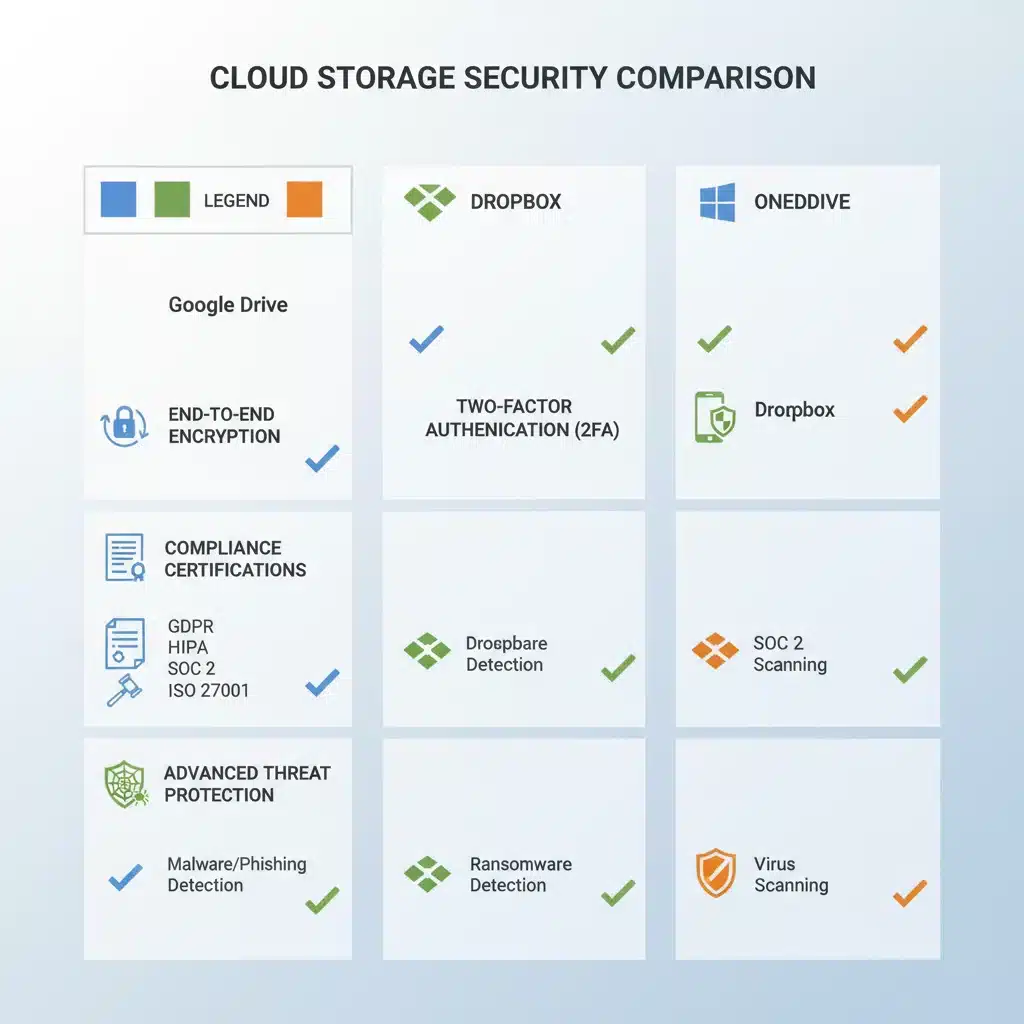
When it comes to a cloud storage comparison, security and privacy are often the most significant deciding factors. All three providers – Google Drive, Dropbox, and OneDrive – employ industry-standard encryption and security measures. However, there are nuances that differentiate them.
Encryption: All three use 256-bit AES encryption at rest and TLS/SSL during transit. This level of encryption is considered highly secure. The key difference lies in how encryption keys are managed and whether zero-knowledge encryption is offered.
- Google Drive: Google manages the encryption keys. While they have an excellent security record, this means Google technically has access to your data.
- Dropbox: Also manages encryption keys, but offers an optional add-on for zero-knowledge encryption (though this often comes with trade-offs in features like search).
- OneDrive: Microsoft manages the encryption keys. The Personal Vault feature provides an extra layer of security for specific sensitive files, requiring additional authentication.
Two-Factor Authentication (2FA): All three offer robust 2FA options, which are crucial for preventing unauthorized access even if passwords are compromised. Google’s advanced options, including security keys, are particularly strong.
Advanced Threat Protection: Google Drive and OneDrive, leveraging their vast ecosystems, offer sophisticated malware and ransomware detection. OneDrive’s ransomware recovery is a standout feature for personal users. Dropbox also has strong recovery options through extensive version history.
Compliance: All three are compliant with major global standards like ISO 27001, SOC 2, HIPAA, and GDPR. For businesses in regulated industries, verifying specific certifications relevant to their operations is essential.
Privacy Policies: This is where a deeper dive is often required. While all state they do not scan files for advertising purposes, their broader data usage policies can differ. Google, in particular, has faced scrutiny over data usage, though they maintain that user content in Workspace services is not used for ad targeting. Users should always review the privacy policies of each service to understand how their data is handled.
In summary, for absolute privacy with user-controlled encryption keys, a niche third-party solution or Dropbox with its zero-knowledge add-on might be preferred. For robust enterprise-grade security with extensive threat detection and recovery, Google Drive and OneDrive offer compelling packages, especially within their respective productivity suites.

Cloud Storage Comparison: Collaboration & Productivity
The ability to collaborate effectively is now a fundamental requirement for any leading cloud storage solution. This cloud storage comparison highlights how each platform approaches teamwork and productivity.
Real-time Co-editing:
- Google Drive: Unquestionably a leader here, with seamless real-time co-editing across Docs, Sheets, and Slides. The experience is smooth and intuitive.
- OneDrive: Offers excellent real-time co-authoring within Word, Excel, and PowerPoint, especially for users familiar with the Microsoft Office interface.
- Dropbox: Doesn’t have native office apps for co-editing but integrates well with both Google Workspace and Microsoft Office Online, allowing users to open and edit files directly. Dropbox Paper provides its own collaborative document environment.
Integration with Productivity Suites:
- Google Drive: Deeply integrated with Google Workspace, offering a unified experience from document creation to sharing and communication.
- OneDrive: Tightly coupled with Microsoft 365 and the Windows ecosystem, providing a native and streamlined experience for Office users.
- Dropbox: Acts more as a neutral hub, integrating with both Google Workspace and Microsoft 365, making it versatile for mixed environments.
File Sharing and Permissions: All three offer robust file sharing with granular permissions. OneDrive’s ability to block downloads and set password protection for shared links is a notable advantage for sensitive data. Google Drive’s expiration dates for shared links are also very useful.
Team Features:
- Google Drive: Shared Drives are excellent for organizational teams, ensuring file ownership and access are managed at a team level.
- OneDrive: Strong integration with Microsoft Teams makes it a powerful collaborative hub for businesses using the Microsoft ecosystem.
- Dropbox: While not having a dedicated ‘team drive’ concept in the same vein as Google or Microsoft, its folder sharing and administrative controls for business accounts are very effective for team collaboration.
For organizations heavily reliant on either Google Workspace or Microsoft 365, the choice between Google Drive and OneDrive will largely come down to their existing ecosystem. Dropbox offers a more agnostic approach, making it suitable for environments that use a mix of tools or prioritize simplicity and universal compatibility.
Pricing and Storage Options: A Cloud Storage Comparison for Every Budget
Pricing and available storage tiers are often the practical considerations that finalize a decision in any cloud storage comparison. All three providers offer free tiers, personal plans, and business/enterprise solutions, but the specifics vary.
Free Tiers:
- Google Drive: Offers a generous 15 GB of free storage, shared across Drive, Gmail, and Google Photos. This is often sufficient for casual users.
- Dropbox: Provides 2 GB of free storage. While less than Google or Microsoft, it’s often enough for basic file syncing and sharing.
- OneDrive: Offers 5 GB of free storage. This is a decent starting point, especially for Windows users.
Personal Plans:
- Google One (for Google Drive): Offers various paid plans starting from 100 GB up to 30 TB, with additional benefits like VPN, expert support, and family sharing. A common plan is 200 GB for a competitive monthly fee.
- Dropbox Plus: Typically offers 2 TB for individual users, focusing on syncing and sharing capabilities with advanced features.
- Microsoft 365 Personal/Family (for OneDrive): This is where OneDrive becomes highly competitive. A Microsoft 365 Personal subscription includes 1 TB of OneDrive storage along with access to premium Office apps (Word, Excel, PowerPoint, Outlook). The Family plan offers 6 TB (1 TB per user for up to 6 users) plus premium Office apps. This offers immense value for users who need both cloud storage and productivity software.
Business/Enterprise Plans:
All three offer scalable business plans with features like enhanced security, advanced admin controls, unlimited storage options, and dedicated support. The pricing for these tiers is typically volume-based and often requires direct consultation with the sales teams for customized solutions.
When considering pricing, it’s crucial to look beyond just the storage capacity. Factor in the value of integrated productivity suites, advanced security features, and compliance certifications, especially for business use cases. For individuals, Microsoft 365’s bundled offering of 1 TB OneDrive storage with premium Office apps is exceptionally good value if you use Office. Google One is very attractive for those deeply integrated into the Google ecosystem. Dropbox’s strength lies in its simplicity and cross-platform compatibility, making its premium plans appealing for users who prioritize these aspects.
User Experience and Interface: Navigating Your Cloud
A crucial, yet often subjective, aspect of this cloud storage comparison is the user experience (UX) and interface. While all three are generally user-friendly, their design philosophies and integration points lead to distinct experiences.
Google Drive: The interface is clean, modern, and highly functional. Its integration with Google’s search engine makes finding files incredibly efficient, often leveraging AI for smarter results. The web interface is robust, and the desktop and mobile apps are intuitive. For users accustomed to Google’s design language, it feels natural.
Dropbox: Known for its minimalist and straightforward interface. Dropbox prioritizes ease of use and efficient file syncing. Its desktop client is particularly well-regarded for its seamless background synchronization. The web interface is clean, and mobile apps are highly functional, making it a favorite for those who value simplicity and reliability.
OneDrive: Its interface is familiar to Windows users, often feeling like an extension of the operating system. The deep integration with File Explorer on Windows is a major convenience. The web interface and mobile apps are also well-designed, aligning with Microsoft’s modern design principles. For Microsoft 365 users, the seamless flow between OneDrive and Office apps is a significant advantage.
Ultimately, the best user experience often comes down to personal preference and existing ecosystem familiarity. If you live in Google’s world, Drive will feel most natural. If you’re a devout Microsoft user, OneDrive will be your comfortable home. If you prefer a neutral, highly efficient file sync and share tool that works across all platforms without heavy integration, Dropbox is a strong contender.
Conclusion: Choosing Your Ideal Cloud Storage Partner in 2026
Our in-depth cloud storage comparison of Google Drive, Dropbox, and OneDrive in 2026 reveals that all three are mature, feature-rich platforms capable of meeting diverse needs. There isn’t a single ‘best’ option; rather, the ideal choice depends on your specific requirements, existing digital ecosystem, and priorities.
- Choose Google Drive if: You are deeply embedded in the Google Workspace ecosystem (Gmail, Docs, Sheets, Slides), prioritize real-time collaboration, value AI-powered search, and appreciate a generous free tier. Its enterprise-grade security and compliance make it suitable for businesses of all sizes.
- Choose Dropbox if: You value simplicity, robust file syncing across all platforms, efficient file sharing, and prefer a cloud storage solution that integrates well with various third-party apps without locking you into a specific ecosystem. Its strong version history and optional zero-knowledge encryption appeal to those prioritizing core file management and advanced privacy.
- Choose OneDrive if: You are a heavy user of Microsoft 365 applications (Word, Excel, PowerPoint, Outlook) and the Windows operating system. Its deep integration with these tools, coupled with features like Personal Vault and ransomware detection, offers immense value, especially with a Microsoft 365 subscription.
As we’ve seen throughout this cloud storage comparison, all three providers have made significant advancements in security, collaboration, and overall user experience for 2026. The decision ultimately boils down to a careful evaluation of your personal or business needs. Consider your budget, the importance of integration with other tools, the level of security and privacy you require, and how you typically collaborate with others. By weighing these factors, you can confidently select the cloud storage partner that will best serve your digital life in the years to come.