Mastering Digital Data Backup: Essential Strategies for Protection

Mastering Digital Data Backup: Essential Strategies for Protection
In our increasingly digital world, data is not just information; it’s memories, work, and essential records. The thought of losing it can be terrifying. From accidental deletions to hardware failures, and from cyberattacks to natural disasters, countless threats loom over our precious digital assets. This is where a robust digital data backup strategy becomes not just important, but absolutely critical. It’s the digital safety net that protects your information, offering peace of mind and ensuring continuity in the face of the unexpected.
Understanding the importance of regular backups is the first step. Imagine years of family photos, crucial business documents, or your entire music collection vanishing in an instant. Without a proper digital data backup plan, recovering from such a loss can be impossible, leading to emotional distress, financial setbacks, or even business failure. This comprehensive guide will delve into why digital data backup is non-negotiable and, more importantly, how you can implement effective strategies to safeguard your digital life.
The Unseen Dangers: Why Digital Data Backup is Crucial
Before we dive into the ‘how,’ let’s fully grasp the ‘why.’ Many users underestimate the fragility of digital data until it’s too late. Your hard drive, despite its sophisticated technology, has a finite lifespan. Software glitches can corrupt files, and human error is a constant threat. Moreover, the digital landscape is fraught with malicious actors. Ransomware attacks, phishing scams, and viruses can encrypt or delete your data, holding it hostage or destroying it entirely. Natural disasters like floods or fires can obliterate physical storage devices, taking your data with them.
A proactive digital data backup strategy mitigates these risks significantly. It’s about creating redundant copies of your data, stored in different locations, so that if one copy is compromised, others remain intact. This principle is often referred to as the 3-2-1 rule of backup: keep at least three copies of your data, store them on two different types of media, and keep one copy offsite. Adhering to this rule dramatically increases your chances of successful data recovery.
Consider the emotional toll of losing irreplaceable memories. Photos and videos of loved ones, significant life events, and cherished moments are often stored exclusively on digital devices. Without a solid digital data backup, these precious artifacts can be lost forever. For businesses, data loss can mean operational downtime, financial penalties, reputational damage, and even legal repercussions. Customer databases, financial records, intellectual property – all are vital assets that require meticulous protection.
Furthermore, technology evolves rapidly. Older storage formats can become obsolete, making data inaccessible. Regular backups, especially those that involve migrating data to newer, more stable platforms, ensure long-term accessibility. It’s an ongoing process, not a one-time task. Setting up an automated digital data backup system is the most effective way to ensure consistency and minimize the risk of human oversight.
The cost of implementing a digital data backup solution is almost always negligible compared to the cost of data loss. Whether it’s the financial impact on a business or the emotional impact on an individual, the consequences of not backing up can be severe. Investing in reliable backup methods is an investment in your future, safeguarding your past and present digital footprint.
Method 1: Cloud Storage – The Seamless Digital Data Backup Solution
Cloud storage has revolutionized the way we think about digital data backup. Instead of storing your files on a physical device in your home or office, cloud storage services upload your data to remote servers maintained by a third-party provider. This method offers unparalleled convenience, accessibility, and often, robust security features.
How Cloud Storage Works for Digital Data Backup
When you use a cloud storage service, you typically install a client application on your computer or mobile device. This application monitors designated folders for changes and automatically uploads new or modified files to the cloud. Many services also offer web interfaces for direct uploads and access. The data is usually encrypted both in transit and at rest, providing a layer of security against unauthorized access.
Advantages of Cloud Digital Data Backup
- Offsite Backup: This is perhaps the biggest advantage. Your data is stored in geographically dispersed data centers, protecting it from local disasters like fires, floods, or theft that might affect your physical devices.
- Accessibility: Once uploaded, your data can be accessed from any device with an internet connection, anywhere in the world. This is ideal for remote work, travel, or simply needing a file when you’re away from your primary computer.
- Automation: Most cloud services offer seamless, automatic synchronization and backup. Once set up, you rarely need to think about it, ensuring your backups are always up-to-date.
- Scalability: You can easily upgrade your storage plan as your data needs grow, without needing to purchase new hardware.
- Version History: Many cloud providers keep multiple versions of your files, allowing you to revert to an older state if a file gets corrupted or accidentally modified.
- Collaboration: Cloud storage often integrates with collaboration tools, making it easy to share files and work on projects with others.
Disadvantages of Cloud Digital Data Backup
- Internet Dependency: You need an active internet connection to upload, download, or access your files. Slow internet speeds can make large backups or restores time-consuming.
- Cost: While many services offer a free tier with limited storage, larger capacities come with a recurring monthly or annual fee.
- Security Concerns: Although providers employ strong encryption, you are entrusting your data to a third party. It’s crucial to choose reputable providers with strong security protocols and consider additional encryption for highly sensitive data.
- Privacy: Depending on the provider’s terms of service and jurisdiction, there might be concerns about data privacy and how your data is handled.
Popular Cloud Digital Data Backup Services
- Google Drive: Offers generous free storage, integrates seamlessly with Google Workspace, and is highly accessible.
- Dropbox: Known for its user-friendly interface and efficient file synchronization.
- Microsoft OneDrive: Deeply integrated with Windows and Microsoft 365, making it a natural choice for Windows users.
- Apple iCloud: Essential for Apple ecosystem users, providing backups for iOS devices and macOS.
- Backblaze: A popular choice for unlimited, continuous backup of an entire computer for a flat annual fee.
- IDrive: Offers a good balance of features, including backup for multiple devices and hybrid backup options.
When selecting a cloud service for your digital data backup, consider factors like storage capacity, pricing, security features (e.g., two-factor authentication, encryption), ease of use, and compatibility with your devices. For critical data, combining cloud backup with another method (like an external drive) provides an even more robust solution.

Method 2: External Hard Drives – The Reliable Local Digital Data Backup
External hard drives remain a cornerstone of effective digital data backup for many users. They offer a tangible, local solution that is often faster and more cost-effective for large amounts of data, especially for initial backups or full system images. While they lack the offsite protection of cloud storage, they are invaluable for quick recovery and offline access.
How External Hard Drives Work for Digital Data Backup
An external hard drive is a portable storage device that connects to your computer, typically via a USB cable. Once connected, it appears as another drive on your system. You can then manually copy and paste files, or use dedicated backup software (often included with the drive or built into your operating system, like Windows File History or macOS Time Machine) to automate the backup process. These drives come in various capacities, from hundreds of gigabytes to several terabytes, and can be either traditional HDDs (Hard Disk Drives) or faster, more durable SSDs (Solid State Drives).
Advantages of External Hard Drive Digital Data Backup
- Speed: Local backups to an external drive are significantly faster than uploading to the cloud, especially for large files or initial full system backups.
- Cost-Effective: Per gigabyte, external hard drives are generally more affordable than cloud storage subscriptions, especially for large storage needs. It’s a one-time purchase.
- No Internet Required: Once backed up, your data is accessible offline, which is crucial if your internet connection is down or unreliable.
- Full Control: You have complete physical control over your data. There are no third-party privacy concerns.
- Portability: External drives are portable, allowing you to easily move data between computers or take your backups with you.
Disadvantages of External Hard Drive Digital Data Backup
- Vulnerability to Local Disasters: If your external drive is stored in the same location as your computer, it’s vulnerable to the same risks (fire, flood, theft). This is why the 3-2-1 rule emphasizes an offsite copy.
- Manual Intervention: While software can automate the process, you still need to physically connect the drive and ensure the backup runs. If you forget, your backups will become outdated.
- Hardware Failure: Like any electronic device, external drives can fail. Regular checks and having multiple backup copies are essential.
- Limited Scalability: Once an external drive is full, you need to purchase another one, unlike cloud storage where you can simply upgrade your plan.
Tips for Effective External Hard Drive Digital Data Backup
- Buy a Reputable Brand: Invest in drives from well-known manufacturers (e.g., Western Digital, Seagate, Samsung) for better reliability.
- Use Backup Software: Don’t just drag and drop. Use backup utilities to create incremental backups, schedule backups, and manage versions.
- Store Offsite (or Rotate): For critical data, rotate between two external drives, keeping one offsite at all times. Alternatively, use an external drive in conjunction with a cloud service.
- Encrypt Sensitive Data: If your external drive contains sensitive information, consider encrypting the drive or the specific files.
- Regularly Test Restores: Periodically try restoring a few files to ensure your backups are working correctly.
For individuals and small businesses, external hard drives offer a straightforward and effective digital data backup solution. When combined with an offsite strategy, they provide excellent protection against data loss.
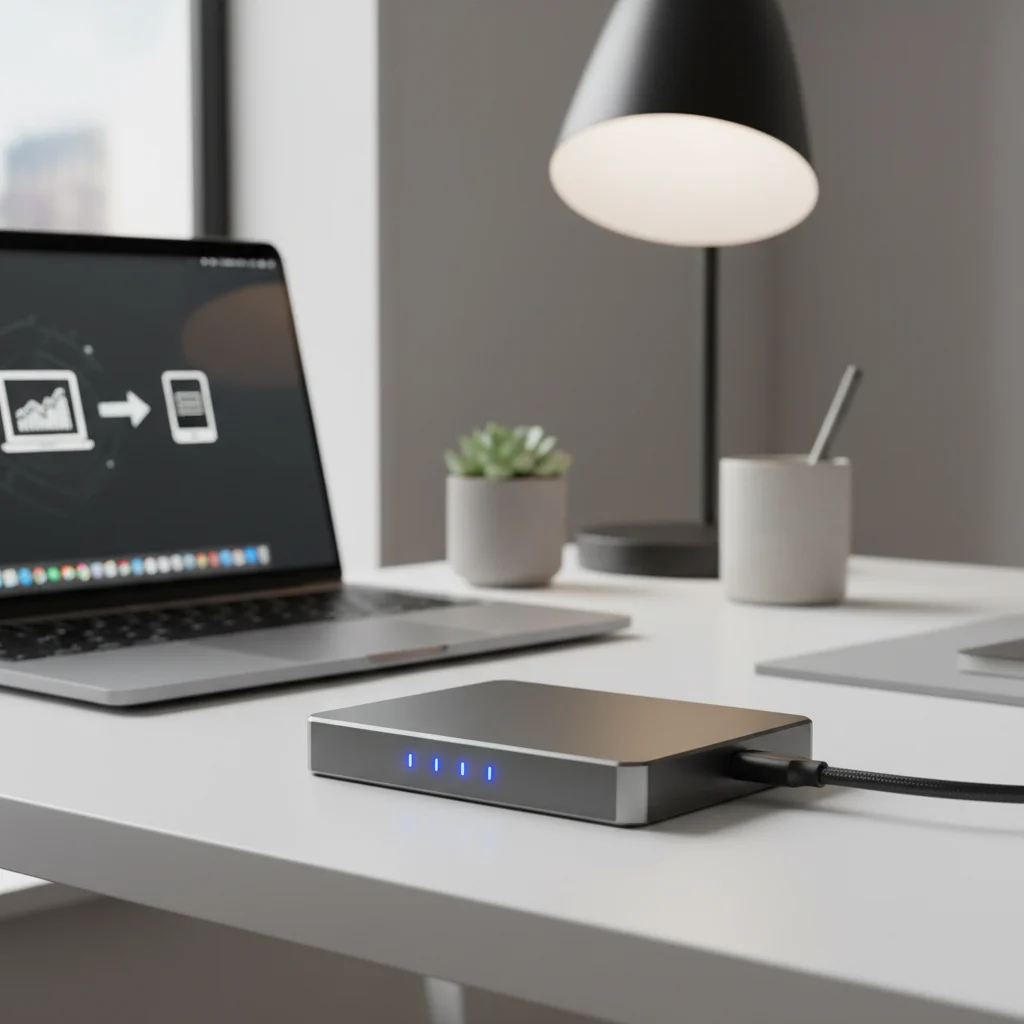
Method 3: Network Attached Storage (NAS) – The Advanced Home/Small Business Digital Data Backup Hub
For those with more extensive data storage needs, multiple devices, or a desire for a private cloud experience, Network Attached Storage (NAS) systems offer a sophisticated and powerful digital data backup solution. A NAS is essentially a dedicated computer optimized for file storage and sharing, connected to your network.
How NAS Works for Digital Data Backup
A NAS device contains one or more hard drives and its own operating system. It connects to your home or office network via an Ethernet cable. Once set up, all devices on your network (computers, laptops, smartphones, tablets) can access the NAS for storing, retrieving, and backing up data. Many NAS devices support RAID (Redundant Array of Independent Disks) configurations, which use multiple drives to improve performance and, crucially, provide data redundancy. For example, in a RAID 1 setup, data is mirrored across two drives, so if one drive fails, the data is still safe on the other.
Advantages of NAS Digital Data Backup
- Centralized Storage: All your data from multiple devices can be stored in one central location, making organization and access much easier.
- Data Redundancy (RAID): RAID configurations protect against single drive failures, significantly reducing the risk of data loss compared to a single external drive.
- Private Cloud Capabilities: Many NAS devices offer features that allow you to create your own private cloud, accessible from anywhere with an internet connection, without relying on third-party services.
- Multi-Device Backup: Easily back up multiple computers, smartphones, and tablets to a single device.
- Media Server: A NAS can double as a media server, streaming movies, music, and photos to smart TVs, game consoles, and other devices on your network.
- Scalability: Many NAS devices allow you to add or upgrade hard drives as your storage needs grow.
- Automation: NAS systems often come with sophisticated software for scheduling automatic backups from connected devices.
Disadvantages of NAS Digital Data Backup
- Higher Initial Cost: NAS devices are more expensive than single external hard drives, especially when factoring in the cost of multiple drives.
- Setup Complexity: Setting up a NAS can be more involved than simply plugging in an external drive, requiring some network configuration.
- Vulnerability to Local Disasters: Like external drives, a NAS is vulnerable to local disasters if not combined with an offsite backup strategy.
- Power Consumption: A NAS is typically always on, consuming more power than an external drive that is only powered on during backups.
- Requires Maintenance: Firmware updates, drive health checks, and occasional troubleshooting are necessary to keep a NAS running smoothly.
Popular NAS Brands and Considerations
- Synology: Highly regarded for its user-friendly DiskStation Manager (DSM) operating system and wide range of features.
- QNAP: Another leading brand offering powerful hardware and extensive software capabilities.
- Western Digital My Cloud: Offers simpler, more consumer-friendly NAS solutions.
When considering a NAS for your digital data backup, think about your storage capacity needs, the number of drive bays you might require, processor power (for media streaming or more intensive tasks), and the ease of use of its operating system. A NAS is an excellent investment for those seeking a robust, centralized, and highly customizable digital data backup solution for their home or small office.
Implementing Your Digital Data Backup Strategy: Best Practices
Having chosen your preferred methods, it’s crucial to implement them effectively. A well-executed digital data backup strategy goes beyond just picking a tool; it involves consistent habits and smart practices.
The 3-2-1 Backup Rule: Your Golden Standard
We touched upon this earlier, but it bears repeating: the 3-2-1 rule is the most universally accepted best practice for digital data backup. It states that you should:
- Have at least 3 copies of your data: This includes your primary data and two backups.
- Store copies on 2 different types of media: For example, your computer’s internal drive (primary), an external hard drive (first backup), and cloud storage (second backup).
- Keep 1 copy offsite: This protects against local disasters. Cloud storage inherently provides this, or you can rotate external drives and store one at a friend’s house or a safe deposit box.
Adhering to this rule dramatically reduces your risk of permanent data loss. For instance, if you use an external hard drive (Method 2) and a cloud service (Method 1), you are already fulfilling the 3-2-1 rule for your most important files (original + external + cloud = 3 copies; internal + external/cloud = 2 media types; cloud = 1 offsite copy).
Automate Your Backups
Manual backups are prone to human error and forgetfulness. Set up automated schedules for all your backup methods. Most operating systems and backup software offer this functionality. Cloud services like Google Drive and Dropbox sync continuously, while external drive backup software can be scheduled to run daily or weekly. For NAS systems, you can configure automatic backups from connected devices.
Encrypt Sensitive Data
Regardless of where you store your data, if it’s sensitive, encrypt it. Many cloud services offer client-side encryption, and you can also use third-party encryption tools (e.g., VeraCrypt, BitLocker for Windows, FileVault for macOS) before uploading or storing on an external drive. This adds an extra layer of security, ensuring that even if unauthorized individuals gain access to your backup, they cannot read your files.
Regularly Test Your Restores
A backup is only as good as its ability to restore your data. Periodically (e.g., quarterly), perform a test restore of a few non-critical files from each of your backup sources. This verifies that your backups are working correctly and that you know how to retrieve your data when needed. Discovering a corrupted backup or a faulty restoration process during an emergency is a nightmare you want to avoid.
Organize Your Data
Before backing up, take the time to organize your files. Delete unnecessary duplicates, move old files to archival folders, and establish a clear folder structure. A well-organized primary data set makes the backup process more efficient and restoration much easier.
Back Up Everything That Matters
Don’t just back up documents and photos. Consider backing up:
- Operating System and Applications: Create a full system image so you can quickly restore your entire computer to a previous state.
- Email: If you use a desktop email client, ensure your email archives are included in your backups.
- Browser Bookmarks and Settings: Many browsers offer sync features, but a backup can be a good failsafe.
- Software Licenses and Keys: Keep a secure, encrypted record of all your software licenses.
- Configurations: For advanced users, backing up application settings and system configurations can save a lot of time after a fresh install.
Review and Update Your Strategy
Your data needs and technological landscape evolve. Periodically review your digital data backup strategy. Are your current methods still sufficient for your growing data? Are there new, more efficient tools available? Is your offsite copy still truly offsite? Adapting your strategy ensures its continued effectiveness.
The Future of Digital Data Backup
As technology continues to advance, so too will the methods and challenges associated with digital data backup. We’re seeing trends towards even more seamless integration, enhanced security, and greater automation.
AI and Machine Learning in Backup
Artificial intelligence and machine learning are beginning to play a role in optimizing backup processes. AI can help identify critical data that needs more frequent backup, detect anomalies that might indicate ransomware attacks, and even predict potential hardware failures before they occur. This predictive capability could revolutionize how we prevent data loss.
Blockchain for Data Integrity
Blockchain technology, known for its decentralized and immutable ledger, is being explored for ensuring data integrity in backups. By hashing data and storing these hashes on a blockchain, it becomes virtually impossible to tamper with backup files without detection, adding an unparalleled level of trust and verification.
Edge Computing and Local Backups
With the rise of edge computing, where data processing happens closer to the source, we might see more sophisticated local backup solutions that can intelligently manage data before it even reaches a centralized cloud or NAS. This could lead to faster, more efficient, and more secure localized backups.
Increased Focus on Cyber Resilience
Beyond just recovery, the focus is shifting towards cyber resilience – the ability to quickly recover and resume operations after a cyberattack. Backup solutions will increasingly integrate with broader cybersecurity frameworks to provide not just data recovery but also rapid system restoration and threat intelligence.
Hybrid Cloud Backup Solutions
The hybrid approach, combining local and cloud storage, is already popular and will become even more sophisticated. Solutions that seamlessly tier data between fast local storage and cost-effective cloud archives, based on access frequency and importance, will become standard.
These future trends highlight a continuous evolution towards more intelligent, secure, and resilient digital data backup strategies. Staying informed about these advancements will be key to maintaining an optimal data protection posture.