Mastering 2FA: A Comprehensive 2026 Guide to Account Security
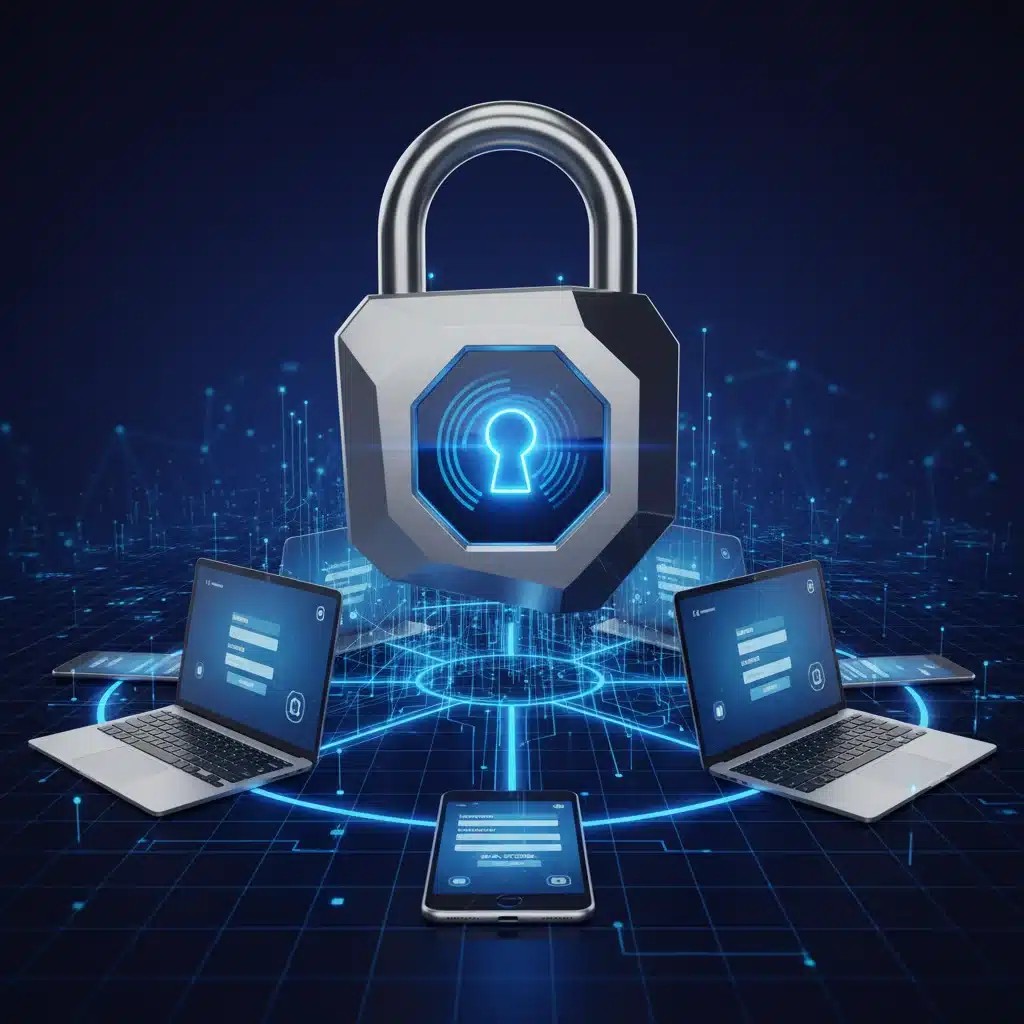
Implementing Two-Factor Authentication (2FA) Across All Your Accounts: A 2026 Security How-To
In an increasingly interconnected digital world, the need for robust cybersecurity measures has never been more critical. As we navigate through 2026, the landscape of online threats continues to evolve, becoming more sophisticated and pervasive. While strong passwords remain a foundational element of online security, they are no longer sufficient on their own. This is where Two-Factor Authentication (2FA) steps in, acting as an indispensable shield against unauthorized access to your digital life. This comprehensive guide will walk you through the essential steps for implementing 2FA 2026 across all your accounts, ensuring your digital footprint remains secure.
The year 2026 brings with it new challenges and innovations in cybersecurity. Phishing attacks are more convincing, malware is more evasive, and data breaches are unfortunately still a common occurrence. Relying solely on a password, no matter how complex, leaves a significant vulnerability. If a malicious actor gains access to your password through a data breach or social engineering, your entire digital identity could be compromised. This is why implementing 2FA 2026 is not just a recommendation, but a critical imperative for anyone serious about their online safety.
This article aims to be your definitive resource for understanding, setting up, and maintaining 2FA across all your accounts. We will delve into the various types of 2FA, discuss their pros and cons, and provide actionable steps to secure your most important digital assets. By the end of this guide, you will have a clear roadmap to significantly enhance your personal and professional cybersecurity posture in 2026 and beyond.
What is Two-Factor Authentication (2FA)?
Two-Factor Authentication (2FA) is a security process that requires two different forms of identification before granting access to an online account. It adds an extra layer of security beyond just a username and password. The core principle of 2FA is to combine two distinct types of authentication factors from these three categories:
- Something you know: This is typically your password or a PIN.
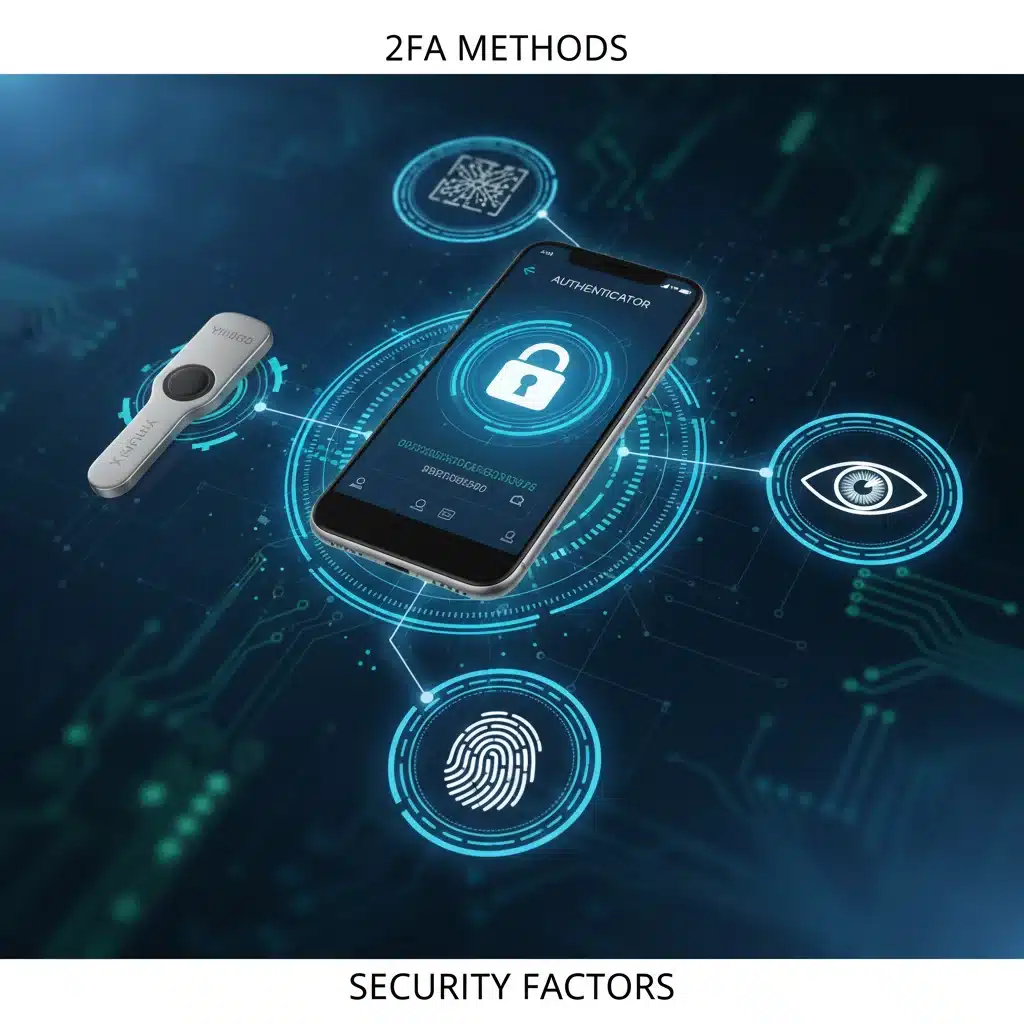
- Something you have: This could be a physical device like your smartphone (receiving a code via SMS), a hardware security key, or a token generator.
- Something you are: This refers to biometric data, such as a fingerprint, facial scan, or retina scan.
By requiring a combination of two of these factors, 2FA significantly reduces the risk of unauthorized access. Even if a cybercriminal manages to steal your password (something you know), they would still need access to your second factor (something you have or something you are) to log in. This makes it exponentially harder for attackers to compromise your accounts.
The evolution of 2FA has been rapid. What started as simple SMS codes has expanded to sophisticated authenticator apps, hardware keys, and advanced biometrics. As we look at implementing 2FA 2026, it’s crucial to understand these different methods and choose the ones that best suit your needs and the specific security requirements of each platform.
Why 2FA is Crucial in 2026
The digital threat landscape in 2026 is more complex than ever. Here’s why implementing 2FA 2026 is not just recommended, but absolutely vital:
- Phishing Resilience: Phishing attacks are a primary method for credential theft. Even if you fall victim to a sophisticated phishing scam and provide your password, 2FA ensures that the attacker cannot log in without the second factor.
- Brute-Force Attack Protection: Automated attacks that try countless password combinations are thwarted by 2FA. After a few failed attempts, the system usually requires the second factor, making brute-forcing impractical.
- Data Breach Mitigation: High-profile data breaches are unfortunately common. If your password is leaked in a breach, 2FA acts as a critical safeguard, preventing attackers from using those stolen credentials to access your accounts.
- Increased Account Value: Cybercriminals often target accounts with high value, such as financial services, email, and social media. These accounts hold sensitive personal information, making their protection paramount. 2FA provides that essential extra layer.
- Regulatory Compliance: Many industries and regulations (e.g., GDPR, HIPAA, various financial regulations) increasingly mandate or strongly recommend multi-factor authentication for protecting sensitive data.
- Peace of Mind: Knowing that your accounts are protected by 2FA offers a significant sense of security, allowing you to use online services with greater confidence.
Without 2FA, your accounts are essentially protected by a single lock – your password. In 2026, a single lock is simply not enough to deter determined cybercriminals. Implementing 2FA 2026 across all your critical accounts is the most effective proactive step you can take to protect your digital identity.
Understanding Different 2FA Methods in 2026
As technology advances, so do the methods available for 2FA. Each method offers varying degrees of security, convenience, and resilience against specific attack vectors. When implementing 2FA 2026, it’s important to choose the most appropriate method for each account.
SMS-Based 2FA (TOTP via SMS)
This is one of the oldest and most widely adopted forms of 2FA. When you try to log in, a unique, time-sensitive code (Time-based One-Time Password – TOTP) is sent to your registered mobile phone number via SMS. You then enter this code to complete the login process.
- Pros: Widely available, easy to set up, familiar to most users.
- Cons: Susceptible to SIM-swapping attacks (where attackers transfer your phone number to a device they control), potential delays in receiving codes, requires mobile network coverage. While better than no 2FA, it’s generally considered less secure than other methods for critical accounts.
Authenticator Apps (TOTP via App)
Authenticator apps like Google Authenticator, Microsoft Authenticator, Authy, or Duo Mobile generate time-based one-time passwords directly on your smartphone. These codes refresh every 30-60 seconds and do not require network connectivity once set up.
- Pros: More secure than SMS 2FA as it’s not vulnerable to SIM-swapping, works offline, often supports multiple accounts within one app.
- Cons: If you lose your phone, recovery can be challenging (though many apps offer backup options), requires careful setup and migration to new devices.
Hardware Security Keys (FIDO/U2F)
These are physical devices, such as YubiKeys or Google Titan Security Keys, that plug into your computer’s USB port or connect via NFC/Bluetooth. They use the FIDO (Fast Identity Online) standard, specifically U2F (Universal 2nd Factor), to provide a cryptographically secure second factor.
- Pros: Considered the most secure form of 2FA. Extremely resistant to phishing, man-in-the-middle attacks, and malware. Easy to use – just plug it in and tap.
- Cons: Requires purchasing a physical device, can be lost or misplaced, not all services support hardware keys (though support is growing rapidly in 2026).
Biometric Authentication
Biometrics use unique physical characteristics for authentication, such as fingerprints (Touch ID, Windows Hello), facial recognition (Face ID), or even retina scans. These are often integrated directly into devices.
- Pros: Highly convenient, fast, and often considered very secure due to the uniqueness of biometric data.
- Cons: Privacy concerns (where is biometric data stored?), potential for false positives/negatives, can be bypassed in rare cases (e.g., sophisticated spoofing). Not all services support biometrics directly for login, often relying on device-level biometric unlock for authenticator apps.
Push Notifications
Some services send a push notification to your smartphone, asking you to approve a login attempt. You simply tap ‘Approve’ or ‘Deny’ within the app.
- Pros: Very convenient, easy to use, offers good protection against credential stuffing.
- Cons: Relies on your phone being connected to the internet, can be susceptible to ‘MFA fatigue’ attacks where users are bombarded with prompts until they accidentally approve one.
When planning for implementing 2FA 2026, prioritize hardware security keys for your most critical accounts (email, password manager, financial services), followed by authenticator apps, and use SMS as a last resort or for less critical services where other options aren’t available.
Step-by-Step Guide: Implementing 2FA Across Your Accounts
Now that you understand the ‘what’ and ‘why’ of 2FA, let’s get to the ‘how.’ Implementing 2FA 2026 can seem daunting if you have many accounts, but a systematic approach makes it manageable. Here’s a step-by-step guide:
Step 1: Inventory Your Digital Footprint
Before you start, make a list of all your online accounts. This includes:
- Email accounts (primary and secondary)
- Social media platforms (Facebook, Instagram, Twitter, LinkedIn, etc.)
- Financial institutions (banks, credit cards, investment platforms)
- Shopping sites (Amazon, eBay, online retailers)
- Cloud storage and productivity suites (Google Drive, Dropbox, Microsoft 365)
- Password manager (if you use one)
- Any other service that holds sensitive personal data.
Prioritize this list based on the sensitivity of the information they contain. Your primary email and financial accounts should be at the top.
Step 2: Enable 2FA on Your Password Manager (If Applicable)
If you use a password manager (and you absolutely should!), this is your first and most critical step. Your password manager is the vault for all your other passwords, so securing it with the strongest possible 2FA method (preferably a hardware security key or an authenticator app) is paramount. This foundational step is key for successful implementing 2FA 2026.
Step 3: Secure Your Primary Email Account
Your primary email account is often the gateway to resetting passwords for many other services. If an attacker gains access to your email, they can potentially compromise your entire digital life. Therefore, securing it with a strong 2FA method (hardware key or authenticator app) is critical. Go to your email provider’s security settings and enable 2FA. Follow their instructions carefully.
Step 4: Enable 2FA on High-Priority Accounts
Work your way down your prioritized list. For each account:
- Navigate to Security Settings: Log in to the account and find the ‘Security’ or ‘Privacy’ settings. Look for options like ‘Two-Factor Authentication,’ ‘Multi-Factor Authentication,’ ‘Login Verification,’ or ‘2-Step Verification.’
- Choose Your Method: Select the strongest 2FA method offered by the service that you are comfortable using. As discussed, hardware keys > authenticator apps > push notifications > SMS.
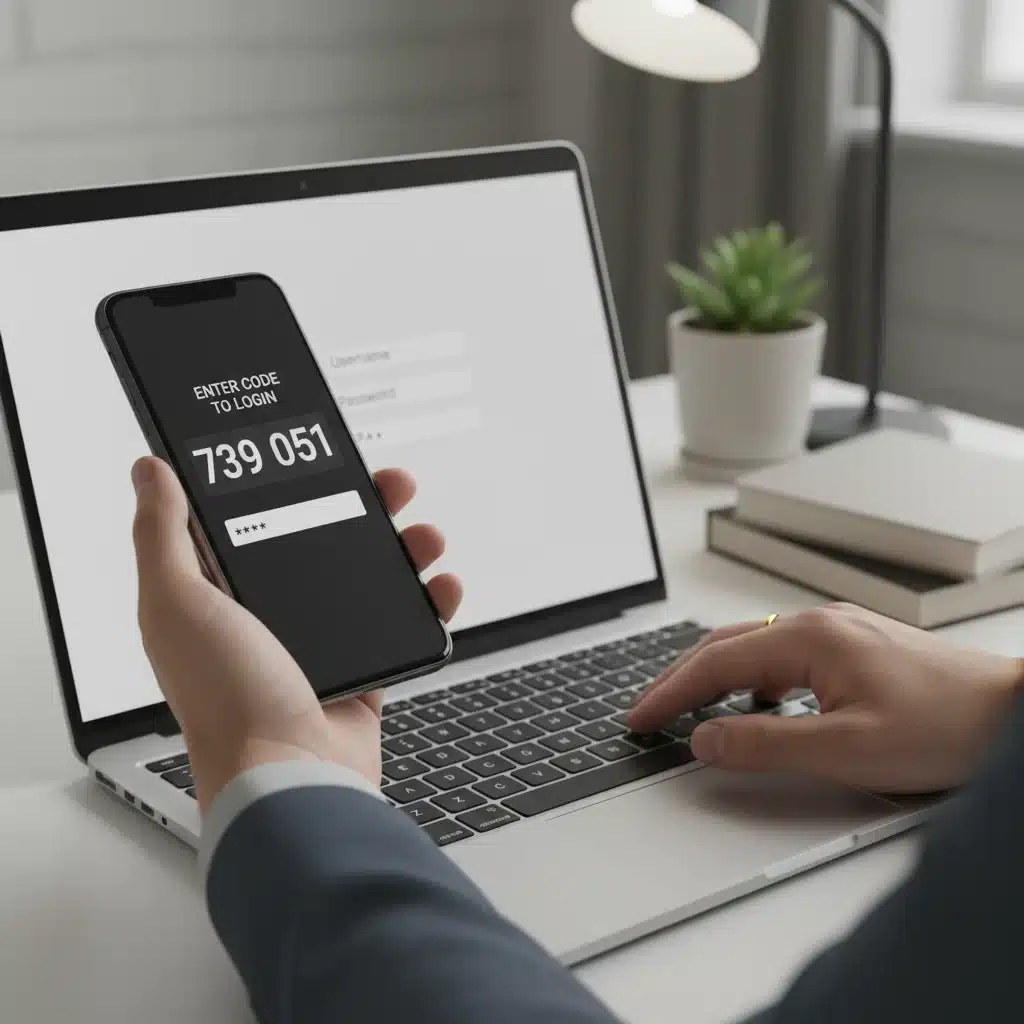
- Follow On-Screen Instructions: Each service will have slightly different setup procedures. This usually involves scanning a QR code with your authenticator app, registering a hardware key, or verifying your phone number for SMS.
- Save Recovery Codes: Most 2FA setups provide a set of one-time recovery codes. These are crucial! Store them securely (e.g., in your password manager, encrypted cloud storage, or a physical safe). These codes are your lifeline if you lose your second factor device.
- Test the Setup: After enabling 2FA, log out and try logging back in to ensure it works correctly.
Step 5: Gradually Extend to All Other Accounts
Continue this process for all other accounts on your list. While it might be tempting to skip less critical accounts, remember that even seemingly unimportant accounts can be used as stepping stones by attackers. For instance, a compromised social media account could be used for phishing your contacts.
Step 6: Regularly Review and Update
Cybersecurity is an ongoing process. Periodically review your 2FA settings, especially if you get a new phone or hardware key. Ensure your recovery codes are still accessible. Stay informed about new 2FA methods and security threats. This continuous vigilance is part of effective implementing 2FA 2026.
2FA Best Practices in 2026
Implementing 2FA 2026 is a significant step, but following best practices ensures maximum effectiveness and minimizes potential headaches:
- Prioritize Stronger Methods: Always opt for hardware security keys or authenticator apps over SMS-based 2FA, especially for critical accounts. SMS is vulnerable to SIM-swapping, a growing threat.
- Secure Your Recovery Codes: These are your backup keys. Print them out and store them in a secure, physical location (e.g., a locked safe), or keep them in an encrypted, offline file that is also backed up. Never store them unencrypted on a device that could be lost or stolen.
- Use a Dedicated Authenticator App: While some services offer their own 2FA within their app, a dedicated authenticator app like Authy or Google Authenticator provides a centralized place for all your codes and often has better backup/sync features.
- Enroll Multiple Hardware Keys: For critical accounts that support them, consider enrolling two hardware security keys – one as your primary and one as a backup, stored in a separate secure location. This protects you if one key is lost or damaged.
- Be Wary of Public Wi-Fi: While 2FA protects against password theft, using public Wi-Fi without a VPN can expose other data. Combine 2FA with other good cybersecurity habits.
- Keep Software Updated: Ensure your operating systems, browsers, and authenticator apps are always up to date. Updates often include critical security patches.
- Understand How to Recover: Familiarize yourself with each service’s account recovery process in case you lose access to your 2FA device and recovery codes. This might involve identity verification.
- Educate Yourself and Others: Share your knowledge about 2FA with friends and family. A stronger digital ecosystem benefits everyone.
Adhering to these best practices will not only make implementing 2FA 2026 more effective but also streamline your experience and provide greater peace of mind.
Common Challenges and Troubleshooting for 2FA
While 2FA is a powerful security tool, users occasionally encounter challenges. Knowing how to address these can make the implementing 2FA 2026 process smoother:
Lost or Stolen Second Factor Device
This is perhaps the most common fear. If you lose your phone or hardware key:
- Use Recovery Codes: This is their primary purpose. Input a recovery code when prompted for your second factor.
- Use a Backup Key: If you enrolled a second hardware security key, use that.
- Account Recovery Process: If neither of the above options is available, you’ll need to go through the service’s account recovery process. This often involves identity verification (e.g., answering security questions, providing ID, verifying through another email/phone). This can be a lengthy process, which highlights the importance of recovery codes and backup keys.
- Revoke Access: If your device was stolen, immediately revoke access for that device if the service allows it.
SMS Codes Not Arriving
If you’re using SMS 2FA and codes aren’t coming through:
- Check Network Coverage: Ensure you have a good mobile signal.
- Verify Phone Number: Double-check that the correct phone number is registered with the service.
- Spam Folder: Although rare for SMS, check if messages are being filtered.
- Contact Carrier: There might be an issue with your mobile carrier.
- SIM-Swapping Concern: If you suspect SIM-swapping, contact your carrier and financial institutions immediately.
Time Sync Issues with Authenticator Apps
Authenticator apps rely on accurate time synchronization. If your device’s clock is off, the generated codes might be incorrect:
- Automatic Time Sync: Ensure your phone’s date and time are set to ‘automatic’ or ‘network-provided’ in your device settings.
- App-Specific Sync: Some authenticator apps have an internal time correction feature within their settings.
Trouble Registering Hardware Keys
If your hardware key isn’t being recognized:
- Browser Compatibility: Ensure you’re using a modern web browser that supports FIDO/U2F (e.g., Chrome, Firefox, Edge, Safari).
- USB Port: Try a different USB port.
- Drivers: Ensure your operating system drivers are up to date.
- Service Compatibility: Confirm that the service explicitly supports the type of hardware key you are using.
Addressing these challenges proactively or when they arise is crucial for maintaining your security and ensuring a smooth experience with implementing 2FA 2026.
The Future of 2FA and Beyond 2026
The field of authentication is constantly evolving. As we look beyond 2026, we can anticipate several trends and innovations that will further shape how we secure our digital lives.
Passwordless Authentication
The ultimate goal for many is to move beyond passwords entirely. Passwordless authentication systems aim to replace the ‘something you know’ factor with stronger, more convenient alternatives, often leveraging biometrics and hardware keys. Technologies like FIDO Passkeys are gaining significant traction, allowing users to log in using a cryptographic key stored on their device, often secured by biometrics. This is a significant step towards a more secure and user-friendly future.
Continuous Authentication
Beyond the initial login, continuous authentication systems monitor user behavior, device characteristics, and environmental factors to continuously verify identity. This might involve analyzing typing patterns, mouse movements, location data, and even heart rate (via wearables) to ensure the person using the account is still the legitimate owner. If suspicious activity is detected, the system might prompt for re-authentication or restrict access.
AI and Machine Learning in Authentication
Artificial intelligence and machine learning are being increasingly integrated into authentication systems to detect anomalies and identify fraudulent login attempts in real-time. By analyzing vast amounts of data, AI can spot unusual login locations, times, or device types that might indicate a compromise, adding an intelligent layer to 2FA.
Decentralized Identity and Blockchain
Blockchain technology is being explored for decentralized identity solutions, where users have more control over their digital identities and data. This could lead to self-sovereign identity models that simplify authentication across various services while enhancing privacy and security.
Quantum-Resistant Cryptography
As quantum computing advances, there’s a concern that current encryption methods could eventually be broken. Research is ongoing into quantum-resistant cryptography, which will be essential for future 2FA and overall cybersecurity to withstand potential quantum attacks.
While these advancements promise even greater security and convenience, the foundational principles of 2FA – combining multiple factors – will remain central. For now, focusing on implementing 2FA 2026 with the best available methods is your most effective strategy.
Conclusion: Your Path to Enhanced Digital Security in 2026
In 2026, the question is no longer whether to use Two-Factor Authentication, but how comprehensively and effectively you implement it. The digital landscape demands a proactive and multi-layered approach to security, and 2FA stands as a cornerstone of that defense. By understanding the different types of 2FA, prioritizing your accounts, and diligently following the step-by-step implementation guide, you can significantly fortify your online presence against the ever-present threats of cybercrime.
Remember, your primary email and financial accounts are often the most critical targets, and they deserve the strongest possible 2FA protection – ideally a hardware security key or a robust authenticator app. Always safeguard your recovery codes, stay informed about security best practices, and regularly review your authentication settings. As technology continues to evolve, so too must our approach to digital security. By implementing 2FA 2026 across all your accounts, you are taking a crucial step towards a safer, more secure digital life.
Don’t wait for a data breach or a phishing incident to spur you into action. Take control of your digital security today. Start with your most important accounts and systematically work your way through the rest. The peace of mind that comes with knowing your information is protected by a strong, multi-layered defense is invaluable. Embrace 2FA as your essential ally in navigating the complexities of the 2026 digital world.