Browser Ad Blocking: Boost Speed 30% by 2026

In an increasingly digital world, our online experience is often marred by intrusive advertisements and invisible trackers that not only compromise our privacy but also significantly slow down our browsing. The promise of a 30% faster internet experience by 2026 isn’t just a dream; it’s an achievable reality through effective browser ad blocking and tracker management. This comprehensive guide will delve into the critical importance of blocking ads and trackers, explore various methods and tools, and provide actionable steps to reclaim your digital space, enhance your privacy, and dramatically improve your browsing speed.
The internet, originally conceived as a free and open platform for information exchange, has evolved into a complex ecosystem where data is currency. Advertisers and data brokers constantly vie for our attention and personal information, deploying sophisticated tracking technologies that follow our every click, search, and purchase. This relentless surveillance not only raises serious privacy concerns but also exacts a heavy toll on our system resources, leading to sluggish page loads, increased data consumption, and a generally frustrating user experience. By proactively engaging in browser ad blocking, we can mitigate these issues, fostering a more efficient, secure, and enjoyable online journey.
The Pervasive Problem: Ads and Trackers in 2024 and Beyond
Before we dive into solutions, it’s crucial to understand the scope of the problem. Modern websites often host dozens, if not hundreds, of third-party scripts. These scripts serve various purposes, from analytics and social media integration to, most prominently, advertising. Each ad unit and tracker requires resources to load and execute, contributing to slower page load times. Studies consistently show that advertising and tracking scripts can account for a significant portion of a webpage’s total weight, sometimes exceeding 50%.
Impact on Performance
The most immediate and noticeable impact of ads and trackers is on browser performance. Imagine visiting a news site: instead of just loading the article content, your browser is simultaneously downloading multiple ad banners, video ads, pop-ups, and a myriad of tracking beacons. This process consumes CPU cycles, RAM, and bandwidth, leading to:
- Slower Page Load Times: Pages take longer to become interactive, leading to frustration and bounce rates.
- Increased Data Usage: Mobile users, in particular, suffer from higher data consumption due to extraneous ad content.
- Shorter Battery Life: More processing means more power drain, a significant concern for laptop and mobile device users.
- Browser Lag and Crashes: Overwhelmed by scripts, browsers can become unresponsive or even crash.
Impact on Privacy and Security
Beyond performance, the privacy and security implications are even more profound. Trackers collect vast amounts of data about your online behavior, building detailed profiles that can be used for targeted advertising, but also potentially for more nefarious purposes. This data can include:
- Browsing History: Every website you visit, every link you click.
- Search Queries: Your interests, needs, and even personal struggles.
- Location Data: Where you are, often in real-time.
- Device Information: Your operating system, browser, and even unique device identifiers.
This data, often aggregated and sold to third parties, paints a comprehensive picture of your digital life. Furthermore, malvertising (malicious advertising) poses a direct security threat, potentially leading to malware infections, phishing attempts, or drive-by downloads. Effective browser ad blocking acts as a crucial first line of defense against these digital dangers.
The Path to a Faster Web: Strategies for Browser Ad Blocking
Achieving a 30% faster browsing experience by 2026 requires a multi-faceted approach to browser ad blocking. There isn’t a single magic bullet, but rather a combination of tools and practices that, when implemented together, create a robust defense against unwanted digital intrusions.
1. Browser Extensions: The Frontline Defense
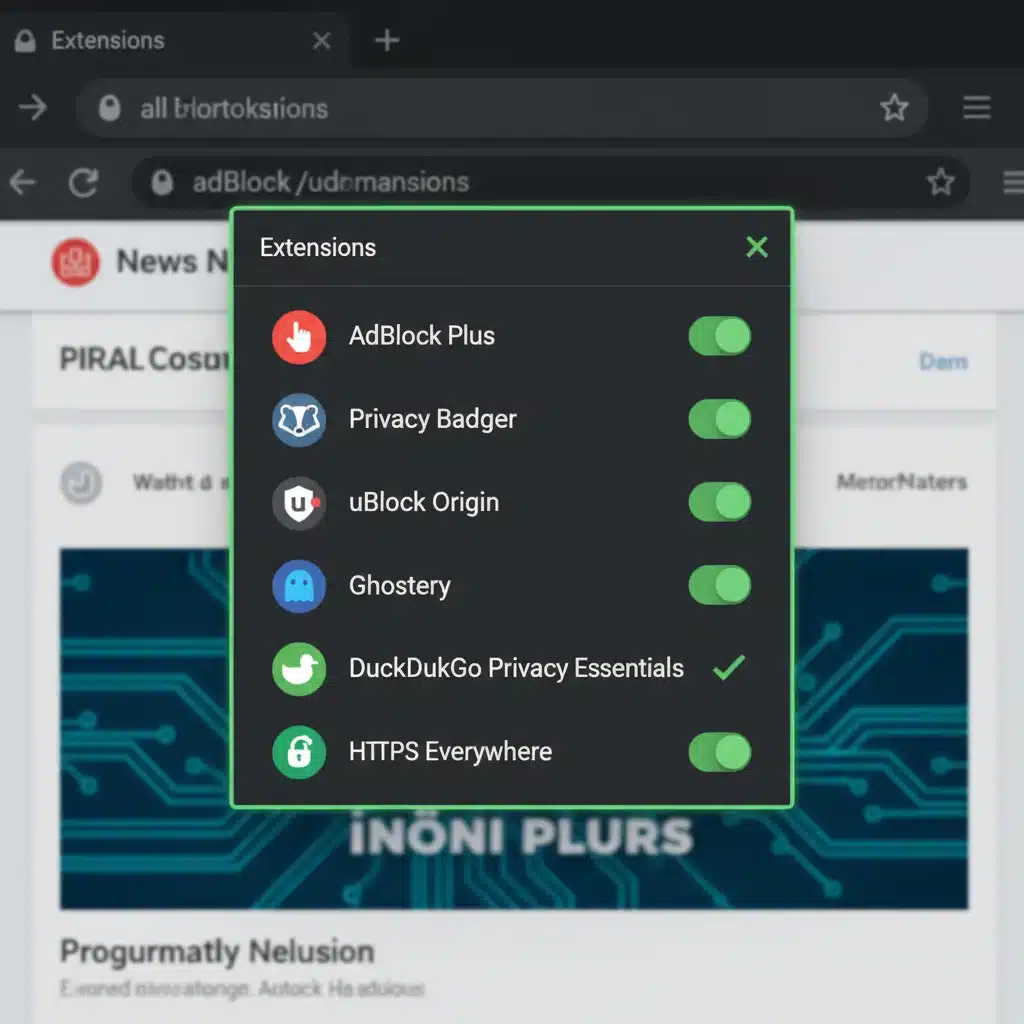
Browser extensions are the most common and accessible tools for browser ad blocking. They work by identifying and blocking requests to known ad and tracker domains, as well as by hiding ad elements on webpages. Here are some of the leading options:
-
uBlock Origin
Widely regarded as one of the most efficient and effective ad blockers, uBlock Origin is open-source and uses minimal system resources. It blocks ads, trackers, malware sites, and more, leveraging a comprehensive list of filters. Its strength lies in its configurability, allowing users to fine-tune what gets blocked and even create custom filters. It’s available for Chrome, Firefox, Edge, and Opera.
-
AdGuard
AdGuard offers a robust ad-blocking extension that goes beyond simple ad blocking to include anti-phishing and anti-malware protection. It’s known for its ability to block even complex ad types, like video ads, and its stealth mode helps protect against various tracking methods. AdGuard also offers standalone desktop applications for more comprehensive system-wide blocking.
-
Brave Browser (Built-in)
For those seeking an integrated solution, Brave Browser comes with a built-in ad and tracker blocker called ‘Shields.’ Brave automatically blocks ads, trackers, and cross-site cookies by default, leading to significantly faster page loads and improved privacy out of the box. It also offers a unique rewards system where users can earn Basic Attention Tokens (BAT) for opting into privacy-respecting ads.
-
Privacy Badger
Developed by the Electronic Frontier Foundation (EFF), Privacy Badger focuses specifically on blocking invisible trackers. Unlike traditional ad blockers that rely on blacklists, Privacy Badger learns to identify and block trackers based on their behavior, even those not yet on a known list. It’s an excellent complement to a traditional ad blocker.
Installation Tip: When installing extensions, always download them from official browser stores (Chrome Web Store, Firefox Add-ons, etc.) to ensure authenticity and avoid malicious versions. Be mindful of the permissions extensions request; generally, ad blockers need access to ‘read and change all your data on websites you visit’ to function correctly.
2. DNS-Level Ad Blocking: A System-Wide Approach
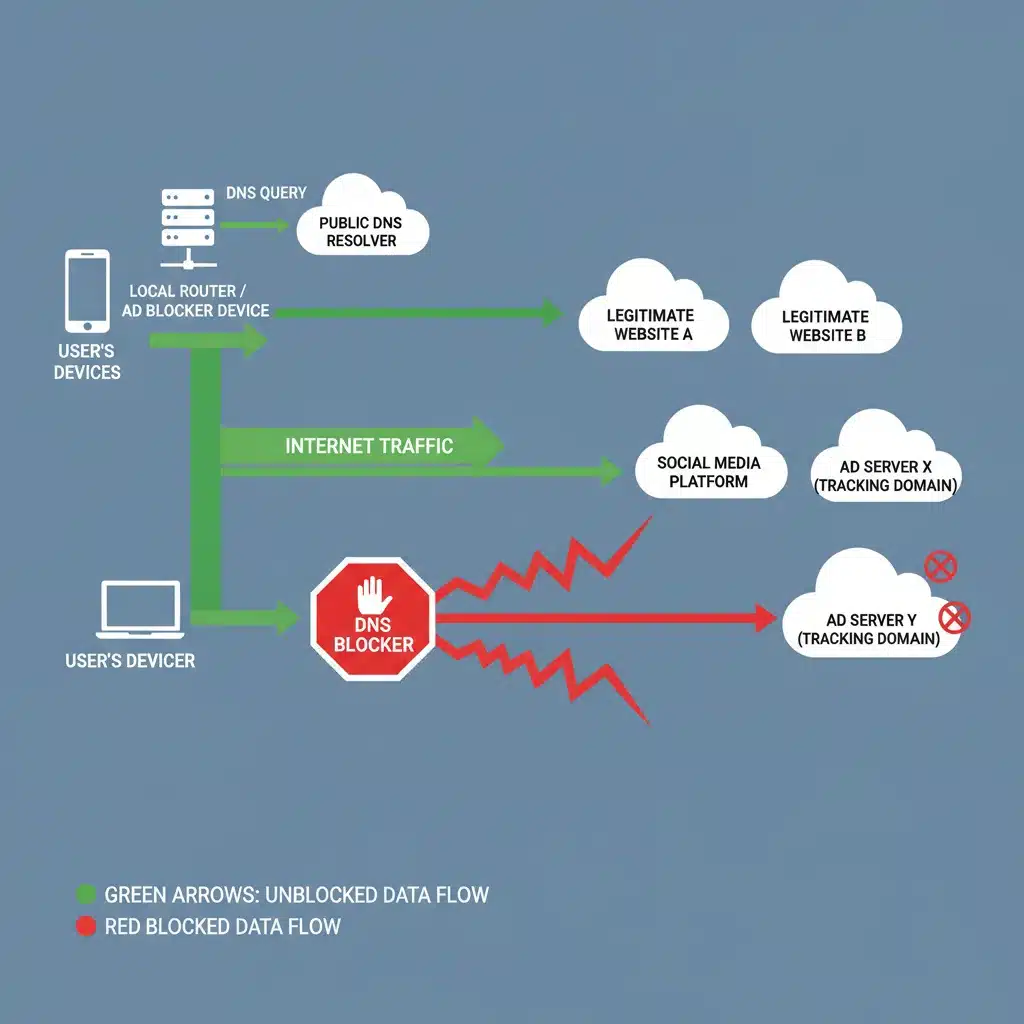
While browser extensions are highly effective, they are limited to the browser itself. DNS-level ad blocking, on the other hand, works at a more fundamental network level, blocking ads and trackers across all devices connected to your network, including smart TVs, mobile apps, and other IoT devices that might not support browser extensions.
-
Pi-hole
Pi-hole is a network-wide ad blocker that runs on a Raspberry Pi or any Linux machine. It acts as a DNS sinkhole, meaning it intercepts DNS requests and blocks those that resolve to known ad and tracker domains. The beauty of Pi-hole is its ‘set it and forget it’ nature; once configured, all devices on your network benefit from ad and tracker blocking without needing individual software installations.
Benefits: System-wide protection, improved network performance, customizable blocklists, detailed statistics on blocked queries.
Considerations: Requires some technical know-how to set up, though numerous guides are available.
-
AdGuard DNS
For those who prefer a simpler setup than Pi-hole, AdGuard DNS offers a public DNS server that filters out ads and trackers. You can configure your router or individual devices to use AdGuard DNS. It’s a free service that provides a good balance of protection and ease of use.
Benefits: Easy to configure, no hardware required, blocks ads and trackers across all devices using it.
Considerations: Less customizable than Pi-hole, relies on AdGuard’s filter lists.
-
NextDNS
NextDNS is a cloud-based DNS service that offers highly customizable ad and tracker blocking, along with parental controls, security features, and analytics. It’s more powerful than AdGuard DNS and offers a similar level of control to Pi-hole, but without the need for local hardware. It has a free tier for light usage and paid plans for more extensive features.
Benefits: Highly customizable, cloud-based (no hardware), robust security features, works on all devices.
Considerations: Free tier has usage limits, paid plans can add to monthly expenses.
3. Browser Settings and Privacy Features
Beyond dedicated tools, modern browsers themselves offer built-in features that can significantly contribute to browser ad blocking and privacy. It’s essential to configure these settings correctly:
-
Enhanced Tracking Protection (Firefox)
Firefox’s Enhanced Tracking Protection (ETP) offers robust protection against a wide range of trackers, including social media trackers, cross-site tracking cookies, cryptominers, and fingerprinters. Users can choose between Standard, Strict, or Custom modes to tailor their protection level.
-
Tracking Prevention (Microsoft Edge)
Similar to Firefox, Microsoft Edge includes ‘Tracking Prevention’ with options for Basic, Balanced, and Strict settings. This feature helps block trackers from sites you haven’t visited and can significantly reduce the amount of data collected about you.
-
Google Chrome’s Privacy Sandbox (Evolving)
While Chrome’s approach to privacy has been more controversial due to its reliance on its own ad ecosystem, Google is developing the ‘Privacy Sandbox’ initiative. This aims to replace third-party cookies with new technologies that allow for interest-based advertising without individual tracking. While its effectiveness for true privacy is debated, keeping your Chrome browser updated will ensure you benefit from any improvements.
-
Disable Third-Party Cookies
Most browsers allow you to block third-party cookies by default. These cookies are often used by advertisers to track you across different websites. While blocking them might occasionally break some site functionalities, the privacy benefits often outweigh the inconveniences. You can usually find this setting in your browser’s privacy or security preferences.
-
‘Do Not Track’ Request
While often ignored by advertisers, enabling the ‘Do Not Track’ request in your browser sends a signal to websites that you prefer not to be tracked. It’s a polite request rather than an enforced block, but it’s a simple setting to enable.
4. VPNs with Ad Blocking Features
Some Virtual Private Network (VPN) services now integrate ad and tracker blocking directly into their software. While the primary function of a VPN is to encrypt your internet connection and mask your IP address, the added ad-blocking layer provides an extra dimension of protection, especially useful when browsing on public Wi-Fi or networks where you can’t control DNS settings.
- How it Works: The VPN server itself filters out requests to known ad and tracker domains before they even reach your device.
- Benefits: Comprehensive protection (privacy + ad blocking), works across all applications on your device, not just the browser.
- Considerations: Requires a paid VPN subscription, the effectiveness of ad blocking can vary between providers.
The Synergy Effect: Combining Strategies for Maximum Impact
To truly achieve that 30% faster browsing experience and robust privacy by 2026, a synergistic approach is key. Combining different methods creates layers of defense, catching what one method might miss.
Recommended Setup:
- DNS-Level Blocker (Pi-hole/NextDNS/AdGuard DNS): This forms the foundational layer, protecting all devices on your network from known ad and tracker domains.
- Browser Extension (uBlock Origin/AdGuard): This acts as a powerful second layer, catching any ads or trackers that slip past the DNS filter, especially those embedded directly into website content or served from less obvious domains.
- Browser Privacy Settings: Configure your browser’s built-in tracking prevention and cookie settings to further enhance privacy.
- Privacy Badger (Optional but Recommended): Add Privacy Badger to learn and block emerging or less common trackers.
- VPN with Ad Blocking (Optional): For enhanced security and ad blocking on the go, especially on untrusted networks.
This layered approach ensures that you’re protected at multiple points, from the network level to within your browser, providing comprehensive browser ad blocking and privacy protection.
Beyond Blocking: Good Digital Hygiene Practices
While tools are essential, good digital hygiene complements any ad-blocking strategy. These practices further enhance your privacy and security:
- Be Mindful of Permissions: When installing apps or extensions, review the permissions they request. If an app seems to ask for more access than it needs, reconsider its installation.
- Use Privacy-Focused Search Engines: DuckDuckGo, Startpage, and Brave Search offer search results without tracking your queries or building a profile.
- Regularly Clear Browser Cache and Cookies: This helps remove lingering tracking data.
- Opt Out Where Possible: Many websites offer options to opt out of personalized advertising, often found in their privacy settings or cookie consent banners.
- Use Strong, Unique Passwords and Two-Factor Authentication (2FA): While not directly related to ad blocking, these are fundamental security practices that protect your accounts from unauthorized access.
- Stay Informed: The landscape of online privacy and advertising is constantly evolving. Keep up-to-date with new threats and solutions.
Addressing Common Concerns and Misconceptions
The Ethics of Ad Blocking
A common argument against browser ad blocking is that it deprives content creators and websites of revenue, as many rely on advertising to support their operations. This is a valid concern. However, the rise of intrusive, privacy-violating, and performance-degrading ads has pushed many users to adopt ad blockers as a necessary defense. Some ways to support content creators while blocking ads include:
- Whitelisting Trusted Sites: Most ad blockers allow you to whitelist specific websites, enabling ads on sites you wish to support.
- Direct Subscriptions/Donations: Many content creators offer direct subscription models (e.g., Patreon) or accept donations.
- Privacy-Respecting Ad Models: Support websites that use less intrusive, privacy-friendly advertising methods.
Potential for Website Breakage
Aggressive browser ad blocking can sometimes cause websites to malfunction, as some site elements might be incorrectly identified as ads or trackers. If a website isn’t loading correctly:
- Temporarily Disable the Blocker: Try disabling your ad blocker for that specific site to see if it resolves the issue.
- Adjust Filter Lists: Some ad blockers allow you to fine-tune filter lists or report false positives.
- Use Browser’s Developer Tools: For advanced users, the browser’s developer console can sometimes show which scripts are being blocked and causing issues.
Ad Blocker Detection
As ad blocking becomes more prevalent, some websites employ ad blocker detection scripts, prompting users to disable their blockers or subscribe to access content. This creates an ongoing cat-and-mouse game between ad blockers and detection mechanisms. Reputable ad blockers like uBlock Origin frequently update their filters to bypass these detection methods.
The Future of Online Browsing: 2026 and Beyond
By 2026, the internet experience is poised for a significant shift. With increasing awareness of digital privacy and the continued innovation in ad and tracker blocking technologies, users will have more control than ever over their online environments. The goal of a 30% faster browsing experience isn’t just about speed; it’s about reclaiming agency, protecting personal data, and fostering a healthier digital ecosystem.
The widespread adoption of efficient browser ad blocking tools will likely push advertisers towards more ethical and less intrusive advertising models. Websites that prioritize user experience and privacy will likely gain a competitive edge. Moreover, as governments around the world enact stricter data protection laws (like GDPR and CCPA), the legal landscape will continue to shape how data is collected and used, further empowering users.
The journey to a faster, more private, and more secure internet is an ongoing one. It requires proactive steps, continuous learning, and the willingness to adapt to new technologies and threats. By implementing the strategies outlined in this guide, you are not just improving your personal browsing experience; you are contributing to a broader movement towards a more user-centric and respectful digital future.
Conclusion
The proliferation of ads and trackers has turned the internet into a cluttered, slow, and privacy-invasive space. However, armed with the right knowledge and tools, you can transform your online experience. By strategically deploying browser ad blocking extensions, implementing DNS-level filtering, optimizing browser privacy settings, and practicing good digital hygiene, you can significantly enhance your browsing speed, protect your privacy, and secure your digital footprint.
The promise of a 30% faster internet by 2026 is within reach. It’s a future where you dictate what enters your digital space, where your data remains your own, and where browsing is once again a seamless and enjoyable experience. Take control today, and embark on a journey to a cleaner, faster, and more private internet.