Canva vs Adobe Express 2026: Beginner’s Guide to Graphic Design Apps

In the rapidly evolving landscape of digital creativity, choosing the right graphic design tool can make all the difference, especially for beginners. As we look towards 2026, two platforms consistently stand out: Canva and Adobe Express. Both promise an accessible entry into graphic design, but how do they truly compare when it comes to template variety, ease of use, and overall value for someone just starting their creative journey? This comprehensive analysis aims to dissect each platform, providing a clear roadmap for aspiring designers.
Gone are the days when graphic design was exclusively the domain of seasoned professionals wielding complex, expensive software. Today, a new generation of tools has democratized design, empowering everyone from small business owners to social media enthusiasts to create stunning visuals. Canva and Adobe Express are at the forefront of this revolution, offering intuitive interfaces and vast libraries of resources. But for a beginner, the choice can be overwhelming. Understanding their core strengths, weaknesses, and unique offerings is crucial.
Our focus for this 2026 review will be granular, examining not just the surface-level features but delving into the nuances that impact a beginner’s learning curve and creative output. We’ll explore the breadth and depth of their template ecosystems, the simplicity of their user interfaces, the availability of learning resources, and the overall value proposition. By the end, you’ll have a clear understanding of whether Canva or Adobe Express is the better fit for your specific design needs.
Understanding the Landscape: Canva vs Adobe Express in 2026
Before we dive into the specifics, it’s important to frame the current state of graphic design tools for beginners. The market is saturated, but Canva and Adobe Express have consistently maintained their positions as leaders due to their commitment to user-friendliness and extensive feature sets. In 2026, both platforms continue to innovate, adding AI-powered tools, expanding their asset libraries, and refining their user experiences.
Canva, launched in 2013, has become synonymous with accessible graphic design. Its strength lies in its sheer volume of templates, stock photos, illustrations, and fonts, all curated to be easily customizable. Canva’s philosophy has always been about making design simple and enjoyable, even for those with no prior experience. Its ecosystem extends beyond static graphics to video editing, presentations, and website creation, making it a versatile all-in-one solution.
Adobe Express, formerly Adobe Spark, is Adobe’s answer to the demand for simplified design tools. Leveraging the power and reputation of the Adobe Creative Cloud suite, Express aims to bring professional-grade design capabilities to the masses without the steep learning curve of Photoshop or Illustrator. It integrates seamlessly with other Adobe products, offering a familiar interface for those already in the Adobe ecosystem, while still being highly approachable for newcomers.
Both platforms understand that beginners need more than just tools; they need inspiration and guidance. This is reflected in their robust template offerings and the emphasis on intuitive drag-and-drop interfaces. However, the subtle differences in their approach to these core aspects are what will ultimately guide your decision. Let’s explore these differences in detail.
Template Variety and Quality: A Deep Dive
For beginners, templates are the bedrock of creativity. They provide a starting point, a professional framework that can be easily adapted. The quality and variety of templates offered by Canva Adobe Express are paramount.
Canva’s Template Ecosystem: Unparalleled Breadth
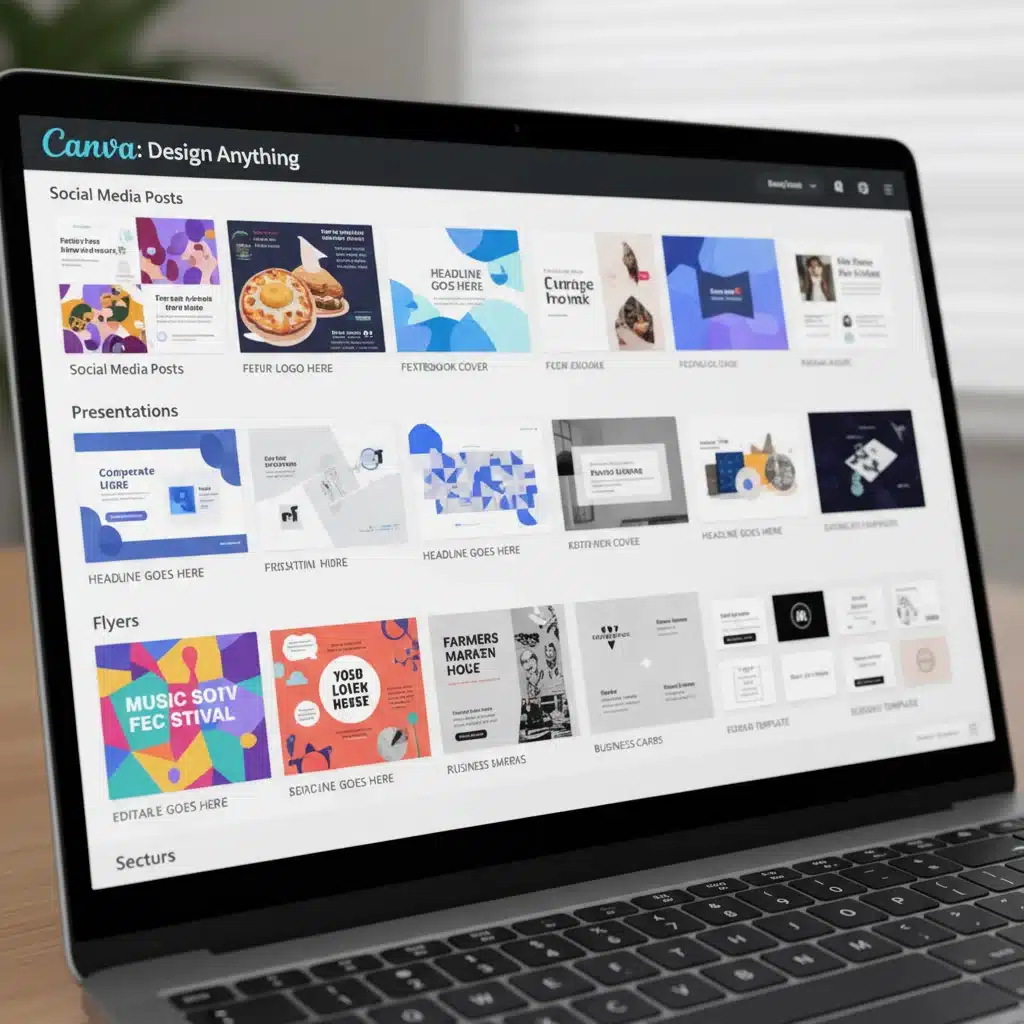
Canva boasts an almost overwhelming array of templates. From social media posts for every conceivable platform (Instagram Stories, Facebook covers, Pinterest pins, TikTok videos) to marketing materials (flyers, brochures, business cards), presentations, resumes, invitations, and even website designs, Canva covers nearly every design need imaginable. In 2026, Canva continues to update its library daily, incorporating trending styles, seasonal themes, and specialized categories.
- Quantity and Diversity: Canva’s strength lies in its sheer volume. Users can find hundreds, if not thousands, of templates for a single category. This ensures that even if several users start with the same base template, the chances of their final designs looking identical are slim due to the vast customization options.
- Trend Responsiveness: Canva is incredibly agile in responding to design trends. If a new aesthetic or social media format emerges, you can expect to find templates for it on Canva almost immediately. This keeps your designs fresh and relevant.
- Niche-Specific Templates: Beyond general categories, Canva offers templates for highly specific niches, such as real estate, education, non-profits, and food businesses. This targeted approach saves beginners significant time and effort in crafting relevant visuals.
- Pro vs. Free Templates: While Canva offers a substantial free library, its Pro subscription unlocks an even vaster collection of premium templates, stock photos, videos, and graphic elements. For serious beginners or small businesses, the Pro version is often a worthwhile investment.
The customization options within Canva templates are also extensive. Users can easily change colors, fonts, images, and layout elements with simple drag-and-drop functionality. This allows beginners to experiment and learn design principles without starting from a blank canvas.
Adobe Express’s Template Offerings: Quality Meets Integration
Adobe Express, while perhaps not matching Canva’s sheer volume, offers a highly curated and professional selection of templates. Its templates often reflect a more refined, design-forward aesthetic, benefiting from Adobe’s long-standing reputation in the creative industry. The integration with Adobe Stock and other Creative Cloud assets is a significant advantage.
- Professional Quality: Adobe Express templates often feel more polished and professionally designed out-of-the-box. This can be particularly appealing to beginners who want their work to have a high-quality look without extensive customization.
- Creative Cloud Integration: A major differentiator for Adobe Express is its seamless integration with the broader Adobe Creative Cloud ecosystem. This means access to a vast library of Adobe Stock photos, fonts from Adobe Fonts, and the ability to import assets from Photoshop or Illustrator. For beginners who might eventually transition to more advanced Adobe tools, this integration is invaluable.
- Focused Categories: While comprehensive, Adobe Express’s template categories might feel slightly less expansive than Canva’s in some niche areas. However, for core needs like social media, marketing, and basic print materials, the selection is robust and high-quality.
- Branding Features: Adobe Express places a strong emphasis on branding. Its brand kits allow users to easily apply consistent logos, colors, and fonts across all their designs, a crucial feature for anyone building a personal or business brand.
The customization experience in Adobe Express is also highly intuitive, leveraging familiar Adobe design principles. Users can easily swap out elements, adjust colors, and resize components, all within a clean and responsive interface. The quality of the included stock assets, often powered by Adobe Stock, gives designs a premium feel.
Which Has Better Templates for Beginners?
For sheer variety and the ability to find a template for virtually any scenario, Canva edges out Adobe Express. Its vast library is a treasure trove for beginners who need diverse starting points and want to explore different styles without limits. However, if you prioritize a more refined, professional aesthetic out-of-the-box and value deep integration with a professional creative ecosystem, Adobe Express offers incredibly high-quality templates that can elevate your designs immediately. The best choice here depends on your priority: maximum choice (Canva) or curated professional quality with ecosystem benefits (Adobe Express).
Ease of Use: Navigating the Design Process
Beyond templates, the user interface and overall workflow significantly impact a beginner’s experience. Both Canva Adobe Express are designed with simplicity in mind, but they achieve this through slightly different approaches.
Canva’s Intuitive Drag-and-Drop Interface
Canva’s user interface is renowned for its simplicity and accessibility. It’s built on a drag-and-drop philosophy that makes design feel more like playing with building blocks than complex software. This approach significantly lowers the barrier to entry for complete novices.
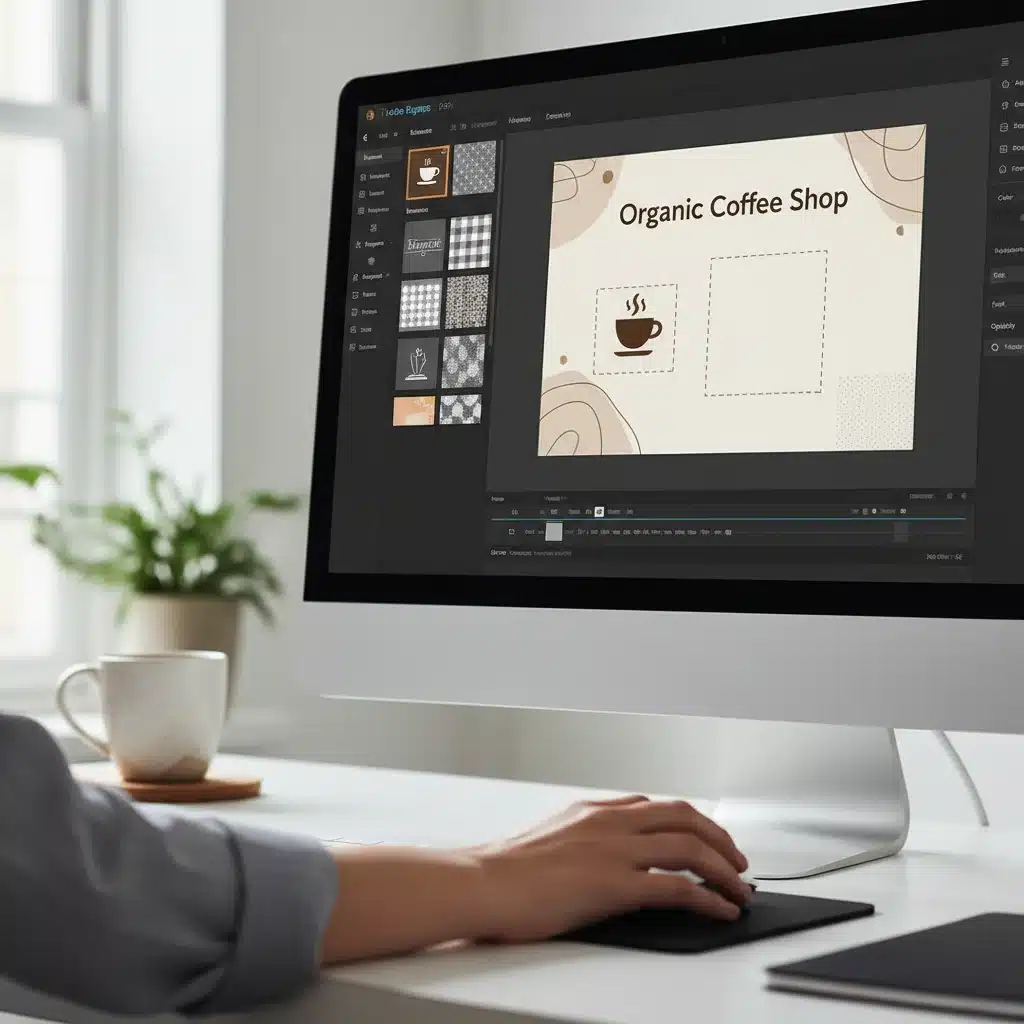
- Simple Layout: The workspace is clean and uncluttered. A main canvas occupies the center, surrounded by intuitive sidebars for elements, text, uploads, and templates. Everything is logically organized and easy to find.
- Drag-and-Drop Efficiency: Adding elements, images, or text is as simple as dragging them from the sidebar onto the canvas. Resizing, rotating, and repositioning are done with familiar on-canvas controls.
- Contextual Menus: When an element is selected, a context-sensitive toolbar appears at the top, offering relevant editing options (e.g., changing font, color, transparency for text; cropping, applying filters for images). This keeps the interface clean by only showing what’s needed.
- Learning Curve: The learning curve for Canva is remarkably shallow. Most users can create their first design within minutes of opening the application, without needing to consult tutorials.
- Collaboration: Canva excels in real-time collaboration, allowing multiple users to work on a design simultaneously, making it ideal for teams or educational settings.
Canva also offers a wealth of built-in tutorials and a thriving community forum, providing ample support for beginners who encounter challenges or want to learn new techniques. The mobile app experience is also highly optimized, allowing for on-the-go design.
Adobe Express’s Streamlined Workflow
Adobe Express also prioritizes ease of use, aiming to distill the power of Adobe’s professional tools into a beginner-friendly package. Its interface is clean and modern, with a focus on guided workflows and quick actions.
- Guided Creation: Adobe Express often guides users through the creation process, especially when starting new projects. It prompts users to select a format, theme, or even suggests content based on their input.
- Quick Actions: A standout feature is the collection of ‘Quick Actions’ for common tasks like removing backgrounds, resizing images, converting video formats, or creating QR codes. These tools are incredibly powerful and easy to use, saving beginners from needing to learn complex techniques.
- Consistent Adobe UI: For users familiar with other Adobe products, Express offers a sense of familiarity, making the transition smoother. Even for new users, the layout is logical and easy to navigate.
- Focus on Brand: The Brand Kit feature is incredibly intuitive, allowing users to upload logos, define brand colors, and select fonts once, then apply them effortlessly across all designs. This promotes brand consistency with minimal effort.
- Mobile Experience: Adobe Express also offers robust mobile apps, ensuring that users can create and edit designs from their smartphones or tablets with ease.
While Adobe Express might have a slightly steeper initial learning curve compared to Canva due to its deeper integration with more advanced features, it remains exceptionally user-friendly for its target audience. The Quick Actions alone provide immense value for beginners tackling common design challenges.
Which is Easier to Use for Beginners?
For absolute novices with no prior design experience, Canva generally offers a slightly more intuitive and immediate ‘pick up and go’ experience. Its pure drag-and-drop simplicity and vast template library make it incredibly easy to start creating. However, Adobe Express provides a very close second, particularly with its powerful Quick Actions and emphasis on guided workflows. If you anticipate growing into more advanced Adobe tools, starting with Express might offer a smoother long-term learning path.
Features and Functionality: Beyond the Basics
While templates and ease of use are crucial, the underlying features and functionalities determine the true creative potential of these platforms. Both Canva Adobe Express have expanded their capabilities significantly by 2026.
Canva’s Feature Set: A Creative Powerhouse
Canva has evolved into a comprehensive creative suite, offering much more than just static graphic design.
- Photo Editing: Basic to intermediate photo editing tools are available, including filters, adjustments, background remover (Pro), and smart crop.
- Video Editing: Canva offers a surprisingly robust video editor, allowing users to trim, cut, add music, transitions, and animations to video clips, making it perfect for social media videos.
- Animation: Users can easily animate elements and text within their designs, bringing static graphics to life.
- Brand Kit (Pro): The Pro version includes a comprehensive brand kit feature, allowing users to upload logos, define brand colors, and set brand fonts for consistent branding across all designs.
- Content Planner: Canva Pro also offers a content planner for scheduling social media posts directly from the platform.
- AI Tools: By 2026, Canva has integrated various AI-powered tools, such as Magic Write for text generation, Magic Edit for image manipulation, and text-to-image generation, enhancing creative possibilities.
- Print Services: Canva offers integrated print services, allowing users to design and order prints of business cards, flyers, and more directly from the platform.
Canva’s strength lies in its all-in-one approach. You can design, edit, animate, and even schedule content without ever leaving the platform, making it incredibly efficient for individuals and small teams.
Adobe Express’s Advanced Capabilities
Adobe Express leverages Adobe’s deep expertise in creative software, offering a powerful set of features, many of which are powered by Adobe Sensei AI.
- Advanced Photo Editing: While still simplified, Express offers more sophisticated photo editing capabilities than many competitors, including precise adjustments, high-quality filters, and an excellent background removal tool.
- Unique Text Effects: Adobe Express shines with its unique text effects and typography options, often providing a more polished and creative look than standard tools.
- Brand Management: The brand management features are top-notch, allowing for meticulous control over brand assets and ensuring consistency.
- Content Scheduling: Similar to Canva, Express includes content scheduling features, allowing users to plan and publish social media content.
- Adobe Stock Integration: Direct access to a vast library of high-quality, royalty-free Adobe Stock assets (depending on your subscription) is a significant advantage, offering premium content for your designs.
- AI-Powered Quick Actions: The aforementioned Quick Actions (e.g., resize image, convert video, create QR code, remove background) are often powered by Adobe’s Sensei AI, delivering professional results with minimal effort.
- Integration with Creative Cloud: The ability to easily import and export files to and from Photoshop, Illustrator, and other Creative Cloud apps is a massive benefit for those who might eventually need more advanced editing.
Adobe Express focuses on delivering professional-grade results through simplified workflows. Its features feel more robust in specific areas, especially concerning image manipulation and brand consistency, benefiting from Adobe’s foundational technology.
Which Offers More Robust Features for Beginners?
This is a close call and depends on the type of features you prioritize. If you need a broad, all-encompassing tool for various content types (graphics, video, presentations) with strong AI assistance for content creation, Canva offers an incredibly rich feature set. If your focus is more on high-quality image manipulation, professional typography, and seamless integration with a professional creative ecosystem, Adobe Express provides more sophisticated capabilities in those specific areas, often with a more polished output. For pure beginners, Canva’s breadth might be more appealing initially, but Express offers a clear upgrade path within the Adobe ecosystem.
Pricing and Value Proposition: Free vs. Paid Tiers
Both Canva Adobe Express offer free tiers and paid subscriptions, each providing different levels of access and functionality. Understanding their pricing models is crucial for beginners on a budget.
Canva’s Pricing Structure
- Canva Free: Offers a generous free plan with access to thousands of templates, millions of free stock photos and graphics, basic photo editing, and 5GB of cloud storage. It’s an excellent starting point for personal projects or occasional design needs.
- Canva Pro: Priced competitively (often around $12.99/month or $119.99/year when billed annually), Pro unlocks unlimited premium templates, millions of premium stock photos, videos, audio, and graphics, background remover, Brand Kit, content planner, unlimited cloud storage, and team collaboration features. This is the most popular choice for small businesses, freelancers, and power users.
- Canva for Teams/Enterprise: Scaled solutions for larger organizations with advanced collaboration, brand controls, and dedicated support.
Canva’s value proposition is its extensive free tier, which is often sufficient for many beginners. The Pro version significantly enhances capabilities, making it a powerful tool for professional use at a reasonable price point.
Adobe Express’s Pricing Structure
- Adobe Express Free: Provides access to thousands of templates, basic editing tools, a limited selection of Adobe Stock photos, fonts, and some Quick Actions. It’s a capable free offering, especially for quick edits and basic social media posts.
- Adobe Express Premium: Included with Creative Cloud All Apps plans or available as a standalone subscription (often around $9.99/month or $99.99/year when billed annually). Premium unlocks all premium templates and design assets, full access to Adobe Stock (a curated collection), all premium Quick Actions, Brand Kits, content scheduling, and 100GB of cloud storage.
Adobe Express’s free tier is strong, but its Premium version truly shines, especially for those who are already invested in the Adobe ecosystem or plan to be. The access to premium Adobe Stock content and advanced Quick Actions adds significant value.
Which Offers Better Value for Beginners?
For beginners who need to start completely free and might not immediately upgrade, Canva’s Free tier offers a more expansive library and broader functionality. It’s incredibly generous and can sustain many users for a long time. However, if you anticipate needing more professional-grade assets, advanced image manipulation (like precise background removal), and potentially integrating with other Adobe tools down the line, Adobe Express Premium offers exceptional value, especially if bundled with a Creative Cloud subscription. Its standalone price is also very competitive for the features it provides.
Learning Resources and Community Support
A crucial aspect for beginners is the availability of learning resources and a supportive community. Both Canva Adobe Express understand this and offer various avenues for users to grow their skills.
Canva’s Learning Ecosystem
Canva has invested heavily in creating a robust learning ecosystem:
- Canva Design School: A comprehensive collection of free courses, tutorials, and articles covering everything from design basics to specific use cases (e.g., social media marketing, branding).
- Extensive Blog and Help Center: A continually updated blog with design tips, trend reports, and how-to guides, alongside a detailed help center for troubleshooting.
- YouTube Channel: A very active YouTube channel featuring video tutorials, live design sessions, and inspirational content.
- Large User Community: Canva boasts a massive global user base, leading to countless unofficial tutorials, Facebook groups, and forums where users share tips and support each other.
Canva’s learning resources are designed to be as accessible as the platform itself, catering to visual learners and those who prefer self-paced learning.
Adobe Express’s Learning Support
Adobe Express benefits from Adobe’s long history of providing educational content for its products:
- Adobe Express Learn: A dedicated section within the Adobe website offering tutorials, project ideas, and skill-building guides tailored for Express users.
- Adobe Blog and Community Forums: Access to Adobe’s extensive blog network and official community forums where users can ask questions and get support directly from Adobe staff or experienced users.
- Integration with Adobe Education: For students and educators, Express often comes with educational resources and discounts, aligning with Adobe’s broader commitment to creative education.
- YouTube and Social Media: Active presence on YouTube with tutorials and inspirational content, as well as engaging social media channels.
Adobe Express’s learning resources often feel more structured and professionally curated, reflecting Adobe’s instructional approach across its product line.
Which Offers Better Learning Support for Beginners?
Both platforms offer excellent learning resources. Canva might feel slightly more approachable for complete novices due to its Design School’s beginner-focused curriculum and the sheer volume of community-generated content. However, Adobe Express provides high-quality, professional tutorials that can help beginners develop a strong foundation in design principles, especially if they aim to transition to more advanced Adobe tools eventually. It’s a tie, with the preference depending on your learning style.
Conclusion: Making Your Choice in 2026
Choosing between Canva Adobe Express in 2026 ultimately boils down to your specific needs, creative aspirations, and budget as a beginner. Both are stellar tools that have democratized graphic design, but they offer distinct advantages.
Choose Canva if:
- You need the absolute broadest selection of templates for every possible design scenario.
- You prioritize extreme ease of use and a shallow learning curve for immediate results.
- You want an all-in-one platform for static graphics, video, presentations, and even basic websites.
- You rely heavily on free resources and need a highly capable free tier.
- Collaboration with team members is a frequent requirement.
- You want integrated AI tools for content generation and quick edits.
Choose Adobe Express if:
- You value highly curated, professional-looking templates and premium stock assets.
- You need powerful, AI-driven ‘Quick Actions’ for tasks like background removal and image resizing.
- You are already part of the Adobe Creative Cloud ecosystem or plan to be in the future.
- You prioritize strong brand management features for consistent branding.
- You appreciate a more structured and professionally guided learning experience.
- You desire a seamless transition path to more advanced Adobe tools like Photoshop or Illustrator.
For the vast majority of beginners looking for an incredibly versatile and easy-to-use tool to create almost anything, Canva remains the top recommendation. Its expansive template library, intuitive interface, and continuous innovation make it an unrivaled choice for getting started in graphic design.
However, for beginners who seek a more refined aesthetic, value the power of Adobe’s underlying technology, and might eventually venture into more complex design work, Adobe Express offers a compelling alternative. Its integration with Creative Cloud and superior image manipulation capabilities provide a professional edge.
Ultimately, the best approach is to try both. Both platforms offer robust free versions that allow you to experiment with their interfaces, template libraries, and core functionalities. Spend some time creating a few projects in each, and you’ll quickly discover which one aligns better with your personal workflow and creative vision. Regardless of your choice, both Canva and Adobe Express empower you to unleash your creativity and make stunning designs in 2026 and beyond.