Mobile Video Editing Apps 2026: Top 7 Reviewed
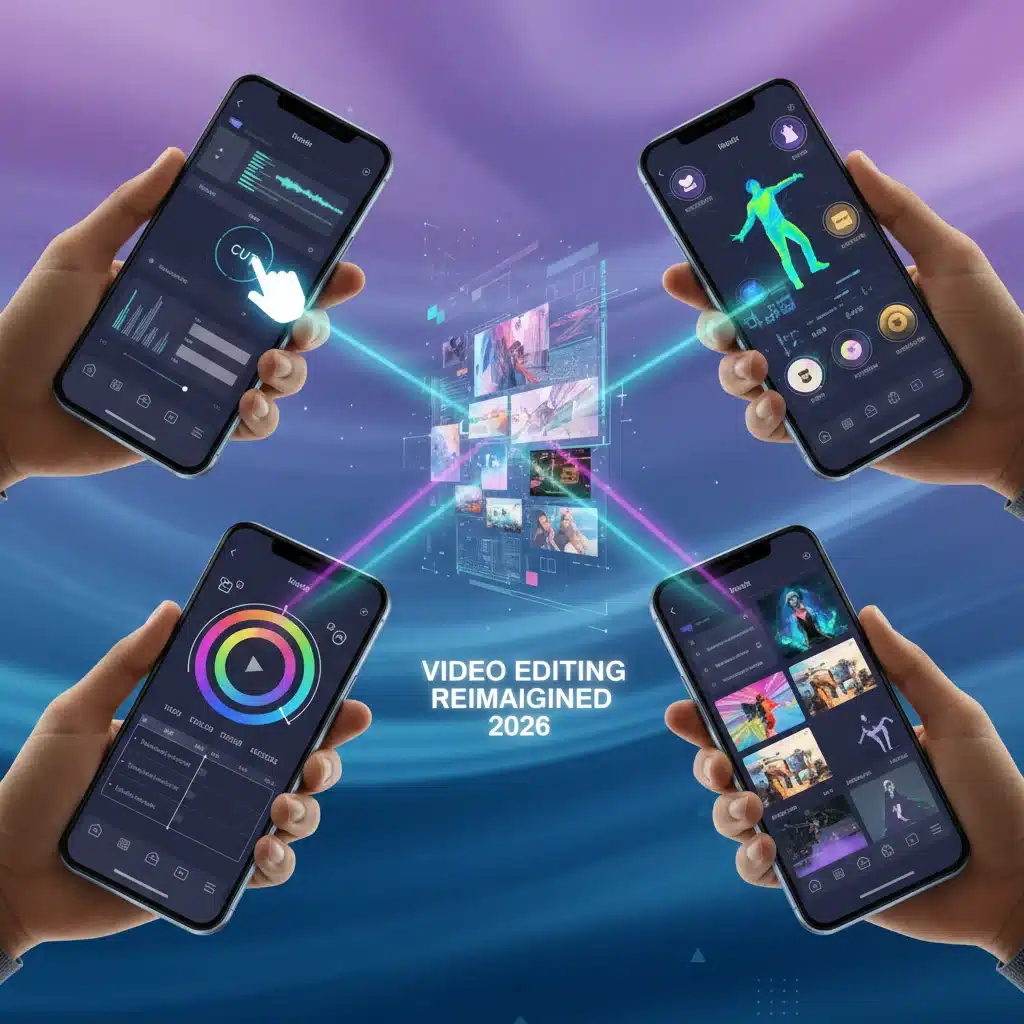
In the fast-evolving digital landscape of 2026, creating captivating video content is no longer confined to professional studios. Thanks to advancements in smartphone technology and sophisticated software, anyone can produce high-quality videos right from their mobile device. The demand for powerful and intuitive mobile video editing apps has skyrocketed, catering to content creators, social media influencers, small businesses, and casual users alike. With so many options flooding the market, choosing the right app can be a daunting task. This comprehensive head-to-head review dives deep into 7 leading mobile video editing applications, helping you navigate their features, strengths, weaknesses, and overall value in 2026.
Gone are the days when mobile video editing meant basic trimming and filter application. Today’s top apps offer multi-track editing, advanced color correction, AI-powered effects, motion graphics, and even collaborative features. Whether you’re an aspiring filmmaker, a TikTok sensation, or simply want to compile family memories, there’s a perfect mobile video editing tool for you. We’ll evaluate each app based on user interface, feature set, performance, export options, and pricing models, ensuring you make an informed decision for your creative endeavors.
The Evolution of Mobile Video Editing: A 2026 Perspective
The journey of mobile video editing has been nothing short of revolutionary. What started as rudimentary tools has blossomed into a full-fledged ecosystem capable of rivaling desktop software in many aspects. The significant leaps in smartphone processing power, camera technology (including 8K recording and advanced computational photography), and cloud integration have paved the way for this transformation. In 2026, we’re seeing:
- AI-Powered Automation: Smart features that automatically stabilize footage, suggest cuts, generate captions, and even create highlight reels.
- Cloud Collaboration: Seamless sharing of projects and real-time collaboration with team members from different locations.
- Augmented Reality (AR) Integration: Adding interactive AR elements directly into your videos, opening up new creative possibilities.
- Professional-Grade Color Grading: Tools previously exclusive to high-end software are now accessible on your phone.
- Optimized Performance: Apps are designed to leverage the specific hardware capabilities of the latest smartphones, ensuring smooth editing and faster rendering.
This review aims to cut through the noise and present a clear picture of the best mobile video editing apps available, considering these modern advancements and the needs of today’s diverse creators.
1. DaVinci Resolve Mobile: Professional Powerhouse on Your Handheld
DaVinci Resolve has long been the gold standard for professional color grading and video editing on desktop. Its arrival on mobile platforms in recent years has been a game-changer, bringing an unparalleled level of professional capability to mobile video editing. In 2026, DaVinci Resolve Mobile continues to solidify its position as a top contender for serious creators.
Key Features:
- Desktop-Class Editing: Offers a remarkably similar interface and feature set to its desktop counterpart, including multi-track editing, precise trimming, and advanced keyframing.
- Unrivaled Color Grading: Industry-leading color correction tools, scopes, and LUT support allow for cinematic looks directly on your phone.
- Fairlight Audio Tools: Comprehensive audio editing capabilities, including mixing, equalization, and noise reduction.
- Fusion Page (Limited): While not as robust as the desktop version, it offers some powerful visual effects and motion graphics tools.
- Cloud Project Server: Seamlessly share projects between your mobile device and desktop DaVinci Resolve, enabling a truly hybrid workflow.
Pros:
- Most comprehensive professional toolset available on mobile.
- Exceptional color grading capabilities.
- Excellent for users already familiar with DaVinci Resolve desktop.
- Free version is incredibly powerful, with paid upgrade for advanced features.
Cons:
- Steep learning curve for beginners.
- Demanding on device resources, requiring high-end smartphones for optimal performance.
- Interface can feel cluttered on smaller screens.
Ideal For:
Professional videographers, filmmakers, and serious content creators who need desktop-level editing power and color grading on the go, or those who already use DaVinci Resolve on desktop.
2. LumaFusion: The iPad Pro’s Darling (and now on more devices)
LumaFusion has carved out a niche as the go-to professional mobile video editing app, especially for iPad users. By 2026, its availability has expanded, making it a strong contender across various high-end mobile devices. It strikes an excellent balance between powerful features and a user-friendly interface, making it a favorite among mobile journalists and indie filmmakers.
Key Features:
- Multi-Track Editing: Supports up to 6 video/audio tracks and 6 additional audio tracks, allowing for complex layering.
- Extensive Effects and Transitions: A wide array of built-in effects, color correction tools, and customizable transitions.
- Audio Mixer: Fully featured audio mixer with EQ and keyframing for precise sound control.
- Green Screen/Chroma Key: Professional-grade chroma keying for special effects.
- Project Management: Robust project organization and media management features.
- External Drive Support: Edit directly from external drives, saving precious device storage.
Pros:
- Intuitive and well-designed interface, especially on larger tablet screens.
- Rich feature set that rivals many desktop editors.
- Excellent performance and stability.
- One-time purchase model (though some add-ons may exist).
Cons:
- Can be overwhelming for complete beginners.
- Requires a powerful device for smooth performance with complex projects.
- Not as feature-rich as DaVinci Resolve in terms of color grading or VFX.
Ideal For:
Mobile journalists, YouTubers, educators, and independent creators who need a powerful, reliable, and relatively easy-to-use professional mobile video editing suite.
3. CapCut: The Social Media Sensation’s Secret Weapon
CapCut has exploded in popularity, largely due to its tight integration with TikTok and its user-friendly interface. In 2026, it continues to be a dominant force for social media content creation, offering a perfect blend of powerful features and ease of use, all for free (with some premium assets).
Key Features:
- TikTok Integration: Seamless direct export to TikTok and access to trending sounds and effects.
- AI-Powered Tools: Automatic caption generation, background removal, body effects, and AI upscaling.
- Extensive Template Library: A vast collection of pre-made templates for quick and trendy video creation.
- Rich Music and Sound Effects Library: Access to a huge, regularly updated library of copyright-free audio.
- Basic to Advanced Editing: Offers precise trimming, speed control (including curva speed), keyframe animation, and multi-track editing.
Pros:
- Extremely easy to learn and use, even for beginners.
- Packed with trendy effects and AI features perfect for social media.
- Mostly free to use, making it highly accessible.
- Fast rendering and export.
Cons:
- Less suited for highly professional, long-form content.
- Some premium features or assets might require a subscription.
- Watermark on some free exports (though often removable).
Ideal For:
Social media content creators (especially TikTok, Instagram Reels), casual users, and anyone looking to quickly create engaging, trendy videos without a steep learning curve.
4. KineMaster: Feature-Rich for Aspiring Editors
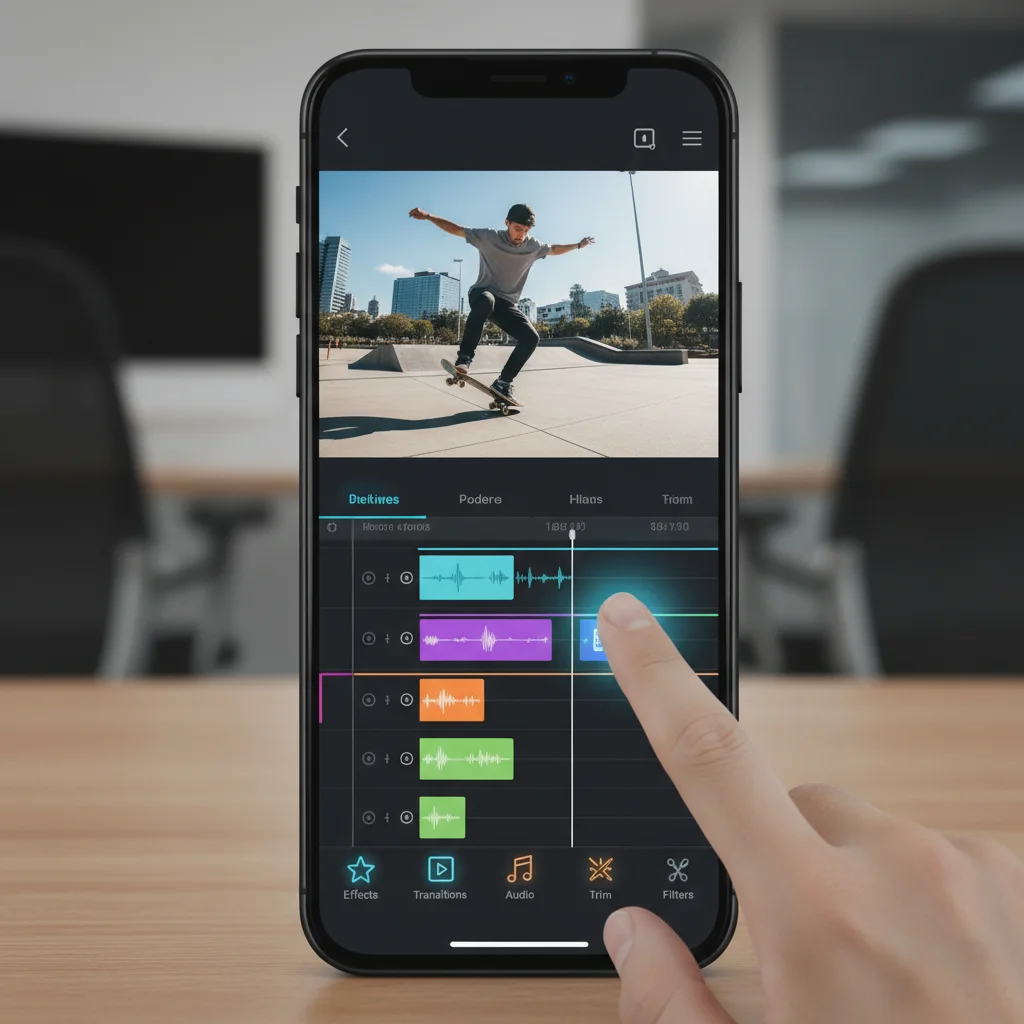
KineMaster has long been a staple in the mobile video editing space, known for its multi-track timeline and professional-grade editing tools. In 2026, it continues to evolve, offering a robust set of features that appeal to aspiring editors and YouTubers who need more control than basic apps provide but aren’t ready for the complexity of DaVinci Resolve.
Key Features:
- Multi-Track Editing: Supports multiple layers of video, images, stickers, text, and handwriting.
- Precise Trimming and Cutting: Frame-by-frame precision for accurate edits.
- Chroma Key: Effective green screen capabilities.
- Blender Modes: A variety of blend modes for creative overlay effects.
- Voice-overs and Sound Effects: Built-in voice recording and a vast asset store for music and sound effects.
- 4K Export Support: Render videos in high resolution.
Pros:
- Comprehensive feature set for creative control.
- Relatively easy to learn compared to professional desktop alternatives.
- Large asset store for additional effects, music, and transitions.
- Available on both Android and iOS.
Cons:
- Free version includes a watermark and limits some features.
- Subscription model can be a barrier for some users.
- Interface can feel a bit dated compared to newer apps.
Ideal For:
YouTube creators, educators, and content creators who need a powerful yet accessible mobile video editing app with a strong emphasis on layered compositions.
5. Adobe Premiere Rush: Streamlined Editing for Creative Cloud Users
Adobe Premiere Rush serves as a bridge between professional desktop editing (Adobe Premiere Pro) and quick, on-the-go content creation. For Creative Cloud subscribers, it offers a seamless workflow across devices. In 2026, it remains a solid choice for those deeply embedded in the Adobe ecosystem, prioritizing speed and integration.
Key Features:
- Cross-Device Sync: Start editing on your phone and pick up where you left off on your desktop with Premiere Pro.
- Simplified Interface: Designed for quick edits with a clean, intuitive layout.
- Built-in Camera: Capture high-quality video directly within the app.
- Customizable Motion Graphics: Access to professional-looking titles and transitions.
- Auto-Ducking: Automatically adjusts background music volume when dialogue is present.
- Royalty-Free Audio Library: Integrated access to a selection of music and sound effects.
Pros:
- Excellent for quick edits and social media sharing.
- Seamless integration with Adobe Creative Cloud.
- User-friendly interface, ideal for beginners.
- Reliable performance and stability.
Cons:
- Limited feature set compared to full-fledged editors like DaVinci Resolve or LumaFusion.
- Best value comes with an Adobe Creative Cloud subscription.
- Not ideal for complex, multi-layered projects.
Ideal For:
Content creators already using Adobe Creative Cloud, social media managers, and anyone needing a fast, efficient, and integrated tool for quick edits and sharing.
6. InShot: Quick Edits and Aspect Ratio Mastery
InShot has become a go-to for many social media users due to its focus on quick, visually appealing edits and its excellent tools for adjusting aspect ratios and adding music. By 2026, it maintains its position as a highly accessible and effective tool for those prioritizing speed and social media optimization in their mobile video editing workflow.
Key Features:
- Aspect Ratio Adjustments: Easily fit videos for Instagram, TikTok, YouTube, etc., with various canvas options and blur backgrounds.
- Music and Sound Effects: Extensive library of music, sound effects, and voice-over capabilities.
- Filters and Effects: A wide range of visual filters, effects, and adjustments (brightness, contrast, saturation).
- Text and Stickers: Customizable text, fonts, and a rich library of animated stickers and emojis.
- Basic Editing Tools: Trim, cut, merge, speed control, and reverse video.
Pros:
- Extremely user-friendly and intuitive for quick edits.
- Excellent for social media formatting and aspect ratio adjustments.
- Rich in trendy filters, effects, and stickers.
- Free version is highly functional, with an affordable premium option.
Cons:
- Not designed for complex, multi-track, or professional-grade projects.
- Free version has ads and a watermark (removable with premium).
- Lacks advanced color grading or audio mixing tools.
Ideal For:
Casual users, social media enthusiasts, and anyone looking for a fast, easy, and effective way to create short, engaging videos optimized for various platforms.
7. PowerDirector Mobile: Feature-Packed for Android & iOS
PowerDirector has been a long-standing player in both desktop and mobile video editing. Its mobile version, in 2026, offers a comprehensive set of tools that cater to users looking for a step up from basic editors without the full complexity of DaVinci Resolve. It’s particularly strong on Android but also well-regarded on iOS.
Key Features:
- Multi-Track Timeline: Supports multiple video and audio tracks for layered editing.
- Precision Editing Tools: Trim, cut, split, and rotate with frame-by-frame accuracy.
- Speed Adjustments: Slow motion and fast motion effects, including reverse video.
- Green Screen/Chroma Key: Professional-level green screen effects.
- Video Stabilizer: Reduces shaky footage for smoother playback.
- VFX and Transitions: A wide variety of visual effects, transitions, and title templates.
- Stock Library Access: Integrated access to stock videos, photos, and music (premium feature).
Pros:
- Rich feature set for comprehensive mobile editing.
- User-friendly interface that balances power and accessibility.
- Strong performance on a wide range of devices.
- Offers both free and subscription-based models.
Cons:
- Free version has watermarks and ads.
- Some advanced features are locked behind a subscription.
- Can feel a bit overwhelming for absolute beginners due to the sheer number of options.
Ideal For:
Aspiring filmmakers, YouTubers, and content creators who want a powerful and versatile mobile video editing app that offers a good balance of features, ease of use, and performance.
Choosing Your Perfect Mobile Video Editing App in 2026
The best mobile video editing app for you in 2026 ultimately depends on your specific needs, skill level, and the type of content you aim to create. Here’s a quick guide to help you decide:
- For Professionals & Advanced Users: If you demand desktop-level power, intricate color grading, and robust audio tools, DaVinci Resolve Mobile is your top choice. For a slightly more streamlined but still professional experience, especially on tablets, LumaFusion is unparalleled.
- For Social Media & Quick Edits: If you’re primarily creating content for TikTok, Instagram Reels, or quick shares, CapCut and InShot offer speed, trendy effects, and ease of use. CapCut excels with its AI features and TikTok integration, while InShot is great for quick formatting and filters.
- For Aspiring YouTubers & Comprehensive Editing: If you need a good balance of features, multi-track editing, and creative control without the steep learning curve of professional apps, KineMaster and PowerDirector Mobile are excellent choices. They provide a robust toolkit for more complex projects.
- For Adobe Creative Cloud Users: If you’re already invested in the Adobe ecosystem and need a tool for quick edits that syncs with Premiere Pro, Adobe Premiere Rush is the logical choice.
Before committing to a paid subscription, always take advantage of free trials or the free versions of these apps. Experiment with their interfaces, test their performance on your device, and see which one aligns best with your creative workflow. The world of mobile video editing in 2026 is rich with possibilities, and with the right app, your smartphone can truly become a portable production studio.
Future Trends in Mobile Video Editing
Looking beyond 2026, the landscape of mobile video editing is set to become even more dynamic. We can anticipate further integration of artificial intelligence, not just for automation but for truly intelligent editing assistants that can learn your style and suggest improvements. Real-time rendering and cloud-based processing will become standard, allowing even more complex projects to be handled smoothly on mobile devices without taxing local hardware. The line between desktop and mobile editing will continue to blur, making professional-grade tools accessible to an even wider audience. Virtual and augmented reality elements will become more commonplace, allowing creators to build immersive experiences directly from their phones. The future of mobile video editing promises an exciting era of creativity and accessibility for everyone.
Conclusion: Empowering Your Creativity On The Go
The journey through the top 7 mobile video editing apps of 2026 reveals a vibrant and competitive market, each app vying to empower your creativity. From the professional-grade precision of DaVinci Resolve Mobile and LumaFusion to the social media prowess of CapCut and InShot, and the robust all-rounders like KineMaster, Adobe Premiere Rush, and PowerDirector Mobile, there is an ideal tool for every kind of creator. Your smartphone is no longer just a communication device; it’s a powerful studio in your pocket, ready to transform your raw footage into polished, captivating stories. Embrace the power of mobile video editing and unlock your full creative potential, anytime, anywhere.