
Top Task Management Apps for Teams in 2026: Evaluating 8 Platforms for Collaboration
In the dynamic landscape of modern work, effective Task Management Apps have become indispensable tools for teams striving for optimal productivity and seamless collaboration. As we navigate further into 2026, the demand for sophisticated, intuitive, and feature-rich platforms continues to grow. Teams, whether remote, hybrid, or co-located, rely on these applications to organize workflows, track progress, assign responsibilities, and ensure timely project completion. The right task management solution can transform chaotic operations into streamlined processes, fostering transparency and accountability across all levels of an organization.
The market for Task Management Apps is vast and ever-evolving, with new features and AI integrations constantly emerging. Choosing the perfect platform can be a daunting task, given the multitude of options available, each promising unique benefits. This comprehensive guide aims to simplify that decision-making process for you. We will delve deep into eight leading Task Management Apps that are set to dominate the collaboration space in 2026. Our evaluation will focus on critical aspects such as core features, collaboration capabilities, integration potential, user experience, pricing models, and scalability, ensuring you have all the information needed to make an informed choice tailored to your team’s specific needs.
Understanding the nuances of each platform is crucial. Some excel in visual project tracking, while others prioritize detailed reporting or advanced automation. Some are designed for agile development teams, whereas others cater to creative agencies or large enterprises with complex hierarchical structures. Our goal is to provide a balanced perspective, highlighting the strengths and potential limitations of each app, so you can align your selection with your team’s operational style and strategic objectives. Let’s embark on this journey to discover the best Task Management Apps for enhancing your team’s collaborative power in 2026.
The Evolving Landscape of Task Management Apps for Teams
The journey of Task Management Apps has been remarkable. From simple digital checklists to sophisticated project hubs, these tools have mirrored the evolution of work itself. Initially, they served primarily as personal organizers, helping individuals keep track of their to-dos. However, with the rise of remote work, distributed teams, and complex projects, their focus shifted dramatically towards collaboration. Today, Task Management Apps are not just about managing tasks; they are about managing projects, people, and processes in a unified environment. They facilitate communication, streamline workflows, and provide a single source of truth for all project-related information.
In 2026, the trend continues towards greater intelligence and automation. AI-powered features are becoming more commonplace, offering smart suggestions for task assignments, predicting potential roadblocks, and automating routine actions. Integration capabilities are also paramount, as teams often rely on a suite of tools, from communication platforms to CRM systems. A robust Task Management App must seamlessly connect with these other tools to create an integrated ecosystem that minimizes context switching and maximizes efficiency. Furthermore, user experience (UX) and user interface (UI) design play a crucial role. An app, no matter how powerful its features, will fail if it’s not intuitive and enjoyable to use. Accessibility, customization options, and mobile responsiveness are also key considerations that define the next generation of Task Management Apps.
The emphasis on data analytics and reporting has also grown significantly. Team leaders and project managers increasingly need actionable insights into team performance, project progress, and resource allocation. Modern Task Management Apps provide dashboards, custom reports, and analytics tools that help in identifying bottlenecks, optimizing workflows, and making data-driven decisions. Security and compliance are non-negotiable, especially for organizations handling sensitive data. Cloud-based solutions must offer robust security protocols, data encryption, and compliance with relevant industry standards. As teams become more global, multilingual support and timezone management features also gain importance. This holistic approach to task management is what sets the leading platforms apart in 2026.
Key Criteria for Evaluating Task Management Apps
Before diving into specific platforms, it’s essential to establish a set of criteria for evaluating Task Management Apps. These benchmarks will help us objectively assess each tool and determine its suitability for various team types and project requirements. By focusing on these key areas, you can ensure that the chosen app not only meets your current needs but also supports future growth and evolving demands.
Collaboration Features
At the heart of any effective team Task Management App lies its ability to facilitate seamless collaboration. This includes features like real-time co-editing, comments and discussions directly on tasks, @mentions for direct communication, file sharing, and shared calendars. The easier it is for team members to communicate and share information within the context of their work, the more efficient and less prone to errors the project becomes. Look for tools that offer robust communication channels, clear notification systems, and the ability to track communication history related to each task.
Task Management Functionality
This category encompasses the core capabilities of the app. Does it offer various task views (Kanban boards, Gantt charts, list view, calendar view)? Can tasks be easily assigned, prioritized, and categorized? Are there options for subtasks, dependencies, recurring tasks, and custom fields? Advanced features like automated workflows, time tracking, and resource management also fall under this umbrella. The depth and flexibility of task management functionality directly impact a team’s ability to organize and execute work effectively.
Integrations and Ecosystem
No Task Management App exists in a vacuum. Its ability to integrate with other essential business tools—such as communication platforms (Slack, Microsoft Teams), cloud storage (Google Drive, Dropbox), CRM systems, development tools (GitHub, Jira), and reporting software—is crucial. A rich integration ecosystem prevents data silos, reduces manual data entry, and creates a more cohesive digital workspace. API access for custom integrations can also be a significant advantage for larger organizations with unique requirements.
User Experience (UX) and User Interface (UI)
An app can have all the features in the world, but if it’s not intuitive and pleasant to use, adoption will suffer. A clean, well-organized UI reduces the learning curve and makes daily task management less of a chore. Good UX ensures that users can find what they need quickly, perform actions efficiently, and feel comfortable navigating the platform. Customization options for dashboards and personal views can further enhance the user experience, allowing individuals to tailor the app to their preferences.
Pricing and Scalability
Cost is always a factor. Task Management Apps typically offer various pricing tiers, from free basic plans to enterprise-level subscriptions. Consider not only the per-user cost but also what features are included in each tier. Scalability is equally important: can the app grow with your team? Does it support a small startup team as well as a large organization with hundreds or thousands of users? Look for flexible plans that can adapt to your team’s changing size and needs without excessive cost implications.
Reporting and Analytics
The ability to generate insightful reports and analytics is critical for monitoring progress, identifying trends, and making informed decisions. Look for features that provide overviews of project status, individual workload, time spent on tasks, and potential bottlenecks. Customizable dashboards and exportable reports are highly valuable for project managers and stakeholders to gain a clear understanding of team performance and project health.
Top 8 Task Management Apps for Teams in 2026
Now, let’s dive into our detailed evaluation of the leading Task Management Apps poised to make a significant impact in 2026. Each platform brings its unique strengths to the table, catering to different team sizes, industries, and project methodologies.
1. Asana
Asana continues to be a powerhouse in the task management space, renowned for its flexibility and comprehensive feature set. It offers multiple project views, including lists, boards (Kanban), timelines (Gantt), and calendars, making it adaptable to various project methodologies. Its strength lies in its ability to manage complex projects with numerous dependencies and subtasks. Collaboration is central to Asana, with robust commenting, file attachments, and direct messaging capabilities. Its workflow automation allows teams to create custom rules, reducing manual effort and ensuring consistency. Asana’s reporting features provide valuable insights into team workload and project progress.
- Strengths: Highly flexible views, powerful workflow automation, strong collaboration features, extensive integrations, excellent for complex project management.
- Weaknesses: Can be overwhelming for new users due to its vast feature set, pricing can become steep for larger teams requiring advanced features.
- Best For: Teams managing complex projects, marketing agencies, product development teams, and organizations needing robust workflow automation.
2. Trello
Trello, known for its intuitive Kanban board interface, remains a favorite for teams that prefer a visual approach to task management. Its simplicity makes it incredibly easy to adopt, even for non-technical users. Each card on a board represents a task, which can be moved across lists (e.g., To Do, Doing, Done) to track progress. Trello’s power-ups (integrations) extend its functionality, allowing users to connect with various other apps. While it might seem basic, its visual nature fosters excellent team communication and transparency around task status.
- Strengths: Extremely user-friendly, highly visual Kanban boards, excellent for agile teams, wide range of power-ups for extended functionality.
- Weaknesses: Less suitable for highly complex projects with intricate dependencies, reporting features are basic, can become cluttered with too many cards/lists.
- Best For: Small to medium-sized teams, agile development, content creation, event planning, and those who prefer a highly visual workflow.
3. Monday.com
Monday.com is a highly visual and customizable work operating system (Work OS) that goes beyond traditional task management. It offers a wide array of templates for various use cases, from project management to CRM and HR. Its strength lies in its highly visual interface, which uses color-coded boards and customizable columns to represent different aspects of a project. Monday.com excels in team collaboration, offering real-time updates, communication tools, and extensive automation capabilities. Its reporting and dashboard features are robust, providing clear overviews of project health and team performance.
- Strengths: Highly customizable, visually appealing interface, strong automation capabilities, excellent for diverse use cases, robust reporting.
- Weaknesses: Can be pricey for larger teams, some advanced features might require a learning curve, can feel overwhelming with too many customization options.
- Best For: Teams needing a highly flexible and customizable platform, marketing teams, creative agencies, and organizations looking for an all-in-one Work OS.
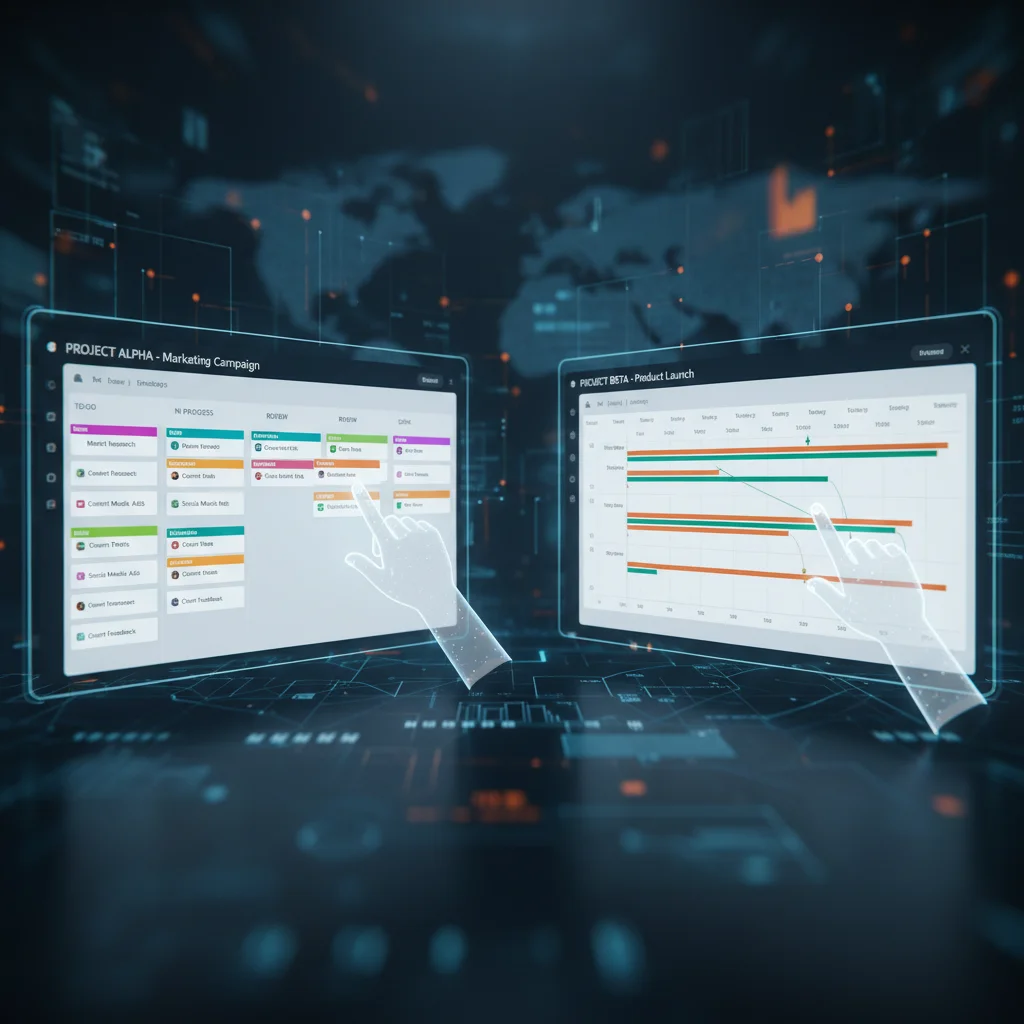
4. Jira Software
Jira Software, from Atlassian, is the undisputed leader for agile development teams. While primarily known for bug tracking and agile project management (Scrum, Kanban), its capabilities extend to various types of task management. Jira offers powerful customization, allowing teams to define their workflows, issue types, and fields. Its reporting features are incredibly detailed, providing insights into sprint velocity, burndown charts, and release progress. Integration with other Atlassian products like Confluence and Bitbucket creates a powerful ecosystem for software development teams.
- Strengths: Unrivaled for agile software development, highly customizable workflows, powerful reporting and analytics, robust integration with development tools.
- Weaknesses: Steep learning curve for non-technical users, can be overly complex for simple task management, user interface can feel dated compared to newer tools.
- Best For: Software development teams, IT teams, agile project management, and large enterprises with complex technical projects.
5. ClickUp
ClickUp prides itself on being “one app to replace them all,” offering an incredibly extensive suite of features that span task management, project management, document creation, goal tracking, and more. It provides numerous views (list, board, box, Gantt, calendar, table, map) and highly customizable dashboards. ClickUp’s automation capabilities are powerful, allowing users to automate routine tasks and notifications. Its free plan is generous, making it an attractive option for startups and small teams looking for comprehensive functionality without initial investment.
- Strengths: Extremely feature-rich, highly customizable, wide variety of views, strong automation, generous free plan, suitable for diverse team needs.
- Weaknesses: Can be overwhelming due to the sheer number of features, performance can sometimes be an issue with very large workspaces, learning curve can be steep.
- Best For: Teams seeking an all-in-one productivity platform, growing startups, marketing teams, and those who need extensive customization.
6. Wrike
Wrike is a versatile project management tool designed for teams of all sizes, offering a strong focus on enterprise-level collaboration and reporting. It provides robust features for task management, project planning, resource management, and time tracking. Wrike excels in providing 360-degree visibility into projects with its customizable dashboards and advanced analytics. Its proofing and approval features are particularly beneficial for creative teams, streamlining feedback cycles. Wrike’s security features and enterprise-grade scalability make it a strong contender for larger organizations.
- Strengths: Excellent for enterprise-level project management, strong reporting and analytics, robust security, good for creative teams with proofing features, versatile project views.
- Weaknesses: Pricing can be on the higher side, interface can feel less intuitive than some competitors, can be overkill for smaller teams with simpler needs.
- Best For: Large enterprises, marketing and creative agencies, professional services, and teams requiring advanced reporting and security.
7. Microsoft Planner/To Do (Integrated with Microsoft 365)
For organizations already deeply embedded in the Microsoft 365 ecosystem, Microsoft Planner and To Do offer seamless integration with other Microsoft products like Teams, Outlook, and SharePoint. Planner is designed for team task management, providing simple Kanban boards for organizing tasks, assigning owners, and tracking progress. To Do is more for personal task management but integrates with Planner to pull assigned tasks into a unified personal list. Their strength lies in their accessibility and ease of use for existing Microsoft users, requiring minimal setup and training.
- Strengths: Deep integration with Microsoft 365 ecosystem, easy to use for existing Microsoft users, simple and straightforward Kanban boards, good for basic team task management.
- Weaknesses: Lacks advanced project management features (e.g., Gantt charts, complex dependencies), limited reporting outside of basic progress, less customizable than dedicated PM tools.
- Best For: Teams already using Microsoft 365, small to medium-sized teams needing basic task tracking, and those who prioritize seamless integration with their existing IT infrastructure.
8. Basecamp
Basecamp takes a different approach to Task Management Apps, focusing on consolidating communication, tasks, files, and schedules into a single hub. It’s designed to be a central place for all team project work, aiming to reduce reliance on multiple disparate tools. Basecamp emphasizes simplicity and clarity, offering features like message boards, to-do lists, schedules, and document storage. Its unique pricing model (a flat monthly fee regardless of team size) makes it particularly attractive for growing teams or those with unpredictable user counts.
- Strengths: All-in-one platform for communication and task management, simple and intuitive interface, flat-rate pricing, excellent for reducing email clutter and centralizing project information.
- Weaknesses: Less feature-rich for complex project management compared to specialized tools, limited advanced reporting, less customizable workflows.
- Best For: Small to medium-sized businesses, agencies, and teams that value simplicity and an all-in-one communication and task hub over extensive project management features.

Choosing the Right Task Management App for Your Team
Selecting the ideal Task Management App is not a one-size-fits-all decision. The best platform for your team will depend heavily on several factors unique to your organization. Here’s a structured approach to help you make the right choice:
1. Assess Your Team’s Specific Needs and Workflow
Start by identifying your team’s core requirements. Are you an agile development team needing robust sprint planning and bug tracking? Or a marketing team that thrives on visual boards and creative proofing? Do you manage complex projects with interdependencies, or simpler, more discrete tasks? Consider the size of your team, the nature of your projects, your existing tech stack, and your preferred working methodology. Documenting these needs will provide a clear benchmark against which to evaluate potential tools.
2. Prioritize Features
Once you understand your needs, prioritize the features that are most critical. Is advanced automation a must-have? Or is a simple, intuitive interface more important for team adoption? Perhaps robust reporting is non-negotiable for stakeholders. Create a weighted list of features, separating ‘must-haves’ from ‘nice-to-haves’. This will help you narrow down the options significantly.
3. Consider Your Budget
Pricing models vary widely among Task Management Apps. Some offer generous free tiers, while others have per-user subscriptions that can quickly add up for larger teams. Factor in not just the immediate cost but also potential long-term expenses as your team grows or requires more advanced features. Look for transparent pricing and understand what’s included in each plan.
4. Evaluate Integration Capabilities
Your chosen app should seamlessly integrate with the tools your team already uses daily. This could include communication platforms (Slack, Microsoft Teams), cloud storage (Google Drive, Dropbox), CRM systems, or specialized industry software. Good integrations minimize context switching and create a more efficient workflow, avoiding data silos and manual transfers.
5. Test Drive the Options
Most leading Task Management Apps offer free trials or freemium versions. Take advantage of these to test the platforms with a small group of users from your team. This hands-on experience is invaluable for assessing user-friendliness, understanding the learning curve, and seeing how the app fits into your actual workflow. Pay attention to how easily tasks can be created, assigned, updated, and how communication flows within the platform.
6. Consider Scalability and Future Growth
Think about where your team and projects might be in 1-3 years. Will the chosen app be able to scale with your growth? Does it offer enterprise-level features, security, and support if you anticipate becoming a larger organization? Investing in a scalable solution now can save significant time and resources down the line.
7. Look for Strong Support and Resources
Even the most intuitive apps can present challenges. Ensure the provider offers robust customer support (e.g., live chat, email, phone), comprehensive documentation, tutorials, and a community forum. Good support can be a lifesaver during onboarding and when encountering specific issues or questions.
The Future of Task Management Apps
Looking ahead, the evolution of Task Management Apps will continue to be shaped by technological advancements and changing work paradigms. We can expect even greater integration of artificial intelligence and machine learning, leading to more intelligent task suggestions, predictive analytics for project risks, and advanced automation that learns from user behavior. Natural language processing (NLP) will likely enhance how users interact with these tools, allowing for more intuitive task creation and query handling.
Virtual and augmented reality (VR/AR) could also play a role, offering immersive project workspaces where teams can collaborate in a more spatial and interactive manner, particularly beneficial for design and engineering fields. The emphasis on data security and privacy will only intensify, with platforms offering more granular control over data access and stricter compliance certifications. Furthermore, as mental well-being in the workplace gains prominence, Task Management Apps might integrate features for workload balancing, stress monitoring, and even mindfulness breaks, designed to prevent burnout and promote a healthier work-life balance.
The trend towards unified work platforms will also continue, with apps striving to consolidate more functionalities (e.g., communication, file storage, CRM, HR) into a single interface, reducing the need for multiple subscriptions and context switching. Ultimately, the future of Task Management Apps is about creating an even more intelligent, seamless, and human-centric environment where teams can achieve their goals with unprecedented efficiency and collaboration.
Conclusion
Choosing the right Task Management App for your team in 2026 is a strategic decision that can significantly impact productivity, collaboration, and overall project success. We’ve explored eight leading platforms—Asana, Trello, Monday.com, Jira Software, ClickUp, Wrike, Microsoft Planner/To Do, and Basecamp—each offering a unique blend of features, strengths, and target audiences. From the robust complexity of Jira to the visual simplicity of Trello, and the all-encompassing nature of ClickUp, there’s a solution tailored for almost every team and project type.
Remember, the best app isn’t necessarily the one with the most features, but the one that best aligns with your team’s specific workflow, communication style, budget, and future growth trajectory. By carefully assessing your needs, prioritizing essential functionalities, and taking advantage of free trials, you can identify a platform that not only streamlines your operations today but also empowers your team for sustained success in the years to come. Invest wisely in a Task Management App that fosters collaboration, enhances transparency, and drives your team towards achieving its greatest potential.