Time Tracking Apps for Productivity: Toggle Track vs. Clockify in 2026 – An Insider Look at Reporting Features and Integrations.
Time Tracking Apps for Productivity: Toggle Track vs. Clockify in 2026 – An Insider Look at Reporting Features and Integrations
In the fast-paced digital landscape of 2026, efficiency and accurate resource allocation are paramount for businesses and freelancers alike. The right time tracking apps can be the cornerstone of enhanced productivity, transparent billing, and insightful project management. As the market continues to evolve, two names consistently rise to the top: Toggle Track and Clockify. Both offer robust solutions, but understanding their nuances, especially concerning reporting features and integrations, is crucial for making an informed decision.
This comprehensive guide delves deep into Toggle Track and Clockify, dissecting their functionalities, user experience, and, most importantly, their capabilities in generating meaningful reports and seamlessly integrating with your existing tech stack. Whether you’re a burgeoning startup, a seasoned enterprise, or a solo entrepreneur, choosing the optimal time tracking solution can significantly impact your bottom line and operational fluidity. Let’s embark on this detailed comparison to help you navigate the complexities and select the best time tracking apps for your needs.
The Pivotal Role of Time Tracking Apps in 2026
Gone are the days when time tracking was merely about punching in and out. Today, modern time tracking apps are sophisticated tools that offer a holistic view of how time is spent across projects, tasks, and teams. In 2026, their importance has only magnified due to several key factors:
- Remote and Hybrid Work Models: With distributed teams becoming the norm, visibility into work progress and employee engagement is more critical than ever. Time tracking provides objective data.
- Project Profitability: Accurate time logs are essential for understanding project costs, ensuring profitable pricing, and identifying potential budget overruns.
- Client Billing and Transparency: For service-based businesses, detailed time reports build trust with clients and justify invoices, minimizing disputes.
- Productivity Optimization: By analyzing where time is spent, individuals and teams can identify bottlenecks, eliminate time-wasting activities, and optimize workflows.
- Resource Allocation: Managers can make data-driven decisions on assigning tasks, balancing workloads, and planning future projects based on historical time data.
- Compliance and Legal Requirements: In some industries, accurate timekeeping is a legal necessity for payroll, overtime, and specific project grants.
Both Toggle Track and Clockify aim to address these needs, but they do so with distinct approaches and feature sets. Understanding these differences is key to aligning the tool with your specific organizational goals.
Toggle Track: A Deep Dive into Its Strengths
Toggle Track, often hailed for its simplicity and powerful reporting, has been a long-standing favorite among freelancers and small to medium-sized businesses. Its intuitive interface makes time logging a breeze, but its true power lies beneath the surface.
Core Features and User Experience
Toggle Track offers a clean, minimalist design that prioritizes ease of use. Starting a timer is often just a click away, whether through its web app, desktop applications (Windows, macOS, Linux), or mobile apps (iOS, Android). Key features include:
- One-Click Time Tracking: Effortlessly start and stop timers for tasks and projects.
- Manual Time Entry: Add time entries retroactively if you forget to start the timer.
- Project and Client Management: Organize time by projects, sub-projects, and clients for better categorization.
- Tags and Descriptions: Add context to time entries with detailed descriptions and searchable tags.
- Idle Detection: Prompts you if you’ve been inactive, helping maintain accurate records.
- Pomodoro Timer: Built-in feature to encourage focused work intervals.
- Offline Mode: Track time even without an internet connection, syncing data once online.
The user experience is generally smooth, with a low learning curve. This focus on simplicity ensures that team members adopt the tool quickly, leading to higher data accuracy. However, for organizations with highly complex project hierarchies or granular task dependencies, some might find its core structure slightly less robust than more comprehensive project management suites.
Toggle Track’s Reporting Capabilities: Unveiling Insights
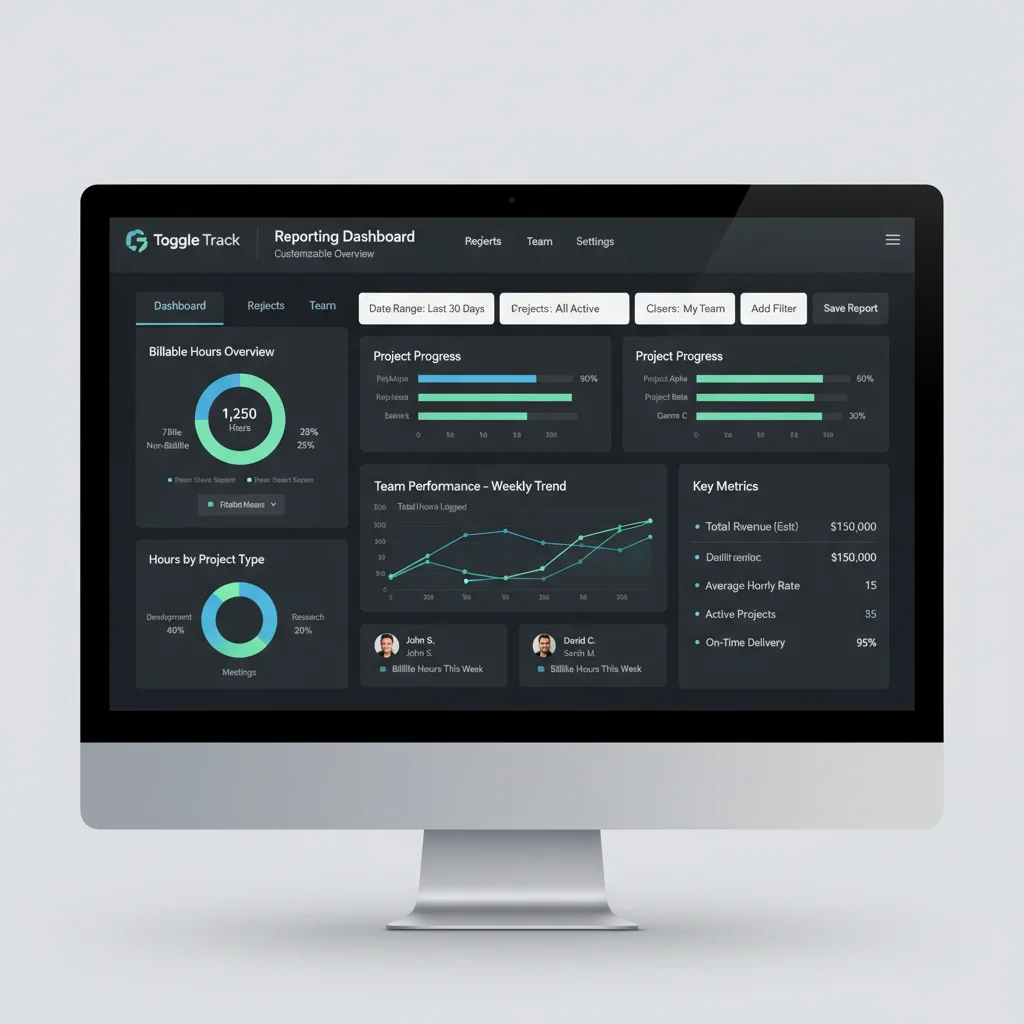
Where Toggle Track truly shines is in its reporting. It provides a robust set of tools to transform raw time data into actionable insights. This is a critical factor for any business looking to optimize operations and ensure profitability.
- Summary Reports: Get a high-level overview of time spent by user, project, or client over custom date ranges. These reports often feature intuitive graphs and charts.
- Detailed Reports: Dive into individual time entries, complete with descriptions, start/end times, and duration. These are invaluable for auditing and granular analysis.
- Weekly Reports: Visualize time distribution across days of the week, helping identify peak productivity times or potential burnout.
- Billable vs. Non-Billable Time: Easily distinguish between time that can be billed to clients and internal administrative tasks. This is crucial for accurate invoicing and understanding overhead.
- Profitability Analysis (Premium Feature): For paid plans, Toggle Track allows you to set billable rates for users, projects, or tasks, enabling you to see project profitability at a glance.
- Customizable Reports: Filter data by project, client, user, tags, and date ranges. You can also group results in various ways (e.g., by client then project, or by user then task).
- Export Options: Reports can typically be exported in various formats, including CSV, PDF, and Excel, making it easy to share with stakeholders or import into other systems.
- Public Reports (Premium Feature): Generate shareable links for specific reports, allowing clients or external partners to view progress without needing a Toggle Track account.
Toggle Track’s reporting is generally praised for its clarity and flexibility. The visual dashboards make it easy to grasp trends, and the ability to drill down into specifics ensures that no detail is overlooked. For businesses focused on client billing and project profitability, Toggle Track’s reporting suite provides a strong foundation.
Toggle Track’s Integrations: Connecting Your Workflow
A time tracking app is rarely an island. Its ability to connect with other business tools is vital for a seamless workflow. Toggle Track offers a decent range of integrations, though it might lean more towards popular project management and collaboration tools.
- Browser Extensions: The Toggle Track button integrates directly into popular web apps like Asana, Jira, Trello, Google Docs, GitHub, and many more. This allows users to start timers directly from the task they are working on, significantly reducing context switching.
- Project Management Tools: Deep integrations with tools like Asana, Jira, Trello, Basecamp, and Monday.com allow for direct time tracking on tasks within these platforms.
- Calendar Integrations: Syncs with Google Calendar and Outlook Calendar to help you track time based on your scheduled events.
- Accounting Software: While not as extensive as some competitors, it offers integrations or export options compatible with popular accounting software for invoicing purposes.
- API: For more advanced users or specific business needs, Toggle Track provides a robust API, allowing for custom integrations and data synchronization with virtually any other system.
- Zapier Integration: Through Zapier, Toggle Track can connect with thousands of other apps, automating workflows and data transfer between disparate systems.
The strength of Toggle Track’s integrations often lies in its browser extension, which brings time tracking directly into the user’s existing workflow. This minimizes friction and encourages consistent time logging. While its native accounting integrations might not be as numerous as Clockify’s, its API and Zapier support bridge many gaps.
Clockify: A Comprehensive Time Management Solution
Clockify has rapidly gained popularity, especially among teams and larger organizations, due to its comprehensive feature set, generous free plan, and strong emphasis on team management and robust integrations. It positions itself as a complete time tracking and timesheet solution.
Core Features and User Experience
Clockify provides a feature-rich environment that goes beyond basic time tracking. It offers a structured approach to project management and team oversight. Key features include:
- Flexible Time Tracking: Similar to Toggle Track, it offers a timer, manual entries, and timesheets.
- Detailed Project Structure: Allows for multi-level projects, tasks, and sub-tasks, providing granular control over how time is categorized.
- Team Management: Invite team members, assign roles, and manage permissions.
- Time Off Tracking: Track holidays, vacation, and sick leave, offering a more complete picture of employee availability.
- Scheduling: Plan and schedule shifts for your team, ensuring proper resource allocation.
- Budgeting and Estimates: Set time and money budgets for projects and tasks, receiving alerts as you approach limits.
- Kiosk Mode: A dedicated terminal for employees to clock in/out, ideal for physical workplaces.
- GPS Tracking (Mobile): For field teams, track locations during work hours.
- Screenshots (Optional Feature): For some plans, take periodic screenshots to verify work activity (can be controversial, but useful for specific use cases).
- Billable Rates: Define billable rates per user, project, or task.
Clockify’s user experience is robust and comprehensive. While it might have a slightly steeper learning curve than Toggle Track due to its extensive features, it offers more depth for managing complex projects and larger teams. The dashboard provides a good overview of team activities and project progress.
Clockify’s Reporting Capabilities: In-Depth Analytics
Clockify’s reporting suite is designed to provide extensive data and insights, catering to businesses that require detailed analysis for billing, payroll, and project performance. Its free plan also offers surprisingly powerful reporting.
- Summary Reports: Provides an overview of time entries, grouped by project, user, client, or task. Includes visual charts for quick understanding.
- Detailed Reports: Offers a granular view of all individual time entries, with options to filter by date, project, user, task, and more.
- Weekly Reports: Summarizes time spent across the week, helping to identify trends and workload distribution.
- Breakdown Reports: Allows users to see how time is distributed across different categories (e.g., billable vs. non-billable, by client, by project).
- Team Reports: Monitor team performance, see who is working on what, and track their progress against allocated hours.
- Budget Reports: Track project budgets in real-time, comparing logged time and costs against set estimates.
- Invoice Reports: Generate invoices directly from logged time, including billable hours and expenses.
- Customizable Reports: Extensive filtering and grouping options allow users to create highly specific reports tailored to their needs.
- Export Options: Reports can be exported in PDF, CSV, and Excel formats.
- Scheduled Reports: Set up automatic report generation and delivery to key stakeholders on a regular basis.
Clockify’s reporting stands out for its depth and flexibility, especially considering its free offering. The ability to track budgets, generate invoices, and schedule reports provides significant value for businesses focused on financial oversight and regular client communication. Its comprehensive filtering allows for deep dives into specific data points.
Clockify’s Integrations: A Vast Ecosystem
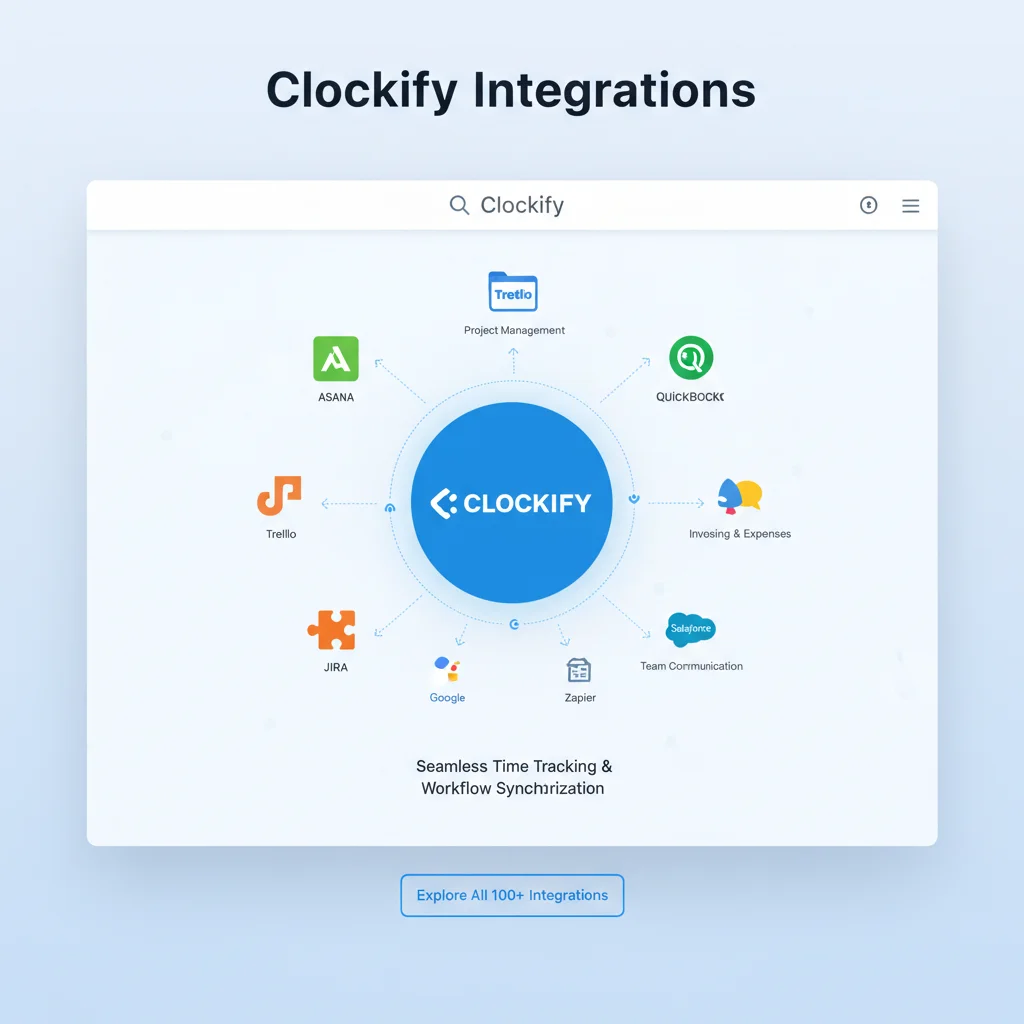
Clockify prides itself on its extensive integration capabilities, aiming to fit seamlessly into almost any existing software ecosystem. This broad compatibility is a major draw for businesses that rely on a diverse set of tools.
- Browser Extensions: Similar to Toggle Track, Clockify offers browser extensions for Chrome, Firefox, and Edge, allowing one-click time tracking directly within hundreds of web applications. This is a huge productivity booster.
- Project Management & Collaboration: Integrates with a vast array of tools including Asana, Jira, Trello, Monday.com, ClickUp, Todoist, Wrike, GitHub, GitLab, Salesforce, and many more.
- Accounting & Invoicing: Strong native integrations with popular accounting software like QuickBooks, Xero, FreshBooks, and PayPal for streamlined billing and financial management.
- CRM & Sales: Connects with CRM platforms to track time spent on client interactions and sales activities.
- Communication Tools: Integrations with Slack and other communication platforms to manage time tracking notifications and commands.
- Calendar Integrations: Syncs with Google Calendar and Outlook Calendar for event-based time tracking.
- API: A well-documented API allows developers to build custom integrations and extend Clockify’s functionality to niche applications.
- Zapier & Make (formerly Integromat): Connects with thousands of other apps through automation platforms, offering unparalleled flexibility in workflow automation.
Clockify’s integration ecosystem is arguably one of its strongest selling points. The sheer number of native integrations, combined with robust API and automation platform support, ensures that it can be woven into almost any business process, reducing manual data entry and improving data consistency across platforms. This makes it an incredibly versatile choice for diverse tech stacks.
Toggle Track vs. Clockify: Head-to-Head Comparison (2026 Perspective)
Now that we’ve explored each platform individually, let’s put them side-by-side on key metrics relevant to 2026’s business needs.
Ease of Use and Learning Curve
- Toggle Track: Generally considered simpler and more intuitive for basic time tracking. Its minimalist design means a very low learning curve, making it ideal for individuals or teams who need a straightforward timer without too many bells and whistles.
- Clockify: While still user-friendly, its broader feature set (team management, budgeting, scheduling) means it has a slightly steeper learning curve. However, for those needing comprehensive project oversight, the investment in learning pays off.
Reporting Features
- Toggle Track: Excellent for detailed time analysis, billable vs. non-billable tracking, and project profitability. Its visual reports are clear and customizable, making it easy to extract insights for client billing and internal optimization. Strong for understanding where time goes.
- Clockify: Offers more comprehensive reporting, including budget tracking, invoicing directly from reports, and scheduled report delivery. Its free reporting capabilities are particularly impressive. Ideal for understanding how time impacts financial and project health.
Integrations
- Toggle Track: Strong browser extension for in-app time tracking across many popular tools. Good native integrations with key project management platforms. API and Zapier expand its reach significantly.
- Clockify: Boasts a wider array of native integrations, particularly strong in accounting software (QuickBooks, Xero) and a vast number of project management tools. Its extensive ecosystem makes it highly adaptable to complex tech stacks.
Pricing and Value Proposition
- Toggle Track: Offers a robust free plan for basic time tracking. Paid plans introduce features like billable rates, project profitability, and advanced reporting. Generally scales well for small to medium teams.
- Clockify: Famous for its incredibly generous free plan, which includes unlimited users, projects, and many core features like reporting and basic integrations. Paid plans unlock budgeting, invoicing, advanced features like GPS tracking, screenshots, and priority support. Offers exceptional value, especially for larger teams on a budget.
Scalability
- Toggle Track: Scales well for individual freelancers and growing teams, especially those focused primarily on time tracking and simple project management.
- Clockify: Designed with scalability in mind, offering features that cater to larger organizations with complex team structures, multiple projects, and the need for extensive financial oversight and compliance.
Who Should Choose Toggle Track?
Toggle Track is an excellent choice for:
- Freelancers and Consultants: Its simplicity and robust reporting for billable hours are perfect for managing client work and invoicing.
- Small Teams and Startups: If your primary need is accurate time tracking for projects and clients, and you appreciate a clean, intuitive interface, Toggle Track is a strong contender.
- Design Agencies and Creative Studios: Where project profitability and tracking time against creative tasks are crucial.
- Users Prioritizing Simplicity: If you want to get started quickly and don’t need an overwhelming array of features beyond core time tracking.
- Teams Leveraging Browser Extensions Heavily: Those who want time tracking integrated directly into their existing web-based project management tools.
Who Should Choose Clockify?
Clockify is ideal for:
- Growing Businesses and Larger Teams: Its comprehensive team management, budgeting, and scheduling features cater to more complex organizational structures.
- Organizations Needing Extensive Integrations: If your tech stack includes a wide variety of project management, accounting, and CRM tools, Clockify’s vast integration ecosystem will be a significant advantage.
- Businesses Requiring Detailed Financial Oversight: With built-in invoicing, budgeting, and advanced cost tracking, it’s perfect for managing project finances closely.
- Companies with Diverse Workforces: Features like time off tracking, kiosk mode, and optional GPS tracking make it suitable for a variety of work environments (office, remote, field).
- Budget-Conscious Teams: Its generous free plan offers exceptional value, making it accessible for teams of all sizes looking for a powerful solution without immediate financial commitment.
Emerging Trends and Future Outlook for Time Tracking Apps in 2026
As we look further into 2026, the landscape of time tracking apps is continually evolving. Several trends are shaping their development and will influence future comparisons:
- AI and Automation: Expect more sophisticated AI-driven features for automatic time tracking, intelligent task suggestions, and predictive analytics on project timelines and costs.
- Deeper Integration with Communication Platforms: Seamless time tracking within Slack, Microsoft Teams, and other communication hubs will become even more prevalent, reducing context switching.
- Enhanced Privacy Controls: As monitoring features like screenshots and GPS tracking become more common, robust privacy settings and ethical considerations will be paramount.
- Focus on Employee Well-being: Time tracking tools might incorporate features to identify burnout risks, promote work-life balance, and offer insights into sustainable productivity.
- Advanced Predictive Analytics: Beyond just reporting past data, apps will leverage AI to predict future project durations, budget overruns, and resource needs with greater accuracy.
- Voice-Activated Time Tracking: Integration with virtual assistants for hands-free time logging could become a standard.
- Blockchain for Secure Time Records: For industries requiring immutable and verifiable time records, blockchain technology might emerge as a secure underlying infrastructure.
Both Toggle Track and Clockify are likely to incorporate these advancements, continuing to refine their offerings to meet the dynamic demands of the modern workforce. Their ability to adapt and innovate will be key to maintaining their positions as leading time tracking apps.
Conclusion: Making Your Choice in 2026
The choice between Toggle Track and Clockify in 2026 ultimately hinges on your specific needs, team size, budget, and the complexity of your project management requirements. Both are excellent time tracking apps, but they cater to slightly different priorities.
Choose Toggle Track if: You prioritize simplicity, quick adoption, and powerful, clear reporting for client billing and basic project profitability analysis. It’s fantastic for individual professionals and smaller teams who need an efficient time logger with solid data visualization.
Choose Clockify if: You need a comprehensive solution for team management, detailed budgeting, extensive integrations with a wide range of business tools, and robust financial oversight. Its generous free plan and scalability make it an incredibly attractive option for growing businesses and larger enterprises.
Before committing, it’s always advisable to utilize their free plans or trials. Test them with your actual workflows, involve your team in the evaluation, and assess how well each tool integrates with your existing tech stack. By carefully considering the reporting features, integration capabilities, and overall user experience, you can confidently select the time tracking apps that will propel your productivity and profitability forward in 2026 and beyond.