The Ultimate Photo Editing App Comparison: 2026 Edition for All Users
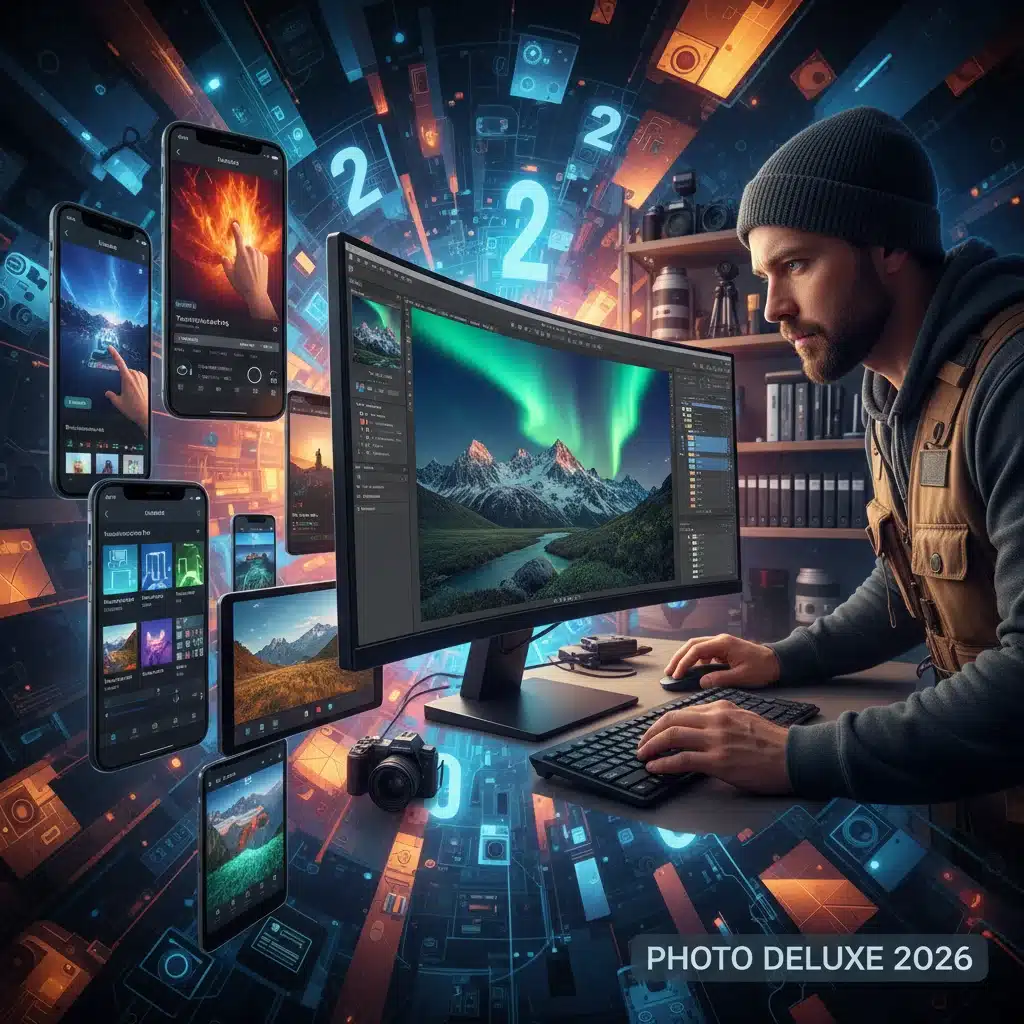
In an age where visual content reigns supreme, the ability to transform a good photograph into a stunning masterpiece is more crucial than ever. Whether you’re a seasoned professional photographer, a burgeoning influencer, or simply someone who loves to capture life’s moments, having the right photo editing apps at your fingertips can make all the difference. As we step into 2026, the landscape of digital image manipulation continues to evolve at an astonishing pace, bringing forth innovative features, AI-powered enhancements, and more intuitive interfaces. This ultimate guide is designed to navigate you through the best photo editing apps available this year, catering to both the rigorous demands of professionals and the creative whims of casual users.
The market for photo editing apps is vast and varied, ranging from sophisticated desktop suites that offer unparalleled control to streamlined mobile applications perfect for on-the-go edits. Choosing the “best” app isn’t a one-size-fits-all scenario; it heavily depends on your specific needs, skill level, and the type of photography you engage in. Do you prioritize raw power and an extensive feature set, or do you value ease of use and quick, impactful adjustments? Our comprehensive comparison will delve into the strengths and weaknesses of leading contenders, helping you make an informed decision.
We’ll explore key aspects such as user interface, feature depth, pricing models, cross-platform compatibility, and the integration of cutting-edge technologies like artificial intelligence. From detailed retouching and color grading to creative filters and generative fill, the capabilities of modern photo editing apps are truly astounding. Get ready to unlock the full potential of your images and elevate your visual storytelling.
The Evolution of Photo Editing Apps: A 2026 Perspective
Over the past few years, photo editing apps have transitioned from niche tools for professionals to essential utilities for almost everyone with a smartphone. This evolution has been driven by several factors: the proliferation of high-quality smartphone cameras, the rise of social media platforms demanding visually appealing content, and advancements in software development making complex tasks more accessible. In 2026, we see a culmination of these trends, with apps offering a blend of professional-grade features and user-friendly interfaces.
Key Trends Shaping Photo Editing in 2026:
- AI and Machine Learning Integration: AI is no longer a futuristic concept; it’s a fundamental component of many photo editing apps. From automatic object selection and background removal to intelligent upscaling and style transfer, AI-powered features significantly speed up workflows and enable creative possibilities previously unimaginable.
- Cloud-Based Workflows: Seamless synchronization across devices and collaborative editing are becoming standard. Cloud integration allows photographers to start an edit on a desktop, refine it on a tablet, and share it instantly from a smartphone.
- Generative AI for Content Creation: Beyond mere editing, some advanced photo editing apps are now incorporating generative AI to create new elements, extend backgrounds, or even generate entire images from text prompts, pushing the boundaries of creativity.
- Subscription Models: While free options still exist, many of the most powerful photo editing apps operate on a subscription basis, offering continuous updates, cloud storage, and access to premium features.
- Enhanced Mobile Capabilities: Mobile photo editing apps are closing the gap with their desktop counterparts, offering robust raw file support, advanced masking tools, and precise color adjustments directly on your phone or tablet.
Understanding these trends is crucial for selecting the right photo editing apps that will not only meet your current needs but also grow with your future creative endeavors. Now, let’s dive into the top contenders for 2026.
Professional-Grade Photo Editing Apps: Unrivaled Power and Precision
For photographers and graphic designers who demand the utmost control, precision, and an extensive toolkit, desktop-centric photo editing apps remain the gold standard. These applications are designed to handle high-resolution files, complex layering, and intricate retouching tasks.
1. Adobe Photoshop (Desktop & iPad)
Overview: Adobe Photoshop continues to be the undisputed king of image manipulation. In 2026, its integration with AI has reached new heights, with features like Generative Fill (powered by Adobe Firefly) allowing users to add, extend, or remove content from images with simple text prompts. Its comprehensive set of tools for retouching, compositing, and graphic design is unmatched.
Key Features:
- Advanced layering and masking capabilities
- Extensive selection tools (including AI-powered object selection)
- Non-destructive editing with Smart Objects
- Powerful retouching tools (Healing Brush, Clone Stamp, Content-Aware Fill)
- Comprehensive color correction and grading options
- Generative Fill and Generative Expand for AI-powered content creation
- Integration with other Adobe Creative Cloud apps
- Available on desktop and a robust version for iPad
Pros: Industry-standard, unparalleled feature set, continuous innovation with AI, vast community resources.
Cons: Steep learning curve for beginners, subscription-only model, resource-intensive.
Ideal For: Professional photographers, graphic designers, digital artists, anyone requiring the absolute best in image manipulation.
2. Adobe Lightroom (Desktop, Mobile & Web)
Overview: While Photoshop excels at pixel-level manipulation, Adobe Lightroom is the go-to for photographers focused on organizing, processing, and enhancing large volumes of raw images. Lightroom in 2026 offers a seamless cloud-based ecosystem, allowing you to edit across devices and keep your catalog synchronized.
Key Features:
- Robust raw file processing
- Non-destructive editing workflow
- Powerful cataloging and organization tools (keywords, collections, facial recognition)
- AI-powered masking tools (Subject, Sky, Background selection)
- Extensive color and tone adjustments
- Presets and profiles for quick stylistic changes
- Cloud storage and synchronization across desktop, mobile, and web
Pros: Excellent for raw photo management, intuitive interface for photographers, seamless cross-device editing, strong community support.
Cons: Less suited for complex compositing or graphic design than Photoshop, subscription required for full features.
Ideal For: Photographers of all levels who shoot raw, need robust organizational tools, and want a consistent editing experience across devices.
3. Capture One Pro
Overview: Often considered a direct competitor to Lightroom, Capture One Pro is renowned for its superior raw image processing, exceptional color handling, and tethered shooting capabilities. Many professional photographers, especially those in studio or commercial settings, prefer Capture One for its detail retention and color accuracy.
Key Features:
- Industry-leading raw conversion engine
- Advanced color editor for precise color manipulation
- Layer-based local adjustments
- Extensive tethered shooting support
- Customizable interface and powerful cataloging tools
- Style Brushes for quick, localized adjustments
Pros: Exceptional image quality, superb color management, powerful tethering, flexible interface.
Cons: Higher price point, steeper learning curve than Lightroom for some, less robust mobile offering.
Ideal For: Professional studio photographers, commercial photographers, and those who prioritize ultimate image quality and color fidelity.
4. Affinity Photo
Overview: Affinity Photo has carved out a significant niche as a powerful, one-time purchase alternative to Photoshop. It offers a comprehensive set of tools for image manipulation, retouching, and compositing, with excellent performance and a user-friendly interface. It’s available on desktop (Windows, macOS) and iPad.
Key Features:
- Full-featured layering and masking
- Professional retouching tools
- Raw development module (Persona)
- Live, non-destructive filters and adjustments
- HDR merging, focus stacking, and panorama stitching
- Excellent performance, even on large files
Pros: One-time purchase, powerful feature set comparable to Photoshop, excellent performance, available on iPad.
Cons: Lacks some of the advanced AI features of Adobe, smaller community resources.
Ideal For: Professionals and advanced hobbyists seeking a powerful, non-subscription alternative to Adobe products.
Casual & Mobile-First Photo Editing Apps: Instant Enhancements
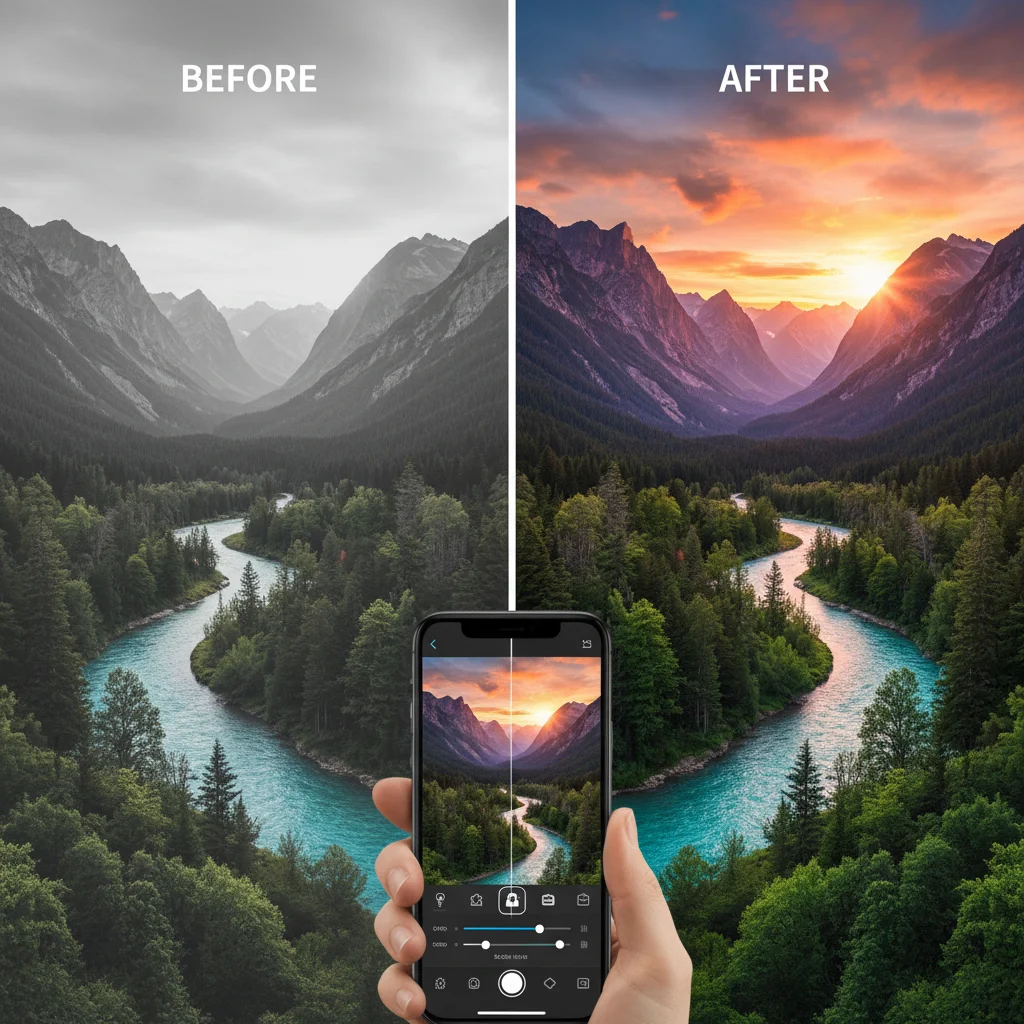
For everyday users, social media enthusiasts, and those who need quick, effective edits on the go, mobile-first photo editing apps are indispensable. These apps prioritize ease of use, speed, and shareability, often incorporating AI for intelligent adjustments.
1. Snapseed (Mobile – iOS & Android)
Overview: Google’s Snapseed remains a perennial favorite for mobile photo editing due to its powerful tools and intuitive gesture-based interface. It offers a surprising depth of features for a free app, making it a strong contender for both casual and more serious mobile photographers.
Key Features:
- Selective adjustment tools for precise local edits
- Healing tool for object removal
- Comprehensive set of filters and effects
- Raw development capabilities
- Perspective correction and white balance tools
- Non-destructive editing
Pros: Free, powerful, intuitive interface, raw support, excellent for quick and detailed mobile edits.
Cons: No desktop version, updates are less frequent than some paid apps.
Ideal For: Mobile photographers, social media users, and anyone needing a robust, free editing solution on their smartphone.
2. VSCO (Mobile – iOS & Android)
Overview: VSCO is celebrated for its stunning film-inspired presets and a strong community aspect. It’s more than just an editor; it’s a platform for sharing and discovering beautiful photography. While it offers a free version, its true power lies in its paid membership, which unlocks hundreds of presets and advanced editing tools.
Key Features:
- Extensive library of film-like presets
- Fine-tune adjustments for exposure, contrast, saturation, etc.
- Hues, split tone, and grain controls
- Integrated camera with manual controls
- Community platform for sharing and inspiration
Pros: Beautiful presets, strong aesthetic focus, creative community, user-friendly interface.
Cons: Many best features are behind a paywall, less emphasis on complex manipulation.
Ideal For: Social media influencers, photographers seeking a distinct aesthetic, and those who value community.
3. PicsArt (Mobile & Web)
Overview: PicsArt is a powerhouse of creative editing, blending traditional photo editing with graphic design, collage making, and a wealth of stickers and effects. In 2026, its AI tools for background removal, object replacement, and even generative art are making it incredibly versatile for casual and creative users.
Key Features:
- Extensive filters, effects, and stickers
- Collage maker and drawing tools
- AI-powered background remover and object replacement
- Generative AI for text-to-image and image-to-image transformations
- Video editing capabilities
- Large community and content library
Pros: Incredibly versatile, packed with creative features, strong AI integration, good for social media content creation.
Cons: Can feel overwhelming due to the sheer number of options, free version has ads and watermarks.
Ideal For: Social media creators, casual users wanting to add creative flair, and those interested in AI-powered graphic design.
4. Facetune (Mobile – iOS & Android)
Overview: While often associated with selfies and portrait retouching, Facetune has evolved into a comprehensive tool for enhancing facial features and overall portrait photography. Its AI capabilities in 2026 allow for incredibly realistic adjustments to skin, hair, and facial structure, making it a go-to for portrait photographers and influencers.
Key Features:
- Advanced skin smoothing and blemish removal
- Reshape tools for facial features
- Hair color and volume adjustments
- Teeth whitening and eye enhancement
- Background blur and replacement
- Lighting adjustments specific to portraits
Pros: Unparalleled portrait retouching, very easy to use, powerful AI for natural-looking enhancements.
Cons: Primarily focused on portraits, subscription required for full access.
Ideal For: Portrait photographers, influencers, and anyone looking to perfect their selfies and headshots.
Niche & Specialized Photo Editing Apps for 2026
Beyond the general-purpose editors, several photo editing apps cater to specific needs or offer unique functionalities.
1. Luminar Neo (Desktop)
Overview: Luminar Neo by Skylum is an AI-powered creative photo editor designed to simplify complex tasks. It’s particularly strong in its AI tools for sky replacement, portrait enhancement, and creative effects, making it a favorite for landscape and portrait photographers who want impressive results quickly.
Key Features:
- AI Sky Replacement and Sky Enhancer
- Relight AI for dynamic lighting adjustments
- Portrait Bokeh AI and Face AI for detailed portrait enhancement
- Structure AI for detail and clarity
- Layer-based editing and extensions for advanced functionality
Pros: Powerful AI tools, impressive one-click enhancements, user-friendly for complex tasks, one-time purchase option (with additional paid extensions).
Cons: Can be resource-intensive, some features require additional purchases.
Ideal For: Landscape photographers, portrait photographers, and users seeking powerful AI-driven creative edits.
2. Darktable (Desktop – Open Source)
Overview: For those who prefer open-source software, Darktable is a robust, free alternative to Lightroom. It offers non-destructive raw editing, extensive color management, and a professional workflow for serious photographers.
Key Features:
- Non-destructive raw workflow
- Advanced color management
- Modular architecture with a wide range of modules
- Tethered shooting
- Masking and local adjustments
Pros: Free and open source, powerful raw processing, strong community support, highly customizable.
Cons: Steeper learning curve, less polished interface than commercial alternatives, no official mobile app.
Ideal For: Budget-conscious photographers, Linux users, and those who value open-source software and deep control.
3. PhotoPpea (Web-Based)
Overview: Photopea is an impressive free, web-based photo editor that closely mimics the functionality and interface of Adobe Photoshop. It supports various file formats, including PSD, XCF, Sketch, XD, and CDR, making it an excellent option for quick edits or when you don’t have access to desktop software.
Key Features:
- Extensive toolset similar to Photoshop
- Supports PSD, XCF, Sketch, XD, and CDR files
- Layer-based editing
- Filters and adjustments
- Runs entirely in your web browser
Pros: Free, no installation required, excellent for quick edits, wide file format support, familiar interface for Photoshop users.
Cons: Requires an internet connection, performance depends on browser and internet speed, ads in free version.
Ideal For: Casual users, students, or anyone needing a powerful photo editor without installation or cost, especially for quick tasks.
Choosing the Right Photo Editing Apps for You in 2026
With such a diverse array of photo editing apps available in 2026, making the right choice can seem daunting. Here’s a framework to help you decide:
1. Identify Your Skill Level and Needs:
- Beginner/Casual User: Look for apps with intuitive interfaces, one-tap enhancements, and strong auto-correction features. Snapseed, VSCO, and PicsArt are excellent starting points.
- Intermediate/Advanced Hobbyist: You might need more control over specific adjustments, raw file support, and perhaps some layering capabilities. Lightroom, Affinity Photo, and Luminar Neo offer a great balance.
- Professional: Industry standards like Adobe Photoshop and Capture One Pro are essential for those who require ultimate control, advanced manipulation, and integration into professional workflows.
2. Consider Your Primary Device:
- Mobile-Only: If your smartphone or tablet is your primary camera and editing device, focus on apps like Snapseed, VSCO, PicsArt, or the mobile versions of Lightroom and Photoshop.
- Desktop-Primary: For serious work, desktop applications like Photoshop, Lightroom, Capture One Pro, or Affinity Photo will provide the power and screen real estate you need.
- Cross-Platform: If you need to switch between devices, cloud-synced solutions like Adobe Lightroom are ideal.
3. Evaluate Your Budget:
- Free Options: Snapseed, Darktable, and Photopea offer surprisingly robust features without cost.
- One-Time Purchase: Affinity Photo and Luminar Neo provide powerful alternatives to subscription models.
- Subscription Services: Adobe Creative Cloud (Photoshop, Lightroom) offers the most comprehensive tools but requires an ongoing payment. Weigh the value of continuous updates, cloud storage, and integrated services.
4. Think About Specific Features:
- Raw Editing: If you shoot in raw, prioritize apps like Lightroom, Capture One Pro, Darktable, or Snapseed.
- Portrait Retouching: Facetune, Luminar Neo, and Photoshop excel here.
- Creative Compositing/Graphic Design: Photoshop and Affinity Photo are the leaders.
- AI Enhancements: Luminar Neo, Photoshop, and PicsArt leverage AI extensively for quick, powerful edits.
The Future of Photo Editing Apps: Beyond 2026
Looking beyond 2026, the trajectory of photo editing apps is clear: greater integration of artificial intelligence, more intuitive interfaces, and increasingly seamless workflows across devices. We can expect even more sophisticated generative AI capabilities, allowing users to effortlessly create entire scenes or alter complex image elements with unprecedented ease.
Personalization will also play a larger role, with apps learning user preferences and suggesting edits or styles tailored to individual tastes. The line between traditional photography and digital art will continue to blur, empowering creators to realize their visions with fewer technical hurdles.
Furthermore, sustainability in software development and ethical considerations around AI-generated content will likely become more prominent discussions, influencing how photo editing apps are designed and used.
Conclusion: Empowering Your Visual Storytelling
The year 2026 presents an exciting landscape for photo editing apps, offering an incredible range of tools for every level of user and every creative ambition. From the pixel-perfect precision of Adobe Photoshop to the instant gratification of mobile editors like Snapseed and VSCO, there’s an app perfectly suited to help you tell your visual story.
We hope this comprehensive comparison has illuminated the best options available and provided you with the insights needed to choose the ideal photo editing apps for your workflow. Experiment with different options, take advantage of free trials, and most importantly, have fun transforming your images into captivating works of art. The power to create stunning visuals is now more accessible than ever before, so go forth and make your photos shine!
Remember, the best app is the one that fits your unique creative process and helps you achieve your vision most effectively. Happy editing!
Related Posts: