The Ultimate Guide to Organizing Your Digital Files: A 3-System Approach for 2026
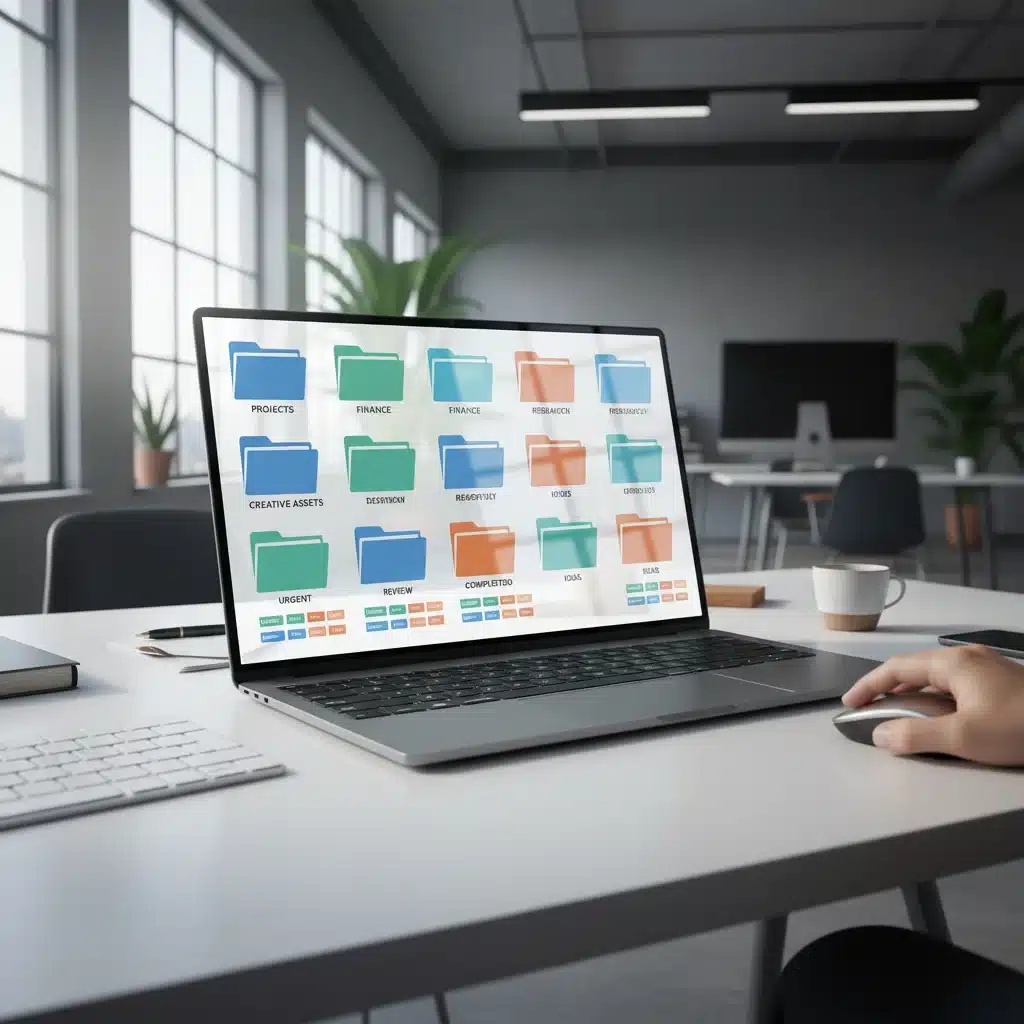
In an increasingly digital world, the sheer volume of information we encounter daily can be overwhelming. From work documents and personal photos to creative projects and financial records, our digital lives are constantly expanding. Without a robust and intuitive system for managing these assets, we quickly fall into a state of digital chaos, where finding what you need becomes a frustrating, time-consuming ordeal. This is where effective digital file organization becomes not just a convenience, but a necessity.
As we look towards 2026, the tools and techniques for managing our digital footprint continue to evolve. Cloud storage is ubiquitous, AI-powered search is becoming more sophisticated, and the lines between personal and professional digital spaces are increasingly blurred. This comprehensive guide will equip you with the knowledge and strategies to not only bring order to your current digital landscape but also to maintain that order well into the future. We’ll explore three primary digital file organization systems: Hierarchical, Tag-Based, and Hybrid, helping you identify the best approach for your specific needs and workflow.
The goal is simple: to transform your digital clutter into a streamlined, efficient, and easily navigable archive. Imagine instantly locating that crucial client report, retrieving a cherished family photo from years ago, or finding the exact resource you need for your next big project – all without breaking a sweat. This isn’t a pipe dream; it’s the reality that awaits you with a well-implemented digital file organization strategy.
The Pervasive Problem of Digital Clutter
Before diving into solutions, let’s acknowledge the common pitfalls that lead to digital disarray. Most of us start with good intentions, perhaps creating a few folders, but as files accumulate, these initial structures often crumble under the weight of new content. Here are some common culprits:
- Lack of a Defined System: Ad-hoc saving without a consistent naming convention or folder structure is the number one cause of digital chaos.
- Fear of Deletion: The “just in case” mentality leads to hoarding unnecessary files, making it harder to distinguish important documents from digital junk.
- Multiple Storage Locations: Files scattered across local drives, cloud services (Google Drive, Dropbox, OneDrive), external hard drives, and email attachments create fragmented information silos.
- Inconsistent Naming: Files named “document1.docx,” “final_report.pdf,” and “final_report_v2_really_final.pdf” are a nightmare to navigate.
- Procrastination: The task of organizing seems daunting, so it’s perpetually put off until the mess becomes unmanageable.
- Rapid Influx of Data: Modern life involves a constant stream of new files – downloads, screenshots, photos, videos, and more – which can quickly overwhelm an unmanaged system.
The consequences of poor digital file organization extend beyond mere inconvenience. It leads to:
- Lost Productivity: Wasted time searching for files directly impacts efficiency, whether for work or personal tasks.
- Increased Stress: The anxiety of not being able to find something important can be significant.
- Missed Opportunities: In a professional context, delays caused by disorganization can lead to missed deadlines or lost business.
- Data Redundancy: Multiple copies of the same file consume valuable storage space and create confusion about which version is current.
- Security Risks: Unorganized files can make it harder to identify and secure sensitive information.
Recognizing these challenges is the first step toward effective digital file organization. Now, let’s explore the frameworks that can help you overcome them.
System 1: The Hierarchical (Folder-Based) Approach
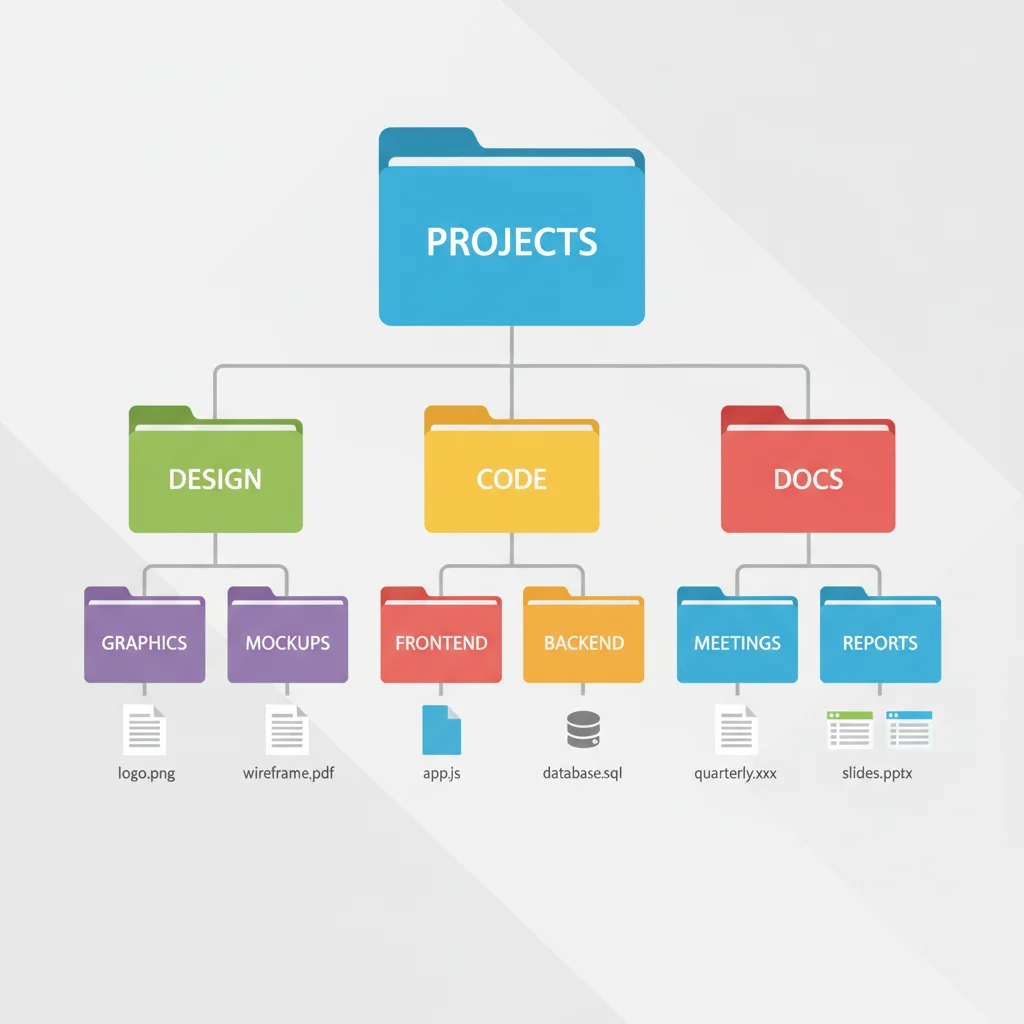
The hierarchical system is perhaps the most traditional and widely understood method of digital file organization. It mimics the physical filing cabinet, using nested folders to categorize and store files. This approach is intuitive for many because it aligns with how we often think about grouping items – from broad categories to increasingly specific sub-categories.
How it Works:
At its core, the hierarchical system involves creating a tree-like structure of folders. You start with a few broad, top-level categories, and within each, you create sub-folders, and so on, until you reach the desired level of granularity for your files.
Key Principles for a Successful Hierarchical System:
- Broad Top-Level Categories: Start with 3-7 main folders that represent the major areas of your digital life. Examples include “Work,” “Personal,” “Finances,” “Creative Projects,” “Learning,” “Archives.” Keep these high-level categories distinct and comprehensive.
- Logical Sub-Categorization: Within each main folder, create sub-folders that logically break down the content. For instance, under “Work,” you might have “Clients,” “Projects,” “Admin,” “Marketing.” Under “Clients,” you’d have individual client names.
- Consistent Naming Conventions: This is crucial. Develop a standard for naming files and folders and stick to it religiously. This might include:
- Date-Prefixed Files:
YYYY-MM-DD_FileName.ext(e.g.,2026-01-15_AnnualReport.pdf). This ensures chronological sorting. - Project Codes:
PROJ-001_DocumentTitle.ext. - Version Control: If you must keep multiple versions, use
FileName_v01.ext,FileName_v02.ext, or better yet, leverage versioning features in cloud storage or document management systems. - Avoid Special Characters: Stick to letters, numbers, hyphens, and underscores for maximum compatibility.
- Depth vs. Breadth: Strive for a balance. Too many nested folders (deep structure) can make navigation tedious. Too many folders at one level (broad structure) can make it hard to find specific items. Aim for 3-5 levels of depth as a general guideline.
- Regular Review and Archiving: Periodically review your folder structure. Move old or inactive projects to an “Archive” folder to keep your active folders lean.
Pros of the Hierarchical System:
- Familiarity: Most users are already accustomed to this method, making adoption easier.
- Clear Structure: Provides a very clear, visual representation of where files belong.
- Easy Navigation: When well-structured, it’s straightforward to browse to a specific file.
- Good for Project-Based Work: Excellent for organizing projects, clients, or courses where content naturally groups together.
Cons of the Hierarchical System:
- Rigidity: A file can typically only exist in one folder. If a file relates to multiple categories (e.g., a report relevant to two different projects), it forces a choice or creates duplicates.
- Maintenance Overhead: Requires discipline to consistently place files in the correct location.
- Scalability Issues: As the number of files grows, deeply nested folders can become cumbersome to navigate.
- Search Dependence: If a file is misplaced, it can be very difficult to find without relying on search functions.
Example Hierarchical Structure:
My Digital Life/
├── Work/
│   ├── Clients/
│   │   ├── ClientA/
│   │   │   ├── 2026-Q1_ProjectX_Proposal.pdf
│   │   │   └── MeetingNotes_2026-03-10.docx
│   │   ├── ClientB/
│   │   └── ...
│   ├── Projects/
│   │   ├── ProjectAlpha/
│   │   │   ├── Research/
│   │   │   └── Deliverables/
│   │   └── ProjectBeta/
│   ├── Admin/
│   │   ├── Invoices/
│   │   └── Contracts/
│   └── Marketing/
├── Personal/
│   ├── Photos/
│   │   ├── 2025_Vacation_Italy/
│   │   └── 2026_FamilyEvents/
│   ├── Documents/
│   │   ├── Health/
│   │   └── Legal/
│   └── Hobbies/
├── Finances/
│   ├── BankStatements/
│   ├── Taxes/
│   └── Investments/
├── Learning/
│   ├── Courses/
│   └── Articles_Ebooks/
└── Archives/
    ├── 2024_CompletedProjects/
    └── OldPhotos_Pre2020/
System 2: The Tag-Based (Metadata) Approach
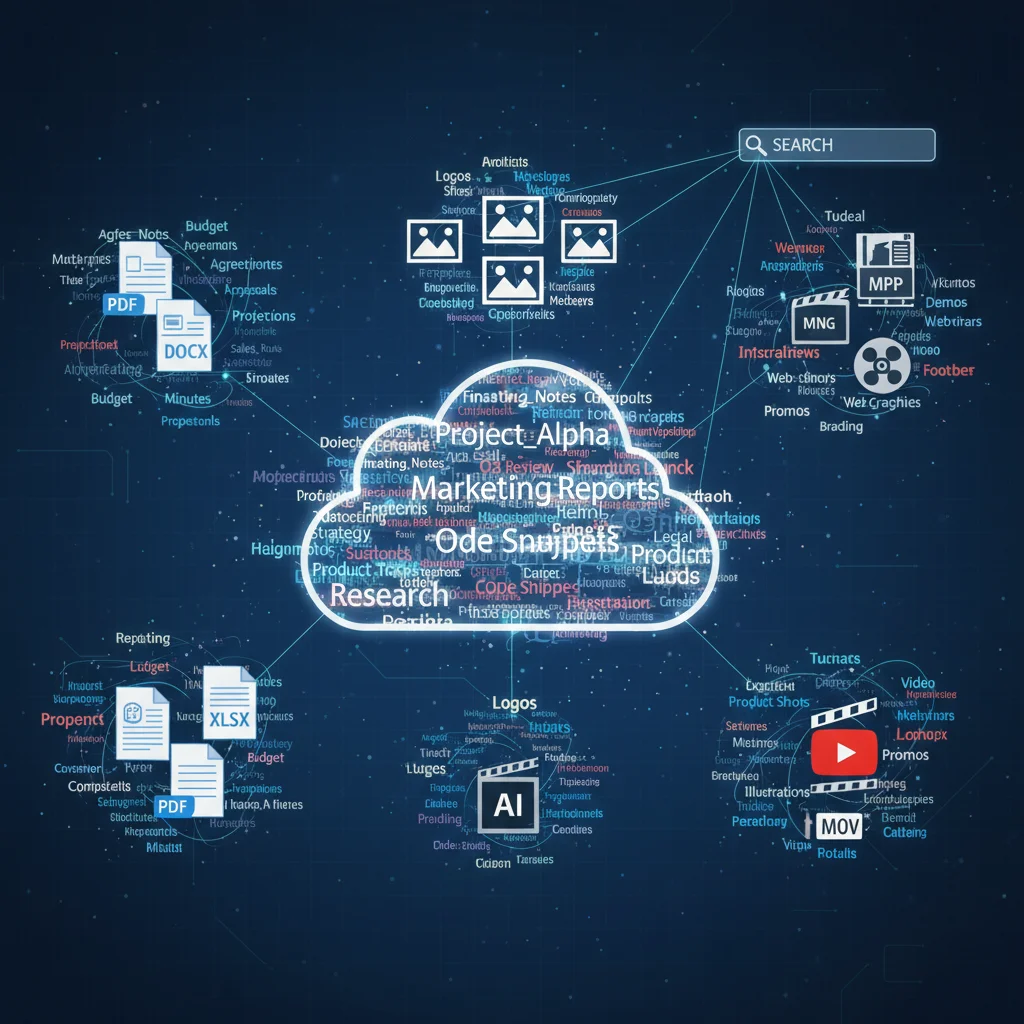
In contrast to the rigid structure of the hierarchical system, the tag-based approach offers incredible flexibility. Instead of relying on physical location within folders, files are organized by assigning descriptive keywords or “tags” (metadata) to them. This system is particularly powerful in environments where files might logically belong to multiple categories or where quick, multifaceted retrieval is essential.
How it Works:
With a tag-based system, you store all your files in a relatively flat structure (or a very shallow hierarchical one, e.g., a single “All Documents” folder). The magic happens when you assign one or more tags to each file. These tags act as labels that describe the file’s content, purpose, or context.
Key Principles for a Successful Tag-Based System:
- Choose a Tagging Tool: This system heavily relies on software that supports robust tagging. Many cloud storage services (Google Drive, Dropbox, OneDrive – though their tagging capabilities vary), dedicated document management systems, or even operating system features (like macOS tags) can be used.
- Develop a Tagging Vocabulary: Before you start tagging, define a set of core tags. Think about the different ways you might want to find a file. Categories could include:
- Topic Tags:
marketing,finance,legal,project management - Content Type Tags:
report,presentation,invoice,photo,video - Status Tags:
draft,final,pending review,archived - People/Client Tags:
client_A,john_doe - Date/Timeframe Tags (if not using date in filename):
Q1_2026,FY2025 - Consistency is Key: Just like with naming conventions, consistent tagging is vital. Use singular forms (e.g.,
reportnotreports), lowercase, and hyphens for multi-word tags (e.g.,project-plan). - Don’t Over-Tag: While flexible, too many tags can become as chaotic as too many folders. Aim for 3-7 relevant tags per file.
- Regular Review of Tags: Periodically review your tag vocabulary. Consolidate similar tags (e.g., merge
meetingandmeeting-notesintomeeting-notes). - Leverage Search: The power of a tag-based system comes alive with search. You can search for files with tag A AND tag B, or tag A OR tag C, allowing for highly specific retrieval.
Pros of the Tag-Based System:
- Flexibility: A single file can be associated with multiple tags, reflecting its diverse contexts without duplication.
- Enhanced Searchability: Allows for powerful, multi-faceted searches that transcend traditional folder boundaries. You can find all “marketing presentations from Q1 2026” regardless of where they are physically stored.
- Adaptability: Easy to add new tags or refine existing ones as your needs change.
- Reduced Duplication: Eliminates the need to save multiple copies of a file in different folders.
Cons of the Tag-Based System:
- Requires Good Tool Support: Less effective without software that properly supports tagging and metadata search.
- Initial Learning Curve: May take time to develop a comprehensive and consistent tagging vocabulary.
- Potential for Tag Sprawl: If not managed, you can end up with too many similar or redundant tags, making it hard to choose the right ones.
- Less Visually Intuitive: Does not offer the immediate visual overview of content that a folder structure provides.
Example Tagging:
2026-01-15_AnnualReport.pdfmight have tags:report,finance,annual,2026,finalMeetingNotes_ClientA_2026-03-10.docxmight have tags:meeting-notes,client_A,project_X,2026Q2_MarketingPlan_Draft.pptxmight have tags:marketing,plan,presentation,Q2,2026,draft
System 3: The Hybrid Approach – Best of Both Worlds
For many, the most effective digital file organization system isn’t purely hierarchical or purely tag-based, but a thoughtful combination of both. The hybrid approach leverages the strengths of each method while mitigating their weaknesses, offering a powerful, flexible, and intuitive system.
How it Works:
The hybrid system typically starts with a high-level hierarchical structure – a few core folders that provide immediate context and a sense of order. Within these folders, or for specific types of files, you then apply a robust tagging system.
Key Principles for a Successful Hybrid System:
- Strategic Folder Structure: Create a relatively shallow folder structure (2-3 levels deep) for your most important, frequently accessed, or project-based files. These folders act as primary containers. For example:
Work/(contains subfolders for active projects, clients)Personal/(contains subfolders for photos, personal documents)Resources/(for general reference materials)Inbox/(a temporary holding place for new files)- Aggressive Tagging Within Folders: Once a file is placed in a primary folder, apply a comprehensive set of tags. The folder provides the initial context, and the tags provide the granular detail and cross-referencing capabilities.
- Leverage Cloud Capabilities: Modern cloud storage solutions (Google Drive, Dropbox, OneDrive, etc.) are ideal for hybrid systems as they often combine folder structures with strong search capabilities that can interpret tags (either native tags or keywords in filenames/content).
- Smart Inbox Management: Use an “Inbox” or “Unsorted” folder as a temporary landing zone for all new digital files. Schedule a daily or weekly “processing” time to move these files to their appropriate hierarchical folder and apply relevant tags. This prevents clutter from accumulating.
- Automate Where Possible: Explore tools that can automate parts of your organization. This could include:
- Smart Folders: Operating system features that automatically gather files based on criteria (e.g., all PDFs created in the last week).
- Naming Automation: Tools that rename files based on rules.
- Tagging Automation: Some advanced document management systems can suggest or automatically apply tags based on content.
- Prioritize Search over Browsing: While folders provide a visual map, train yourself to rely heavily on search. The combination of folder context and precise tags will make your search queries incredibly powerful.
Pros of the Hybrid System:
- Optimal Balance: Offers the best of both worlds – the clarity of folders and the flexibility of tags.
- Highly Scalable: Can handle a massive volume of files without becoming unwieldy.
- Resilient: If you forget a tag, you might still find the file by browsing the folder. If you forget the folder, you can often find it via tags.
- Future-Proof: Adapts well to evolving needs and technological advancements.
- Reduced Cognitive Load: The initial folder placement provides a quick mental categorization, while tags refine it without forcing a single strict location.
Cons of the Hybrid System:
- More Complex Setup: Requires more thought and planning to set up initially compared to a purely hierarchical system.
- Requires Discipline: Still demands consistent effort in both placing files in folders and applying tags.
- Tool Dependence: Relies on effective search and tagging features within your chosen storage solution.
Example Hybrid Structure:
Top-level folders:
Work/Personal/Finances/Inbox/Archive/
Example file in Work/Projects/ProjectAlpha/:
2026-03-20_ProjectAlpha_StatusReport.pdf(Tags:report,project_alpha,status,Q1,2026,final)
Example file in Personal/Photos/:
2025-07-12_ItalyTrip_Colosseum.jpg(Tags:photo,vacation,italy,colosseum,travel,2025)
Essential Tools and Best Practices for Digital File Organization
Regardless of the system you choose, certain tools and best practices are universally beneficial for effective digital file organization.
Recommended Tools:
- Cloud Storage Services: Google Drive, Dropbox, OneDrive, iCloud Drive. These offer sync, backup, sharing, and increasingly sophisticated search and sometimes tagging capabilities. They are crucial for accessibility and disaster recovery.
- Dedicated Document Management Systems (DMS): For businesses or individuals with very complex needs, solutions like Evernote, Notion, or specialized DMS software can provide advanced tagging, linking, and content management features.
- Operating System Features: Both Windows (File Explorer) and macOS (Finder) offer robust search, folder creation, and some basic tagging functionalities (especially macOS).
- File Renaming Utilities: Tools like Advanced Renamer (Windows) or NameChanger (macOS) can help automate consistent naming conventions for large batches of files.
- Duplicate File Finders: Regularly run tools to identify and remove duplicate files, freeing up space and reducing confusion.
Universal Best Practices:
- Adopt a Naming Convention and Stick to It: As mentioned, consistency is paramount. Decide on a format (e.g.,
YYYY-MM-DD_Keyword_Description.ext) and apply it to all new files. - The “Inbox” or “To Sort” Folder: Create a temporary folder for all new downloads and files. Process this folder regularly (daily or weekly) to ensure files are moved to their permanent home and tagged. This prevents digital clutter from accumulating in default download folders.
- Regular Review and Decluttering: Schedule a monthly or quarterly “digital declutter” session.
- Delete unnecessary files.
- Archive old projects.
- Consolidate duplicate files.
- Review folder structures and tag vocabularies for relevance.
- Backup, Backup, Backup: An organized system is only useful if your data is safe. Implement a 3-2-1 backup strategy: 3 copies of your data, on 2 different media types, with 1 copy offsite (e.g., cloud backup).
- Empty Your Desktop: Treat your desktop as a temporary workspace, not a storage area. Cluttered desktops slow down your computer and make it harder to find anything.
- Utilize Search Effectively: Learn the advanced search operators for your operating system and cloud storage. Mastering search is a superpower in any digital file organization system.
- Be Mindful of File Formats: Where possible, save files in universal, future-proof formats (e.g., PDF for documents, JPEG for photos).
- Educate Yourself on Metadata: Understand that file information (creation date, author, tags) can be incredibly useful for organization and retrieval.
- Start Small, Be Patient: Don’t try to reorganize your entire digital life in one sitting. Start with new files, then tackle one section of your existing files at a time. It’s an ongoing process, not a one-time event.
Implementing Your Chosen System: A Step-by-Step Guide
Once you’ve decided on a system (or combination), here’s how to put it into action:
Step 1: The Digital Audit (The Purge)
This is often the hardest but most rewarding step. Go through your existing files and:
- Delete ruthlessly: If you haven’t touched it in years and it has no sentimental or legal value, get rid of it.
- Consolidate duplicates: Use a duplicate file finder to identify and remove redundant copies.
- Identify key categories: As you go through files, make a note of the main categories and types of information you deal with. This will inform your folder structure or tag vocabulary.
- Gather everything: Bring all scattered files (from downloads, old drives, email attachments) into one temporary “Unsorted” location.
Step 2: Design Your Structure/Vocabulary
- For Hierarchical: Map out your top-level folders and initial sub-folders on paper or a digital whiteboard. Define your naming conventions.
- For Tag-Based: Brainstorm a comprehensive list of tags you’ll use. Think about the different attributes of your files.
- For Hybrid: Combine the above – a core folder structure and a robust tag vocabulary.
Step 3: Create the Framework
Set up your chosen system in your preferred storage location (e.g., Google Drive, local hard drive).
- Create your top-level folders.
- If using a tag-based system, ensure your chosen software supports tagging effectively.
Step 4: Migrate and Organize
Start moving files from your “Unsorted” folder into their new homes. This is where you apply your chosen system:
- Hierarchical: Drag and drop files into the appropriate folders, renaming them according to your convention.
- Tag-Based: Move files into a general repository and apply relevant tags.
- Hybrid: Place files in their primary folder, then apply tags.
Don’t feel pressured to do it all at once. Break it down into manageable chunks (e.g., “today I’ll organize all my photos,” “this week I’ll tackle work project files”).
Step 5: Maintain and Refine
Digital file organization is not a one-time task; it’s an ongoing process. Regularly (weekly, monthly):
- Process your “Inbox” or “Unsorted” folder.
- Review your system. Are there new types of files that need new categories or tags?
- Archive old files.
- Check for duplicates.
- Backup your data.
The Future of Digital File Organization: What to Expect in 2026 and Beyond
As technology advances, so too will our methods of digital file organization. Here’s a glimpse into what the future might hold:
- Smarter AI and Machine Learning: Expect AI to play an even larger role in automatically categorizing, tagging, and even suggesting optimal storage locations for your files. AI-powered search will become even more intuitive and context-aware.
- Enhanced Semantic Search: Beyond keywords, search engines will better understand the meaning and relationships between your files, allowing for more natural language queries.
- Integrated Digital Workspaces: The lines between operating systems, cloud storage, and productivity apps will blur further, creating seamless environments where files and information flow effortlessly between applications.
- Voice and Natural Language Interfaces: Organizing and retrieving files via voice commands will become more commonplace.
- Focus on Privacy and Security: As our digital lives become more integrated, robust security and privacy controls will be paramount, potentially influencing how files are stored and shared.
- Personalized Organization: Systems will become more adaptive, learning your habits and preferences to create a truly personalized organization experience.
While these advancements promise to make digital file organization easier, the fundamental principles of intentionality, consistency, and regular maintenance will remain crucial. Technology is a tool; it still requires a thoughtful strategy to be truly effective.
Conclusion: Embrace a More Organized Digital Life
The journey to effective digital file organization might seem daunting, but the rewards – reduced stress, increased productivity, and instant access to your valuable information – are well worth the effort. By understanding the hierarchical, tag-based, and hybrid systems, you’re now equipped to choose the approach that best suits your needs and workflow.
Remember that the best system is the one you will consistently use. Start small, be patient, and celebrate every step towards a more organized digital life. In 2026 and beyond, a well-managed digital environment isn’t just about finding files; it’s about reclaiming your time, boosting your efficiency, and creating a calmer, more productive existence. Take the first step today, and transform your digital chaos into a harmonious, accessible, and future-ready archive.