Master Your Smartphone Privacy: 10 Essential Settings for 2026
Master Your Smartphone Privacy: 10 Essential Settings for 2026
In an increasingly interconnected world, your smartphone has become an extension of yourself – a repository of your memories, communications, financial details, and even your health data. As technology advances, so do the methods used to collect, analyze, and sometimes exploit this personal information. The year 2026 brings with it new challenges and innovations, making it more critical than ever to take proactive steps to safeguard your digital life. Understanding and adjusting your smartphone privacy settings is no longer optional; it’s a fundamental aspect of digital citizenship. This comprehensive guide will walk you through the 10 essential privacy settings you need to adjust on your smartphone in 2026 to ensure your personal data remains secure and your digital footprint is controlled.
The Evolving Landscape of Digital Privacy in 2026
The digital world of 2026 is characterized by hyper-personalization, advanced AI, and pervasive connectivity. While these advancements offer unparalleled convenience, they also present new vectors for data collection and potential privacy breaches. From sophisticated tracking cookies to AI-powered facial recognition and voice assistants that are always listening, the ways your data can be gathered are constantly expanding. Therefore, a static approach to privacy is insufficient. Regularly reviewing and updating your smartphone privacy settings is crucial to staying ahead of emerging threats and maintaining control over your personal information.
Many users often overlook the default privacy settings on their devices, assuming they offer adequate protection. However, out-of-the-box configurations are frequently designed for convenience over privacy, often prioritizing data collection for targeted advertising or service improvement. This means that a significant amount of your personal data – from your location history to your browsing habits and even your biometric data – could be shared with third parties without your explicit, informed consent. Taking the time to delve into these settings empowers you to make conscious choices about what information you share and with whom.
Furthermore, the regulatory landscape surrounding data privacy is also evolving. While GDPR and CCPA have set precedents, new regulations are continually being introduced globally, aiming to give individuals more control over their data. Staying informed about these changes and how they impact your smartphone’s capabilities is part of a holistic approach to digital security. By adjusting the essential smartphone privacy settings outlined below, you’re not just reacting to threats; you’re actively shaping your digital experience to be more secure and private.
1. Review and Revoke App Permissions
One of the most significant privacy vulnerabilities on your smartphone lies within the applications you install. Many apps request extensive permissions that go far beyond their core functionality. For instance, a simple flashlight app might request access to your camera, microphone, and location. In 2026, with the proliferation of AI-driven apps, these permissions can be even more intrusive, allowing apps to analyze your photos, listen to your conversations, or track your movements in real-time.
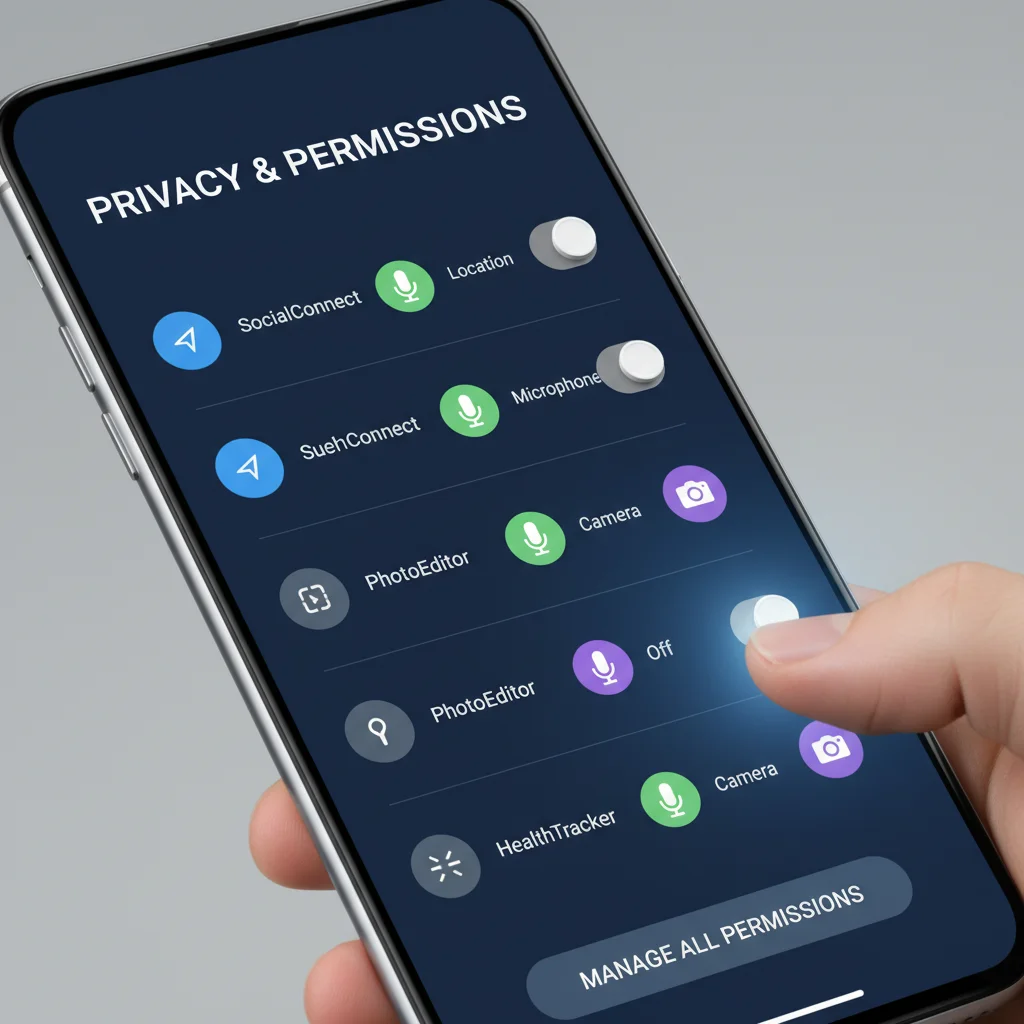
Action: Regularly navigate to your phone’s settings, find the ‘Apps’ or ‘Applications’ section, and then go into ‘Permissions Manager’ or ‘App Permissions’. Here, you’ll see a list of all permissions (e.g., Camera, Microphone, Location, Contacts, Storage) and which apps have access to them. Go through each permission category and revoke access for any app that doesn’t genuinely need it to function. For example, a messaging app needs access to your microphone for voice notes, but a puzzle game almost certainly does not. Pay close attention to permissions related to your camera, microphone, location, and contacts, as these are often the most sensitive. Some operating systems in 2026 offer granular control, allowing you to grant permissions ‘only while using the app’ or ‘ask every time’, which is a highly recommended setting for sensitive data.
2. Disable Location Tracking and History
Your smartphone’s location services are incredibly useful for navigation, weather updates, and finding nearby services. However, constant location tracking can paint a detailed picture of your daily routines, frequented places, and even your home and work addresses. This data can be aggregated, sold to advertisers, or potentially accessed in the event of a data breach. In 2026, with advanced geo-fencing and hyper-location services, the precision of this tracking is even greater.
Action: Go to your phone’s ‘Location’ settings. Here, you’ll typically find options to turn off location services entirely, though this might impact the functionality of some essential apps. A better approach is to manage location access on a per-app basis, similar to general app permissions. Allow location access only for apps that absolutely require it (e.g., maps, ride-sharing). Furthermore, look for ‘Location History’ or ‘Location Timeline’ settings within your Google or Apple ID accounts (accessed via your phone settings or web browser) and ensure this feature is paused or entirely disabled. Regularly review which apps have ‘always allow’ location access and restrict them to ‘only while using the app’ or ‘ask next time’.
3. Strengthen Your Lock Screen Security
Your lock screen is the first line of defense against unauthorized access to your smartphone. While a simple PIN might seem sufficient, in 2026, with sophisticated brute-force attacks and social engineering techniques, stronger authentication methods are paramount. Biometric data, while convenient, also comes with its own set of privacy considerations.
Action: Ditch easy-to-guess PINs like birthdays or ‘1234’. Opt for a strong, alphanumeric password or a complex pattern if available. Enable biometric security like fingerprint or facial recognition, but be aware of its limitations. Some jurisdictions or scenarios might compel you to unlock your device using biometrics. Consider using a strong password as a primary fallback. Ensure your phone is set to lock immediately after the screen turns off. Disable notifications from appearing on your lock screen, especially sensitive ones, to prevent prying eyes from gaining information. In 2026, many devices also offer an ’emergency contact’ feature on the lock screen; ensure it only displays necessary information and not personal details that could be exploited.
4. Manage Your Ad Personalization Settings
The personalized ads you see across websites and apps are a direct result of data collected from your smartphone. This includes your browsing history, app usage, location, and even demographic information. While some users might find personalized ads useful, others view them as an intrusive invasion of privacy. In 2026, AI-driven advertising engines are even more adept at creating highly targeted profiles.
Action: On Android, go to ‘Settings’ > ‘Google’ > ‘Ads’. Here, you can ‘Reset advertising ID’ and ‘Delete advertising ID’, which essentially clears your profile from advertisers. More importantly, toggle off ‘Opt out of Ads Personalization’. On iOS, navigate to ‘Settings’ > ‘Privacy & Security’ > ‘Apple Advertising’ and turn off ‘Personalized Ads’. While this won’t eliminate ads entirely, it will make them less targeted and reduce the amount of data collected about your online behavior for advertising purposes. Also, review the privacy settings within individual apps like Facebook, Instagram, and TikTok, as they often have their own separate ad personalization controls.
5. Configure Your Browser Privacy Settings
Your web browser is a gateway to the internet, and its settings play a crucial role in protecting your online privacy. Default browser settings often allow extensive tracking through cookies, site data, and third-party trackers. In 2026, with more sophisticated tracking technologies, configuring your browser for privacy is more important than ever.
Action: Open your preferred mobile browser (Chrome, Safari, Firefox, Brave, etc.) and go to its settings. Look for options related to ‘Privacy and Security’. Here, you should:
- Block third-party cookies: This significantly reduces cross-site tracking.
- Enable ‘Do Not Track’: While not universally honored, it’s a good practice to enable it.
- Clear browsing data regularly: Set your browser to automatically clear cookies and site data upon closing, or make it a habit to do so manually.
- Use a privacy-focused search engine: Consider switching from default search engines to alternatives like DuckDuckGo, which do not track your searches.
- Enable HTTPS-only mode: Many modern browsers in 2026 offer this, ensuring your connection to websites is always encrypted when possible.
6. Secure Your Wi-Fi and Bluetooth Connections
Public Wi-Fi networks and unsecured Bluetooth connections can be easy targets for cybercriminals. In 2026, with the proliferation of IoT devices and advanced network sniffing tools, these vulnerabilities are even more pronounced. Your smartphone constantly scans for and connects to Wi-Fi and Bluetooth devices, potentially exposing your data.
Action: Avoid connecting to unsecured public Wi-Fi networks whenever possible. If you must use one, employ a Virtual Private Network (VPN) to encrypt your traffic. Turn off Wi-Fi and Bluetooth when you’re not actively using them to prevent your phone from broadcasting its presence and connecting to unknown networks or devices. Disable ‘Wi-Fi scanning’ and ‘Bluetooth scanning’ in your phone’s location settings (even if location services are off, these might still be active for network improvement purposes). Ensure your home Wi-Fi network uses strong WPA3 encryption and a complex password. Regularly forget old Wi-Fi networks you no longer use.
7. Review and Limit Personal Assistant Data
Voice assistants like Siri, Google Assistant, and Bixby have become integral to many smartphone experiences in 2026. While convenient, they constantly listen for wake words and record snippets of your speech, which are then sent to servers for processing. This data can be used to improve the assistant’s accuracy, but it also raises significant privacy concerns about what is being recorded and how it is stored and used.
Action: Go to the settings for your specific personal assistant (e.g., ‘Siri & Search’ on iOS, ‘Google Assistant’ settings on Android). Look for options to review or delete your voice recordings and activity history. Many platforms allow you to pause future recordings. Consider limiting the data the assistant has access to, such as your contacts, calendar, or emails, unless absolutely necessary for its functionality. Evaluate whether you need the ‘Hey Siri’ or ‘OK Google’ always-listening feature enabled, and if not, disable it to reduce continuous microphone usage.
8. Enable Two-Factor Authentication (2FA) Everywhere
While not strictly a smartphone privacy setting, enabling Two-Factor Authentication (2FA) on all your online accounts dramatically enhances your overall digital security, which directly impacts your smartphone’s privacy. In 2026, password breaches are common, and 2FA adds an essential layer of protection.
Action: Go through all your critical online accounts – email, banking, social media, cloud storage, shopping sites – and enable 2FA. Ideally, use an authenticator app (like Google Authenticator, Authy, or Microsoft Authenticator) for time-based one-time passwords (TOTP), as SMS-based 2FA can be vulnerable to SIM-swapping attacks. Store your backup codes in a secure, offline location. Your smartphone is often the device used to receive or generate these 2FA codes, making its security paramount. This setting ensures that even if your password is compromised, unauthorized access to your accounts is prevented, thus protecting the private data stored within them.
9. Understand and Manage Notification Privacy
Notifications are designed to keep you informed, but they can inadvertently expose sensitive information to anyone who glances at your phone. In 2026, with more contextual and content-rich notifications, the risk of accidental exposure is higher.
Action: Go to your phone’s ‘Notifications’ settings. For each app, you can typically choose how notifications are displayed. For sensitive apps (like messaging, email, banking), select options like ‘Hide sensitive content’ or ‘Don’t show notifications on lock screen’. This prevents the content of messages or financial alerts from being visible to others. You can also customize which apps are allowed to send notifications at all. Consider disabling notifications for apps that constantly ping you with non-essential information, not only for privacy but also for digital well-being.
10. Keep Your Software Updated and Use Strong Passwords
This might seem basic, but it’s perhaps the most fundamental aspect of smartphone privacy and security in 2026. Software updates often include critical security patches that fix vulnerabilities exploited by hackers. Outdated software is a gaping hole in your device’s defenses. Similarly, reusing weak passwords across multiple services is an open invitation for data breaches.
Action: Enable automatic software updates for your operating system (iOS or Android) and all your apps. Regularly check for manual updates if automatic updates aren’t enabled. For passwords, use a strong, unique password for every single online account. This means a combination of uppercase and lowercase letters, numbers, and symbols, and ideally at least 12-16 characters long. Use a reputable password manager to generate and store these complex passwords securely, as remembering them all is practically impossible. This significantly reduces the risk of credential stuffing attacks, where compromised credentials from one site are used to gain access to others, thereby protecting your personal data across the digital spectrum.
Beyond the Settings: A Holistic Approach to Smartphone Privacy
Adjusting these 10 essential smartphone privacy settings for 2026 is a critical first step, but true digital privacy requires a continuous and holistic approach. Here are additional considerations:
- Be Mindful of What You Share: Think twice before posting personal information, photos, or location tags on social media. What might seem innocuous today could be used against you tomorrow.
- Read Privacy Policies (or Summaries): While often lengthy, try to understand the privacy policies of the apps and services you use. Many now offer simplified summaries.
- Regularly Audit Your Accounts: Periodically review your online accounts and delete old ones you no longer use. Each inactive account is a potential point of vulnerability.
- Use a VPN: A Virtual Private Network encrypts your internet traffic, making it much harder for third parties to snoop on your online activities, especially on public Wi-Fi.
- Beware of Phishing and Scams: Be vigilant against suspicious emails, texts, and calls that attempt to trick you into revealing personal information or installing malicious software.
- Consider a Privacy-Focused Phone/OS: For those with extreme privacy concerns, there are specialized smartphones and operating systems designed with privacy as the core principle.
- Educate Yourself: Stay informed about the latest cybersecurity threats and privacy best practices. The digital landscape is constantly changing, and so should your defense strategies.
Your smartphone is a powerful tool, but with great power comes great responsibility – the responsibility to protect your own data. By diligently applying these essential privacy settings and adopting a privacy-conscious mindset, you can significantly reduce your digital exposure and enjoy the benefits of technology with greater peace of mind in 2026 and beyond. Taking control of your smartphone privacy settings is an empowering act in an era where data is the new currency.
Conclusion
The year 2026 demands a proactive and informed approach to digital privacy, especially concerning our most personal device: the smartphone. The 10 essential smartphone privacy settings outlined in this guide – from meticulously managing app permissions and disabling pervasive location tracking to strengthening lock screen security and understanding ad personalization – are not just recommendations; they are vital safeguards in a data-driven world. Each setting you adjust contributes to a more secure and private digital existence, empowering you to control your personal narrative rather than having it dictated by algorithms and data brokers.
Remember, privacy is not a one-time setup; it’s an ongoing commitment. The digital environment is dynamic, with new technologies and threats emerging regularly. Therefore, make it a habit to periodically review these settings, stay updated on software advancements, and remain vigilant about the information you share. By taking these deliberate steps, you transform your smartphone from a potential privacy liability into a fortified personal sanctuary. Embrace these practices, and navigate the digital landscape of 2026 with confidence, knowing that your personal data is protected and your digital footprint is firmly under your control.