Note-Taking Apps 2026: Evernote vs. Notion vs. OneNote for Enhanced Productivity
In an increasingly digital and fast-paced world, the ability to efficiently capture, organize, and retrieve information is paramount. Whether you’re a student juggling lectures and research papers, a professional managing complex projects and client communications, or simply an individual striving for better personal organization, the right note-taking app can be a game-changer. As we look ahead to 2026, the landscape of digital note-taking continues to evolve, with powerful contenders like Evernote, Notion, and OneNote leading the charge. Each offers a unique blend of features designed to enhance productivity, foster collaboration, and streamline your workflow. But with so many options, how do you choose the one that best fits your specific needs? This comprehensive guide delves into a detailed comparison of these three titans of digital organization, helping you navigate their strengths, weaknesses, and ideal use cases to make an informed decision in 2026 and beyond. We’ll explore their core functionalities, pricing models, integration capabilities, and how they cater to the diverse demands of modern students and professionals.
The Evolving Landscape of Note-Taking Apps 2026
The concept of note-taking has come a long way from pen and paper. Digital platforms have revolutionized how we interact with information, offering features that traditional methods simply cannot match. In 2026, the expectations for note-taking apps are higher than ever. Users demand not just a place to jot down thoughts, but a comprehensive ecosystem that supports multimedia, facilitates collaboration, integrates with other tools, and offers robust search capabilities. The focus has shifted from mere capture to intelligent organization and actionable insights. This evolution is driven by the increasing complexity of information, the rise of remote work and learning, and the need for seamless transitions between devices and contexts.
The core challenge for any note-taking app today is to balance simplicity with powerful functionality. It needs to be intuitive enough for a quick memo, yet robust enough for intricate project planning. As we examine Evernote, Notion, and OneNote, we’ll assess how well each meets these contemporary demands, providing insights into their suitability for various user profiles and scenarios in the current technological climate. Understanding these nuances is key to selecting the optimal tool for your personal and professional growth.
Evernote: The Veteran’s Enduring Appeal in 2026
A Legacy of Capture and Search
Evernote has long been synonymous with digital note-taking. Launched in 2008, it quickly gained a loyal following for its powerful capture capabilities and industry-leading search functionality. Fast forward to 2026, and Evernote continues to hold its own, albeit with a more refined focus. Its primary strength remains its ability to capture almost anything – text, web clippings, audio, images, and even handwritten notes – and make it all searchable. This universal capture mechanism, combined with its advanced OCR (Optical Character Recognition) technology, means you can find specific words within PDFs, images, and even your own scribbles.
Key Features for 2026 Users:
- Universal Capture: Seamlessly clip web pages, take photos of whiteboards, record audio memos, and type notes. This makes it an ideal tool for students capturing lecture slides or professionals saving research articles.
- Powerful Search: Evernote’s search is legendary. It can find text within images, PDFs, and even attached documents, making sure no piece of information is ever truly lost.
- Notebooks and Tags: While its organizational structure is primarily hierarchical (notebooks and stacks of notebooks), its robust tagging system allows for highly flexible categorization, enabling users to create multiple pathways to the same information.
- Web Clipper: An indispensable tool for researchers and content curators, the web clipper allows you to save articles, images, and entire web pages with annotations.
- Cross-Platform Sync: Available on virtually every device and operating system, Evernote ensures your notes are always accessible, whether you’re on a desktop, laptop, tablet, or smartphone.
Collaboration and Integrations:
While not its strongest suit compared to Notion, Evernote does offer basic collaboration features, allowing users to share notebooks and individual notes for viewing or editing. Its integration ecosystem has grown over the years, connecting with tools like Google Drive, Outlook, and Salesforce, enhancing its utility within various professional workflows. However, for deep, real-time collaborative project management, users might find it less comprehensive than Notion.
Pricing and Accessibility:
Evernote offers a free basic plan with limited functionality and storage, suitable for light users. Its paid plans (Personal and Professional) unlock advanced features, increased storage, and more devices. The pricing structure in 2026 is competitive, aiming to cater to both individual power users and small teams. Accessibility remains a strong point, with intuitive interfaces across all platforms.
Who is Evernote best for in 2026?
Evernote remains an excellent choice for individuals who prioritize reliable information capture, robust search, and cross-platform accessibility. Students can benefit from its ability to organize research and lecture notes, while professionals will appreciate its web clipping and archival capabilities for knowledge management. If your primary need is to save and easily find vast amounts of diverse information, Evernote is still a top contender for note-taking apps 2026.
Notion: The All-in-One Workspace for 2026
Beyond Notes: A Versatile Operating System
Notion burst onto the scene as more than just a note-taking app; it’s a customizable workspace that can adapt to almost any organizational need. Described as an ‘all-in-one workspace,’ Notion combines note-taking, project management, databases, wikis, and more into a single, highly flexible platform. Its block-based editor allows users to build pages with unparalleled versatility, making it a favorite among startups, creative professionals, and students who need a centralized hub for their digital lives.
Key Features for 2026 Users:
- Block-Based Editor: Everything in Notion is a block – text, images, tables, to-do lists, code snippets, embedded files, and even other Notion pages. This modularity allows for incredible customization and complex page layouts.
- Databases: One of Notion’s most powerful features is its customizable databases. These can be used for CRM, content calendars, habit tracking, and more, with various views (table, board, calendar, gallery, list, timeline).
- Templates: Notion offers a vast library of templates for almost any use case, from personal journals to elaborate project management systems, making it easy for new users to get started and for power users to optimize workflows.
- Linked Databases and Relations: The ability to link databases and create relations between different pieces of information allows for highly interconnected and powerful knowledge management systems.
- Collaboration at its Core: Real-time collaboration is deeply integrated into Notion. Users can share pages, comment, mention teammates, and co-edit documents seamlessly, making it ideal for team projects and shared knowledge bases.
Learning Curve and Performance:
While incredibly powerful, Notion does have a steeper learning curve than Evernote or OneNote. Its open-ended nature can be overwhelming for new users, requiring some time to understand its full potential. Performance can also be an issue for very large workspaces with complex databases, though improvements are constantly being made. It’s a web-first application, with desktop and mobile apps often functioning as wrappers, which can sometimes impact offline functionality compared to native apps.
Pricing and Accessibility:
Notion offers a generous free plan, ideal for individuals and small teams, which includes unlimited blocks and pages. Paid plans (Plus, Business, Enterprise) provide increased file upload limits, version history, and advanced administrative controls. Its cross-platform availability is good, with web, desktop, and mobile apps, ensuring access from most devices.
Who is Notion best for in 2026?
Notion is the ultimate tool for those who need a highly customizable, all-in-one workspace for both personal and collaborative efforts. It’s perfect for project managers, content creators, developers, and students working on complex projects who value flexibility and the ability to build their own systems. If you’re looking for a tool that goes far beyond simple note-taking and can serve as your team’s central operating system, Notion is an unparalleled choice among note-taking apps 2026.
OneNote: Microsoft’s Free and Flexible Digital Notebook for 2026
The Digital Binder Experience
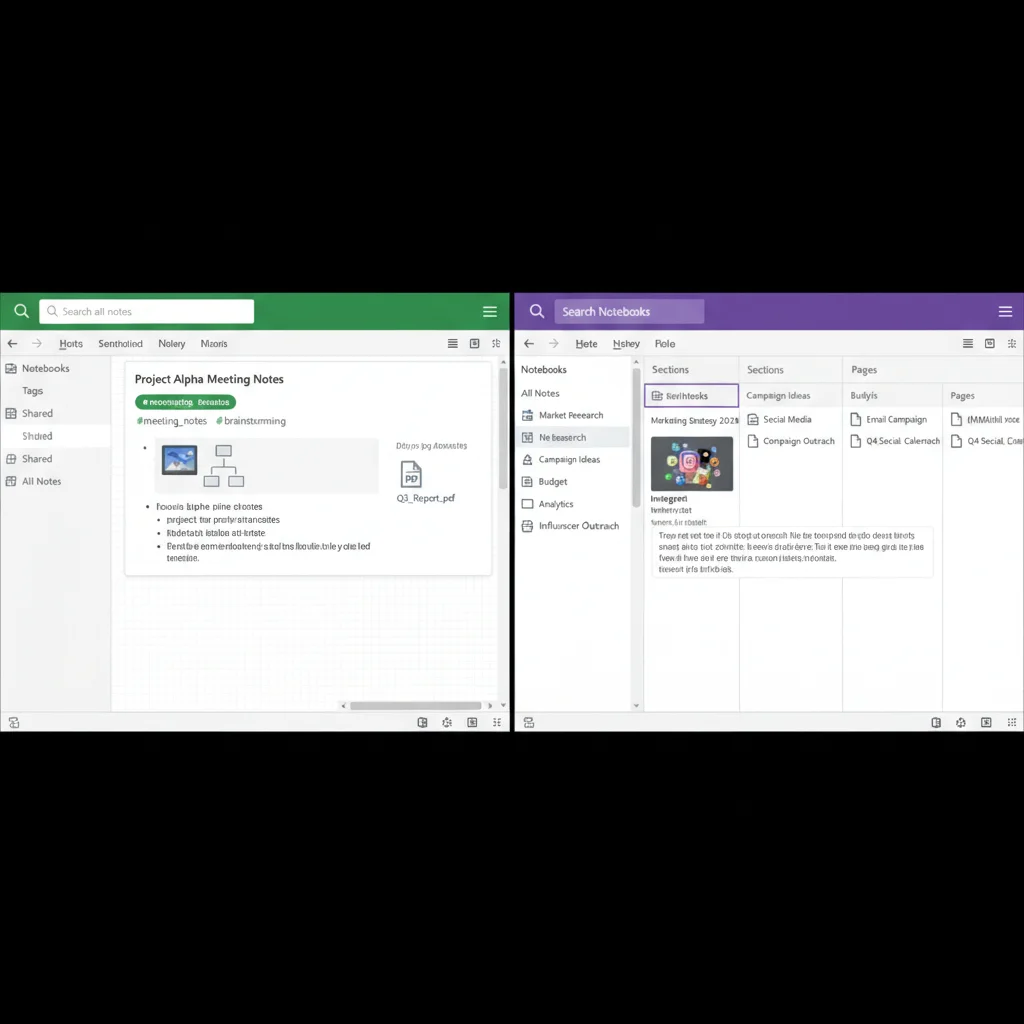
Microsoft OneNote offers a digital equivalent of a physical binder, complete with notebooks, sections, and pages. It’s deeply integrated within the Microsoft ecosystem, making it a natural choice for users already invested in Office 365. OneNote excels at freeform note-taking, allowing users to place text, images, drawings, and files anywhere on a page, mimicking the flexibility of a physical notebook. This unstructured canvas is a key differentiator, appealing to those who prefer a less rigid approach to organization.
Key Features for 2026 Users:
- Freeform Canvas: Unlike linear documents, OneNote pages are infinite canvases where you can drag and drop elements, draw, and write anywhere. This is particularly useful for brainstorming, mind-mapping, and visual thinkers.
- Notebooks, Sections, and Pages: Its hierarchical organization is intuitive and familiar, making it easy to categorize notes into broad subjects (notebooks), specific topics (sections), and individual notes (pages).
- Deep Microsoft Integration: As a Microsoft product, OneNote integrates seamlessly with other Office apps like Word, Excel, Outlook, and Teams. This makes it an excellent choice for businesses and educational institutions already using Microsoft’s suite.
- Ink and Drawing Capabilities: With stylus support, OneNote shines for those who prefer to write or draw their notes. It’s excellent for tablet users, allowing for handwritten annotations, diagrams, and sketches.
- Audio and Video Recording: You can embed audio and video directly into your notes, which is invaluable for students recording lectures or professionals documenting meetings.
Collaboration and Accessibility:
OneNote offers robust collaboration features, allowing multiple users to edit the same notebook in real-time. Changes are automatically synced, making it effective for group projects and shared resources. It’s available across all major platforms – Windows, macOS, iOS, Android, and web – ensuring widespread accessibility. The fact that it’s largely free (with a Microsoft account) makes it highly accessible to a broad audience.
Performance and Storage:
OneNote stores notes in the cloud (OneDrive), offering generous storage capacity. Its performance is generally excellent, especially on native desktop applications. The ability to work offline and sync changes later is a significant advantage. The freeform nature, however, can sometimes lead to disorganized pages if not managed carefully, requiring users to develop their own systems within the flexible canvas.

Who is OneNote best for in 2026?
OneNote is ideal for users who appreciate a freeform, digital notebook experience and are deeply embedded in the Microsoft ecosystem. It’s particularly strong for students who take handwritten notes, visual thinkers who use diagrams and sketches, and professionals who need robust integration with Office 365. Its collaborative features make it suitable for team environments where shared digital binders are beneficial. For those seeking versatile note-taking apps 2026 without a subscription, OneNote is an exceptional choice.
Comparing the Titans: Evernote vs. Notion vs. OneNote in 2026
Now that we’ve explored each app individually, let’s put them head-to-head on critical aspects relevant for students and professionals in 2026.
Organization and Structure:
- Evernote: Hierarchical (notebooks/stacks) with powerful tagging. Best for traditional document and information archiving.
- Notion: Highly flexible block-based system, allowing for custom databases, wikis, and interconnected pages. Ideal for building complex, bespoke knowledge management systems.
- OneNote: Freeform canvas within a familiar notebook/section/page hierarchy. Great for unstructured brainstorming and visual organization.
Collaboration Features:
- Evernote: Basic note and notebook sharing. Sufficient for simple sharing but not real-time project collaboration.
- Notion: Excellent real-time co-editing, comments, mentions, and shared workspaces. Designed for team collaboration on projects and shared knowledge bases.
- OneNote: Robust real-time co-editing and shared notebooks. Integrates well with Microsoft Teams for collaborative environments.
Integration and Ecosystem:
- Evernote: Good integrations with popular third-party apps (Google Drive, Outlook).
- Notion: Growing integrations, with a strong API for developers and embedded content from many services.
- OneNote: Seamless and deep integration with the entire Microsoft Office 365 suite, a huge advantage for Microsoft users.
Capture Capabilities:
- Evernote: King of universal capture – web clippings, audio, images, PDFs, handwritten notes with OCR.
- Notion: Good for capturing text, links, and embedding various content types. Web clipper is decent but not as robust as Evernote’s.
- OneNote: Excellent for freeform text, ink, audio, video, and screen clippings.
Pricing and Value:
- Evernote: Free basic, then paid subscriptions for full features. Can be perceived as expensive for advanced plans.
- Notion: Generous free plan, then affordable paid plans. Offers immense value given its versatility.
- OneNote: Mostly free with a Microsoft account, offering significant value, especially for Office 365 subscribers.
Learning Curve:
- Evernote: Relatively easy to learn, straightforward interface.
- Notion: Steeper learning curve due to its immense flexibility and database features. Requires investment to master.
- OneNote: Easy to pick up, especially for those familiar with Microsoft products.
The Ideal Note-Taking App for Students in 2026
Students face unique challenges: managing lecture notes, research, group projects, and personal organization. Each app offers distinct advantages:
- Evernote: Ideal for capturing lectures (audio, written, photos of whiteboards), saving research papers via web clipper, and robustly searching through all collected materials. Its tagging system helps cross-reference topics across different courses.
- Notion: Perfect for creating comprehensive course wikis, managing assignments with databases, tracking project deadlines, and collaborating on group presentations. Its versatility allows students to build a complete academic dashboard.
- OneNote: Excellent for students who prefer handwritten notes (especially with a stylus on a tablet), drawing diagrams, and annotating PDFs directly. Its integration with Microsoft Teams can be a boon for university group work.
For students, the choice often comes down to their preferred learning style and the complexity of their academic workload. Visual learners or those with a tablet might lean towards OneNote. Students managing complex projects and needing a centralized hub will find Notion invaluable. Those focused on efficient capture and retrieval of vast information will appreciate Evernote.
The Ideal Note-Taking App for Professionals in 2026
Professionals require tools that enhance productivity, facilitate team collaboration, and integrate seamlessly with business workflows. The demands are often higher stakes and more diverse:
- Evernote: Great for individual knowledge workers who need to archive articles, client notes, meeting minutes, and research. Its powerful search ensures quick retrieval of critical information, making it a reliable personal knowledge base.
- Notion: The go-to for teams needing a collaborative project management tool, shared company wikis, content calendars, and CRM systems. Its database functionality makes it incredibly powerful for tracking tasks, projects, and departmental resources.
- OneNote: A strong contender for professionals within Microsoft-centric organizations. It’s excellent for meeting notes, brainstorming sessions, and shared team notebooks within Microsoft Teams. Its freeform canvas is great for planning and ideation.
For professionals, the decision is often influenced by their team’s existing tech stack and the specific nature of their work. Teams focused on agile project management or extensive documentation will gravitate towards Notion. Those deeply embedded in Microsoft 365 will find OneNote a natural fit. Individuals prioritizing personal information management and robust search will continue to rely on Evernote.
Future Trends and What to Expect in 2026 and Beyond
The note-taking apps 2026 landscape is dynamic. We can expect continued innovation in several areas:
- AI Integration: Expect more advanced AI features for summarization, intelligent search, content generation, and task automation within all these apps. AI could help categorize notes, suggest related content, and even draft initial outlines.
- Enhanced Collaboration: Real-time co-editing and advanced access controls will become even more sophisticated, catering to complex organizational structures and remote work models.
- Better Offline Capabilities: As cloud-first apps become more prevalent, robust offline functionality will be crucial for seamless productivity regardless of internet access.
- Cross-Platform Consistency: Users will demand a consistent and equally powerful experience across all devices, from desktops to foldable phones.
- Security and Privacy: With increasing data concerns, enhanced encryption, privacy controls, and compliance certifications will be key differentiators.
Evernote, Notion, and OneNote are all actively investing in these areas, ensuring they remain relevant and powerful tools in the years to come. Their ability to adapt to these trends will determine their long-term success and market share among note-taking apps 2026.
Making Your Final Decision: Your Personal Productivity Powerhouse
Choosing the best note-taking app in 2026 isn’t about finding a universally superior tool; it’s about identifying the one that aligns perfectly with your individual or team’s workflow, habits, and priorities. Consider these questions before making your choice:
- What is your primary use case? Are you mainly capturing information, managing complex projects, or brainstorming ideas?
- How do you prefer to organize? Do you like structured hierarchies, flexible databases, or freeform canvases?
- How important is collaboration? Do you need real-time co-editing for team projects?
- What ecosystem are you already in? Are you a heavy Microsoft Office user, or do you prefer a more open platform?
- What’s your budget? Are you looking for a free solution or willing to invest in a premium subscription?
- What’s your comfort level with a learning curve? Are you willing to invest time to master a powerful, flexible tool, or do you need something intuitive from day one?
By carefully evaluating these factors against the detailed insights provided for Evernote, Notion, and OneNote, you can confidently select the note-taking app that will truly elevate your productivity and organizational prowess in 2026 and beyond. Each of these platforms offers tremendous value, and the ‘best’ one is ultimately the one that empowers you to do your best work.
Conclusion: Powering Your Productivity with the Right Note-Taking App
The quest for the perfect digital workspace leads many to evaluate the leading note-taking apps 2026. Evernote, Notion, and OneNote each present a compelling case, catering to different needs and preferences. Evernote, the seasoned veteran, continues to excel in robust capture and unparalleled search, making it ideal for comprehensive information archiving. Notion, the innovative newcomer, stands out as an all-in-one customizable workspace, perfect for project management and building interconnected knowledge systems. OneNote, Microsoft’s flexible offering, provides a familiar digital notebook experience with strong freeform capabilities and deep integration into the Microsoft ecosystem.
For students, the choice often hinges on study habits – whether it’s handwritten notes in OneNote, extensive research in Evernote, or project organization in Notion. Professionals will weigh team collaboration needs, existing software infrastructure, and the complexity of their projects. In 2026, the lines between these tools may blur further as they continue to evolve, incorporating more AI, enhancing collaboration, and improving cross-platform consistency. The key is to understand your own workflow and leverage the strengths of these powerful applications to maximize your efficiency and achieve your goals. Choose wisely, and empower your productivity like never before.